
For environmental and engineering teams whose work orders, equipment maintenance, and job costs still live across spreadsheets, whiteboards, and email. FireFlight pulls that field work onto one operating record.
- Building operational software since 1995
- Configured around the way your operation runs
- Hosted and maintained by PCG
What is FireFlight?
FireFlight is field operations software built by Phoenix Consultants Group. It connects work orders, equipment maintenance, assets, and projects on one record, so your team can see what is running, what is down, and what is due without checking five places.
The hard way
Your operation outgrew spreadsheets a long time ago
Equipment goes down
A truck or a rig stops and nobody sees the open work order until the whole crew is backed up.
Maintenance slips
A service was due last week but lived in a sheet nobody checked, so the machine failed instead.
Jobs lose track
Project costs are scattered across files, so a job slips behind before anyone can see the numbers.
The connected way
One system that runs the site, not ten that track it
- Put the work on one record so orders, equipment, assets, and jobs stay connected on a single database.
- Stay ahead of maintenance so a service that is due or overdue shows up before the machine fails.
- See work order status as it changes so what is in progress, waiting, or behind is visible before it becomes a problem.
- Track job cost against the work so a project that is slipping is something you watch, not something you find out later.
Equipment and maintenance
Keep your equipment running, not guessing
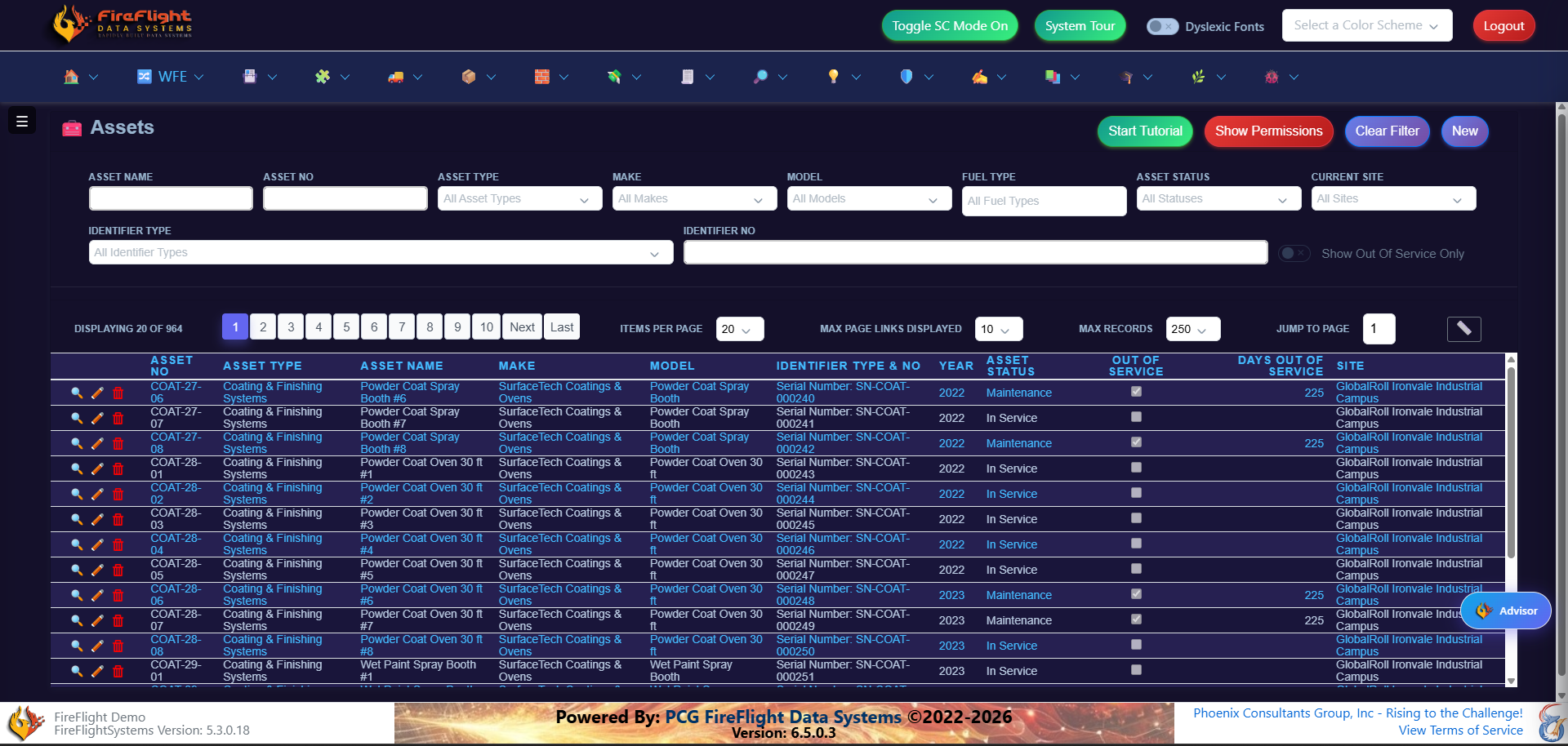
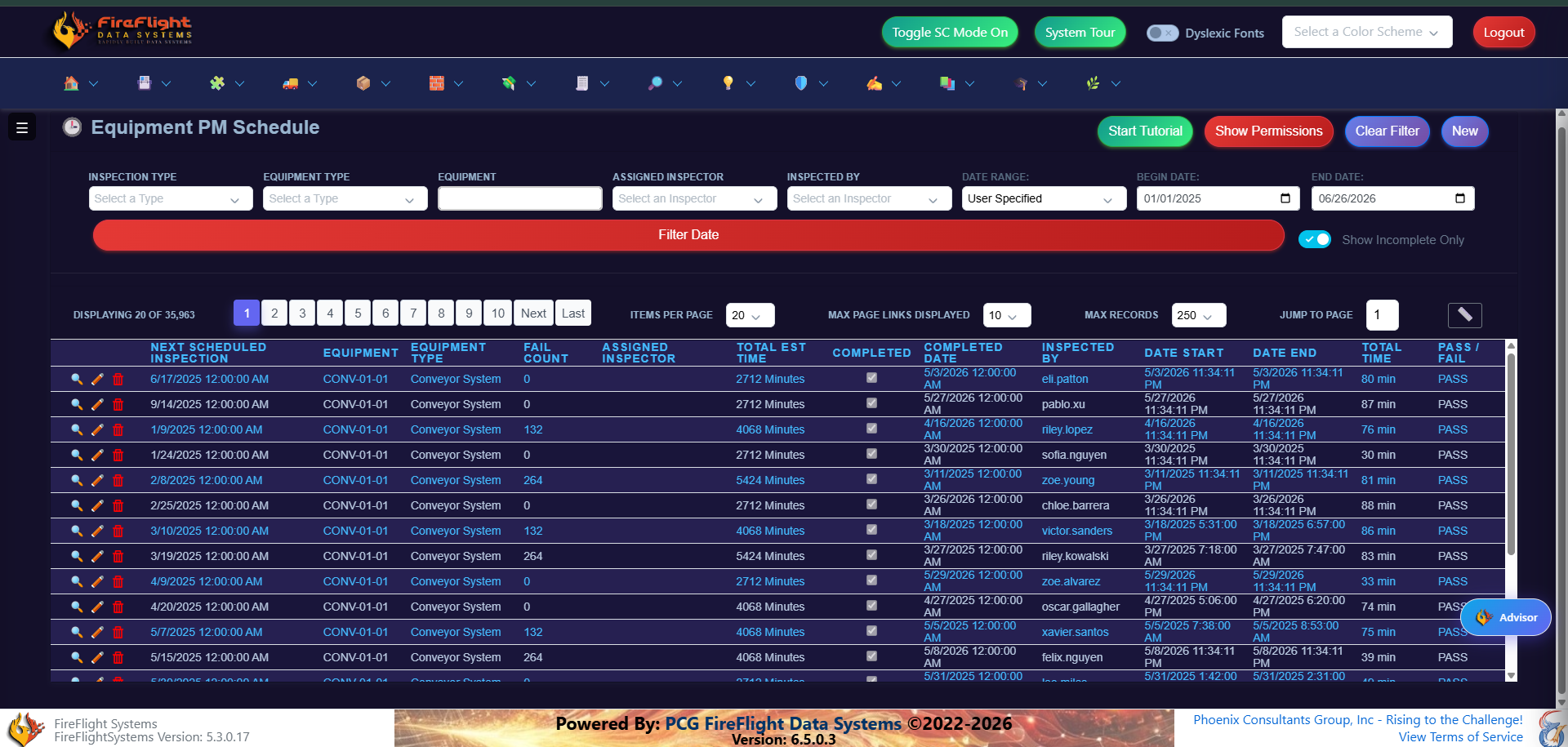
Every asset has a record: what it is, where it sits, and what is due next. Preventive maintenance runs on a schedule the system tracks for you, so a missed service shows up before a breakdown does.
Work orders
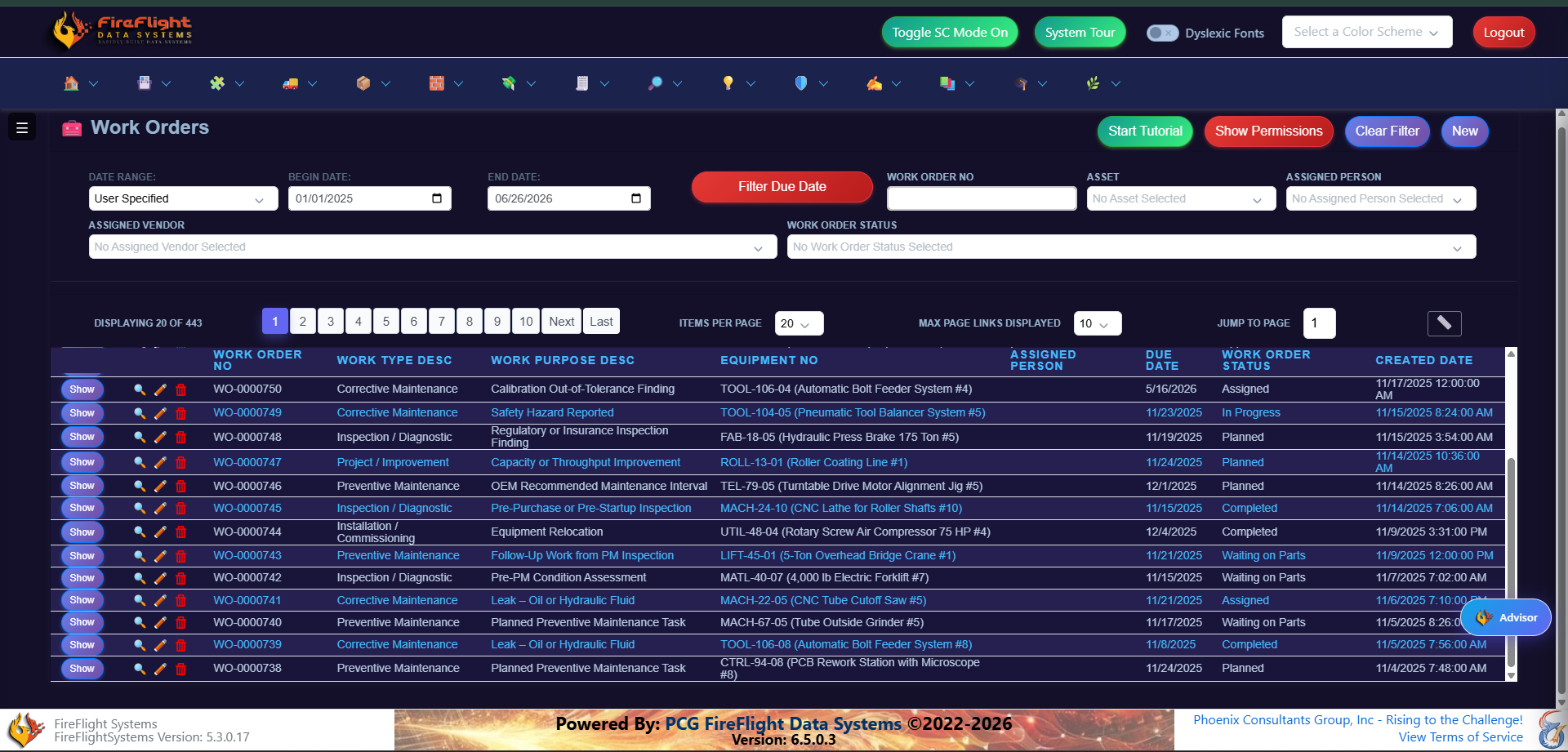
See every work order and where it stands
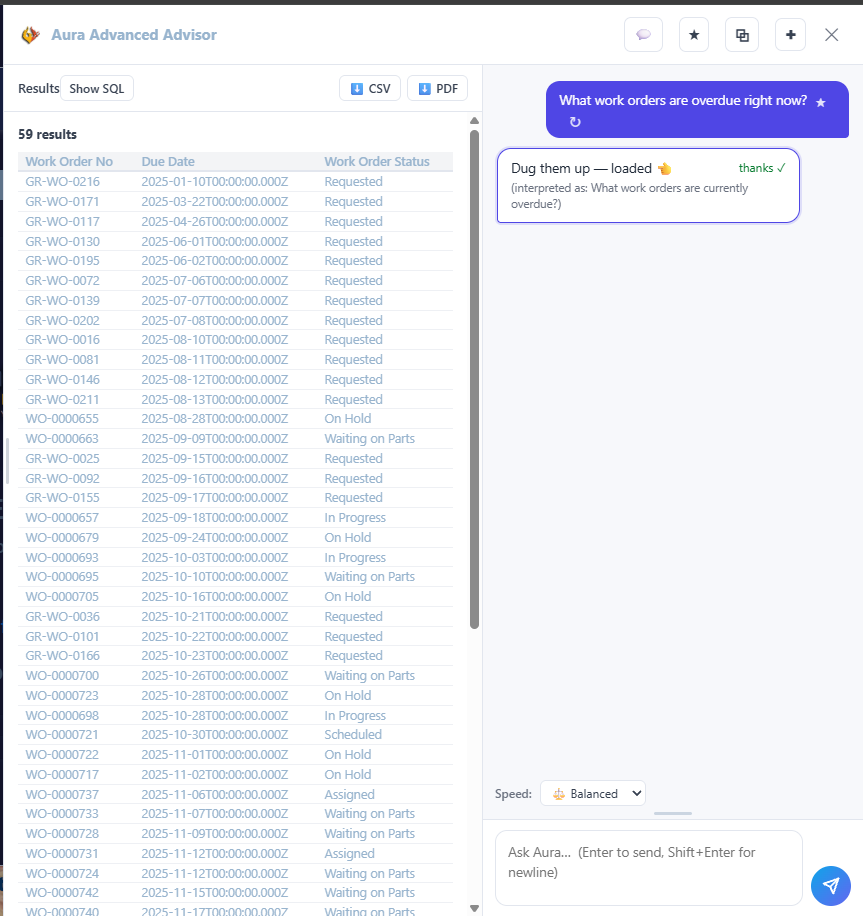
Work orders live in one view, from the moment they open to the moment they close. You see what is in progress, what is waiting on parts, and what is behind, without asking three people or checking a whiteboard.
Projects
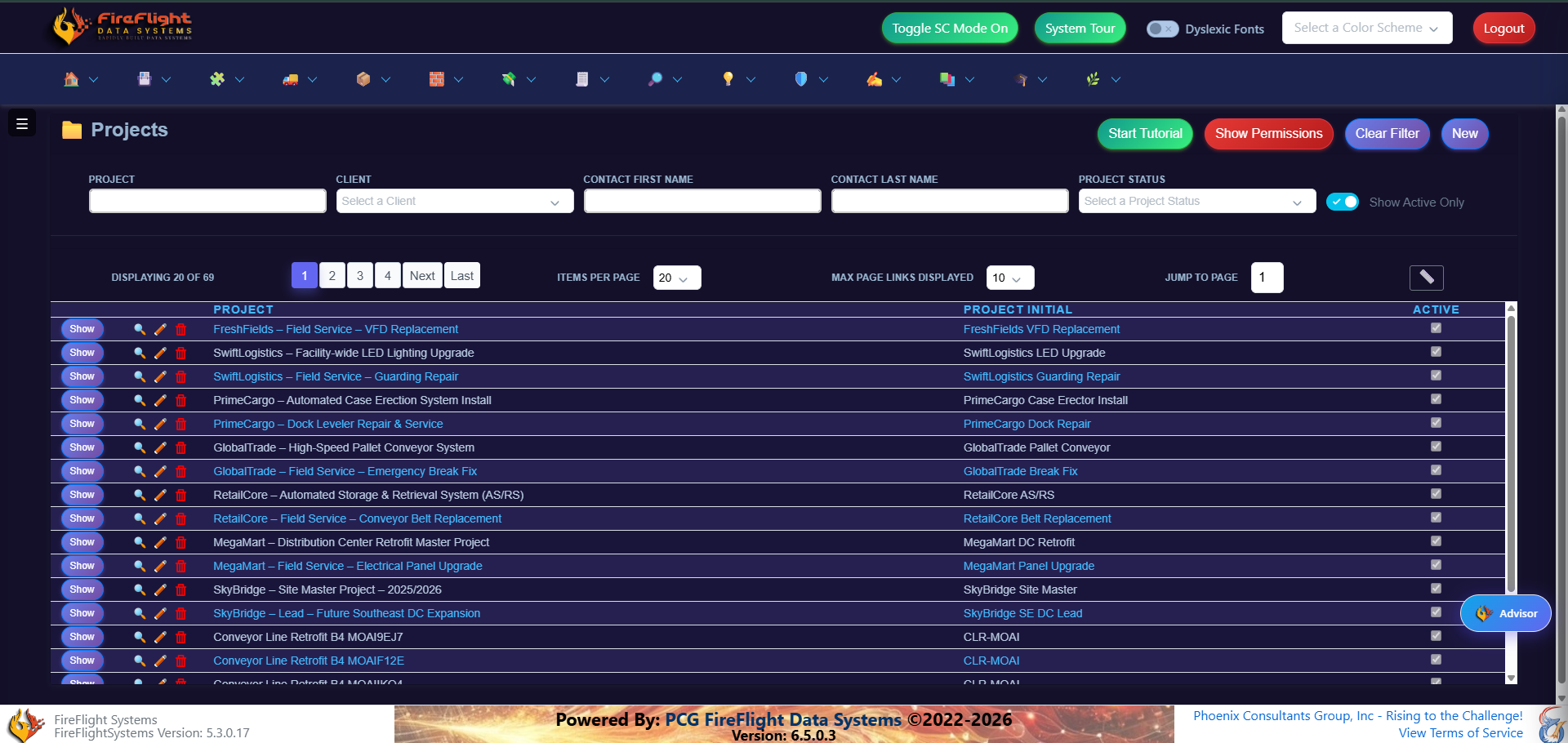
Track every project and what it costs
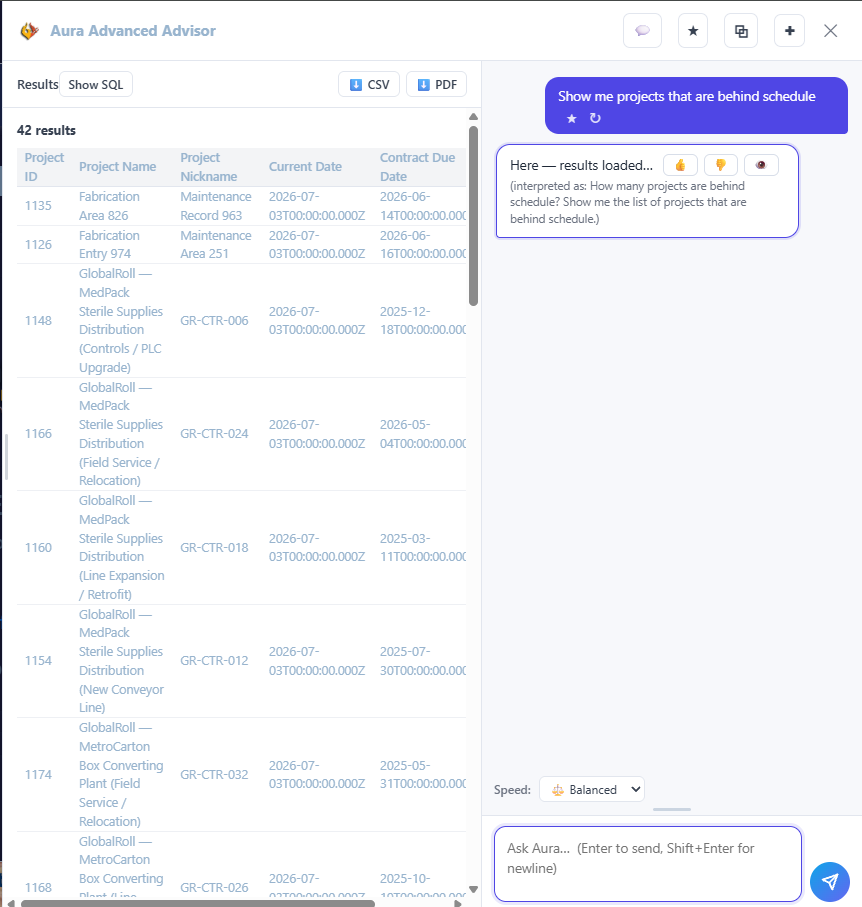
Each project holds its own work and costs in one place, so you know what stage a job is in and what it is running you. Contract dates and current dates sit side by side, so a project that is slipping shows up while there is still time to act.
Ask your operation
Simple questions, answers from your live data
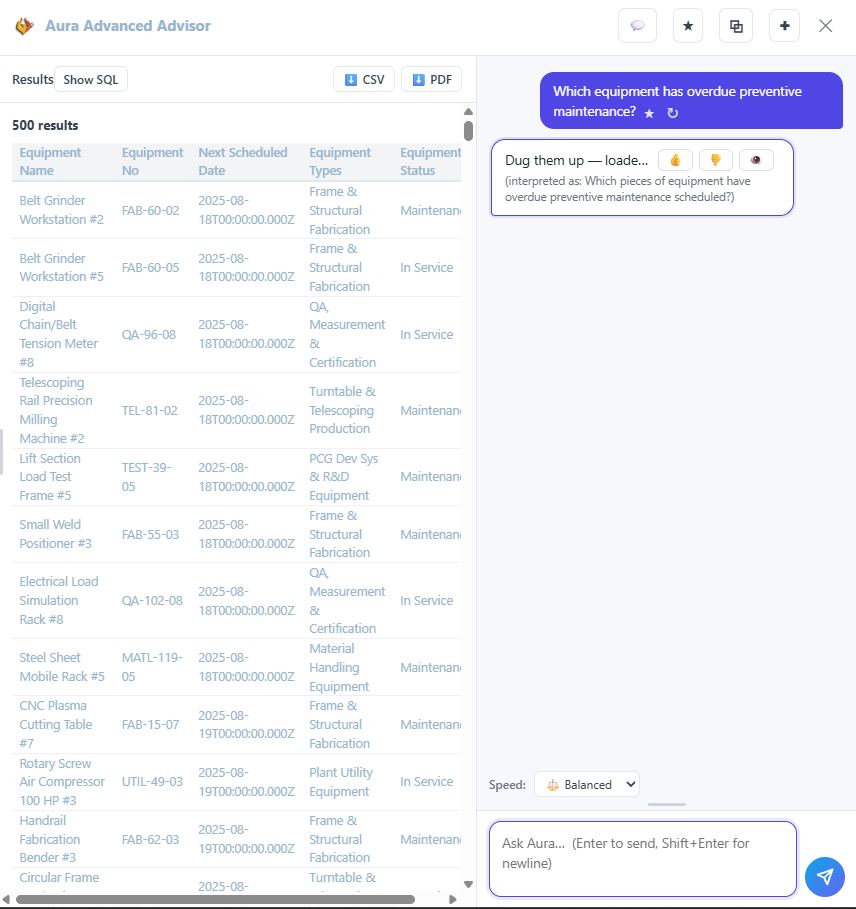
When you need something specific, you do not build a report or export to a spreadsheet. You ask FireFlight in plain English and it returns the matching records, ready to export if you need them. It is built into every deployment.
Best fit
Built for environmental and engineering field operations
FireFlight is built for field operations that need one clear view of equipment, work orders, and jobs, instead of records scattered across separate tools.
Why PCG
Operational software is what PCG has built since 1995
- FireFlight is configured around your workflow so your team is not forced into a rigid off-the-shelf product.
- PCG hosts and maintains the platform so your team can focus on the work instead of servers, updates, and infrastructure.
- Your data stays yours and can be exported, reported, and used across your operation.
- Support is direct so you can talk to people who understand the system and the work behind it.
Questions
Common questions about FireFlight
Is FireFlight built for field operations?
FireFlight is configured per operation. For environmental, engineering, and field service firms, that means work orders, preventive maintenance, asset tracking, and project management set up around your crews and equipment. PCG builds and hosts the platform and configures the modules your operation actually uses.
How is this different from a spreadsheet?
A spreadsheet tracks what already happened. FireFlight runs the work as it happens, with every order, machine, and job reading from the same live data, so nothing falls out of sync between shifts or sites.
Can teams ask questions in plain English?
Yes. You can ask FireFlight in plain English, such as which equipment is overdue for maintenance or which work orders are behind, and get the answer from your live data without building a report. This is included in every deployment.
Who owns the data, and who runs the platform?
Your data is yours, and you can export it at any time. PCG builds, hosts, and maintains FireFlight as a service, so your team never has to manage servers or updates.
How long does it take to go live?
Timelines vary by operation and the modules involved. FireFlight is built to configure faster than a traditional custom build, and PCG runs the new system alongside your current process so nothing stops during the transition.
What does getting started look like?
You request access to the demo and walk through the system with your own operation in mind. There is no commitment beyond that.
See FireFlight running your kind of operation
Get access to the demo and walk through equipment, work orders, projects, and the plain-English query with your own questions in mind.
Request access to the FireFlight demoFor plant teams whose work orders, inventory, and job costs still live across spreadsheets, whiteboards, and email. FireFlight pulls that work onto one operating record.
- Building operational software since 1995
- Configured around the way your plant runs
- Hosted and maintained by PCG
What is FireFlight?
FireFlight is plant operations software built by Phoenix Consultants Group. It connects work orders, inventory, projects, and equipment on one record, so your team can see what is running, what is late, and what is in stock without checking five places.
The hard way
Your operation outgrew spreadsheets a long time ago
Orders ship late
An order stalls and nobody sees it until a customer is on the phone asking where it is.
Stock runs out
A part runs short because the count was three days old and lived in a sheet nobody updated.
Jobs lose margin
Costs are scattered across files, so a job loses money before anyone can see the numbers.
The connected way
One system that runs the floor, not ten that track it
- Put the work on one record so orders, inventory, jobs, and equipment stay connected on a single database.
- See order status as it changes so what is in progress, waiting, or behind is visible before it becomes a problem.
- Keep inventory counts current so reorder points and shortages show up while there is still time to act.
- Track job costs against the work so margin is something you watch, not something you find out later.
Ask your operation
Simple questions, answers from your live data
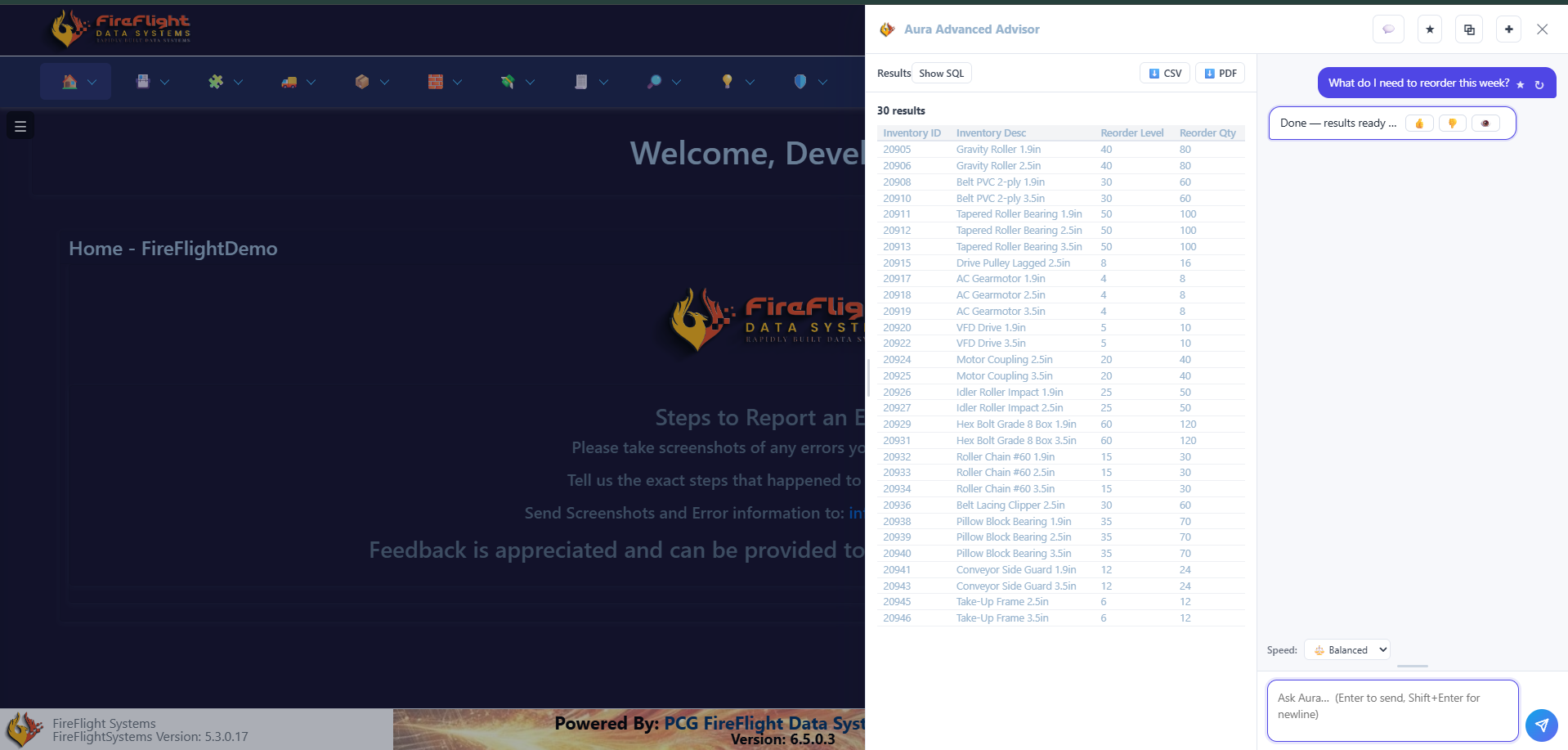
When you need something specific, you do not build a report or export to a spreadsheet. You ask FireFlight in plain English and it returns the matching records, ready to export if you need them. It is built into every deployment.
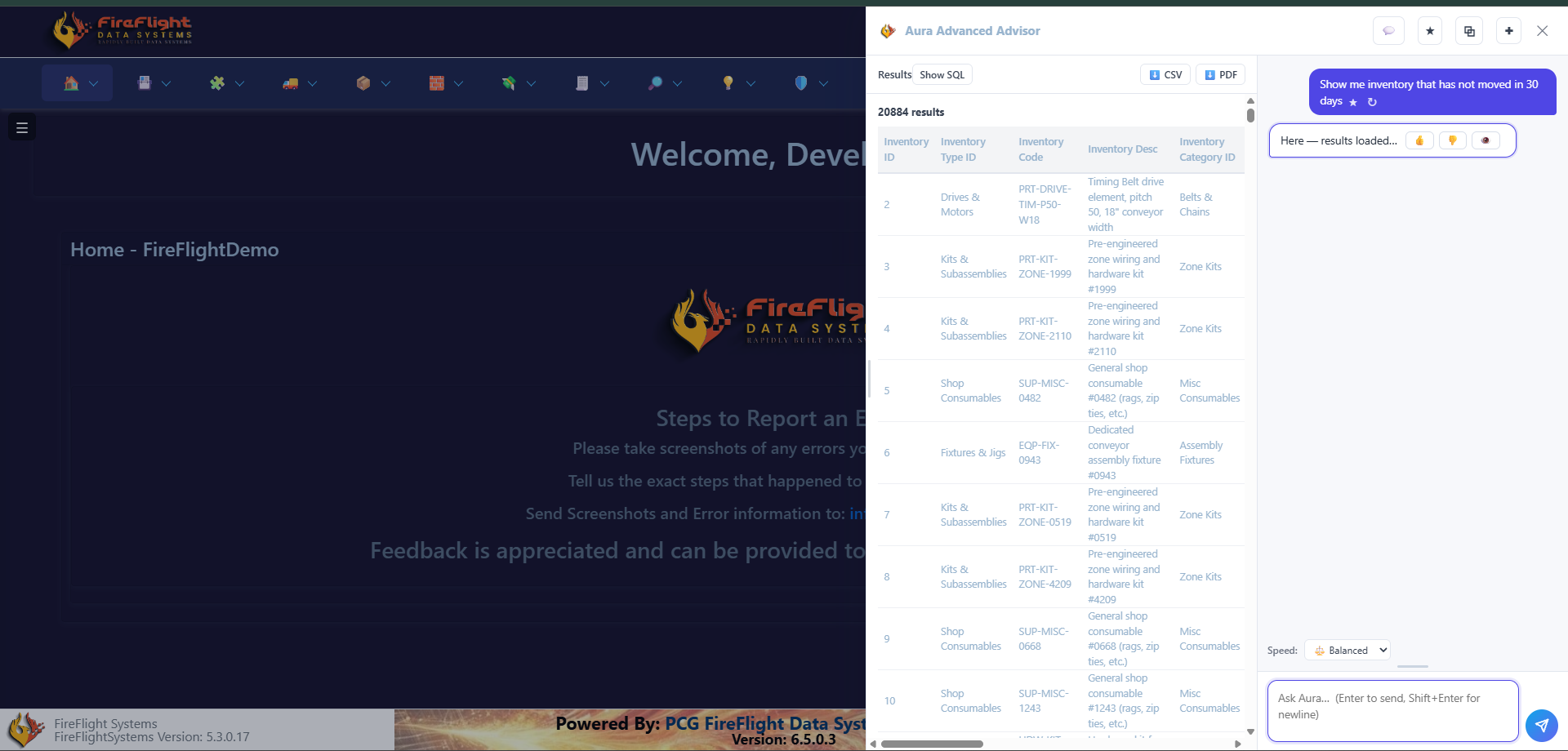
Work orders
See every order and where it stands
Work orders live in one view, from the moment they open to the moment they ship. You see what is in progress, what is waiting on parts, and what is behind, without asking three people or checking a whiteboard.
Projects
Track every job from quote to close
Each project holds its own work, parts, and costs in one place, so you know what stage a job is in and what it is running you. Field service jobs and full retrofits sit side by side, each with its own record.
Equipment and maintenance
Stay ahead of every machine on the floor
Every asset has a record: what it is, where it sits, and what is due next. Preventive maintenance runs on a schedule the system tracks for you, so a missed service shows up before a breakdown does.
Best fit
Built for plants that run the work, not just track it
FireFlight is built for operations that make or assemble things and need one clear view of orders, inventory, and jobs, instead of records scattered across separate tools.
Why PCG
Operational software is what PCG has built since 1995
- FireFlight is configured around your workflow so your team is not forced into a rigid off-the-shelf product.
- PCG hosts and maintains the platform so your team can focus on the work instead of servers, updates, and infrastructure.
- Your data stays yours and can be exported, reported, and used across your operation.
- Support is direct so you can talk to people who understand the system and the work behind it.
Questions
Common questions about FireFlight
Do we have to change how our plant works to use it?
No. FireFlight is custom software, so the modules are set up around the way your plant already runs. You keep your process and the system fits to it.
How is this different from a spreadsheet?
A spreadsheet tracks what already happened. FireFlight runs the work as it happens, with every order, part, and job reading from the same live data, so nothing falls out of sync between shifts or sites.
Can teams ask questions in plain English?
Yes. You can ask FireFlight in plain English, such as what you need to reorder this week or which orders are behind, and get the answer from your live data without building a report. This is included in every deployment.
Who owns the data, and who runs the platform?
Your data is yours, and you can export it at any time. PCG builds, hosts, and maintains FireFlight as a service, so your team never has to manage servers or updates.
How is this different from off-the-shelf operations software?
FireFlight is configured around your workflow instead of forcing your team into a fixed product. PCG has built operational and field-data systems since 1995.
What does getting started look like?
You request access to the demo and walk through the system with your own operation in mind. There is no commitment beyond that.
See FireFlight running your kind of plant
Get access to the demo and walk through work orders, inventory, jobs, and the plain-English query with your own questions in mind.
Request access to the FireFlight demoFor regulated operators whose permits and inspections still live across spreadsheets, shared drives, and email. FireFlight pulls that work onto one operational record.
- Building compliance and field-data systems since 1995
- Configured around your regulated workflow
- Hosted and maintained by PCG
What is FireFlight?
FireFlight is a hosted compliance operations platform built by Phoenix Consultants Group for regulated facilities and field teams. It connects permits, obligations, inspections, and incidents on one record, so your team can see what is due and what still needs attention without checking five places.
The hard way
Regulated work breaks down when every record lives somewhere else
Permits in one place
Permit names, conditions, agencies, and renewal dates sit in separate files or spreadsheets that have to be checked by hand.
Incidents in another
Incidents, findings, agency notifications, and corrective actions are tracked after the fact, often outside the work record.
No single operating view
Facilities, regulated objects, obligations, monitoring data, and waste records do not connect cleanly, so status is hard to prove.
The connected way
How FireFlight changes the workflow
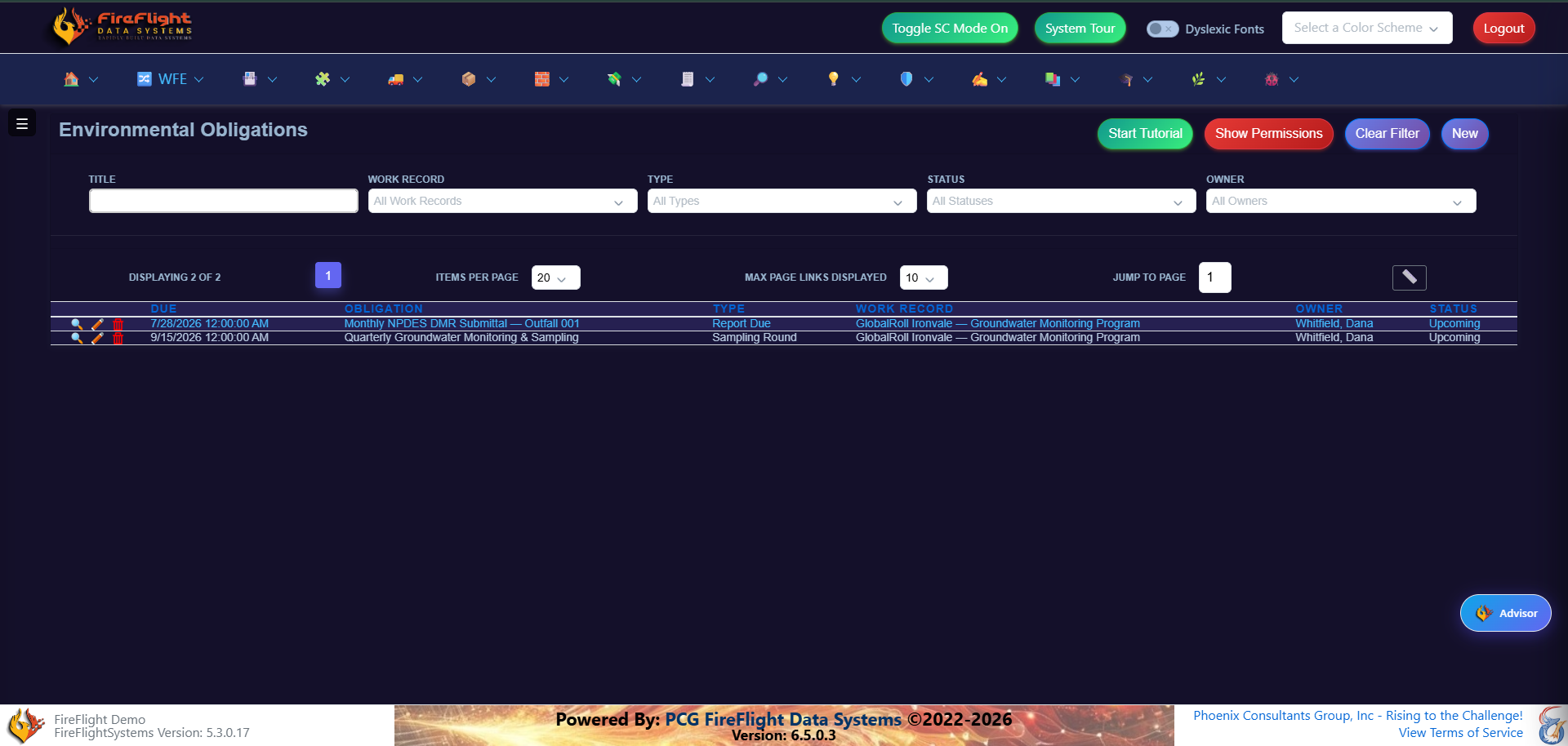
- Put regulated work on one record so projects, facilities, permits, and field activity stay connected.
- Track permit conditions and deadlines so due dates, owners, statuses, and agency requirements are visible before they become problems.
- Capture findings and incidents in context so severity and corrective-action status stay tied to the event, along with any agency notifications.
- Keep monitoring and waste documentation defensible so records are available when a client, auditor, or agency asks for the trail.
Ask your compliance data
Simple questions, clear records
FireFlight lets your team ask focused questions about permits, obligations, and incidents. The system returns the matching records so teams do not have to dig through spreadsheets, folders, or email threads.
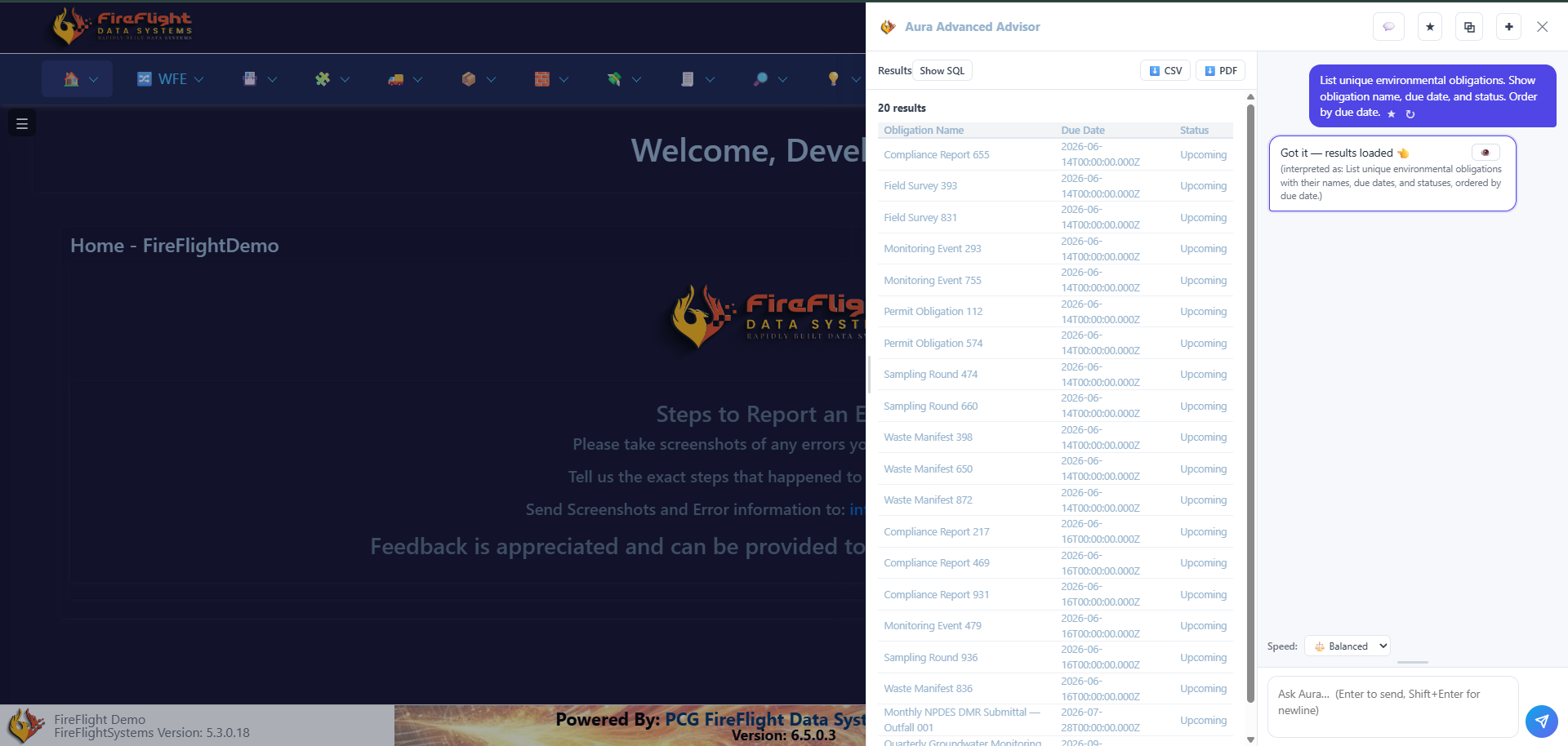
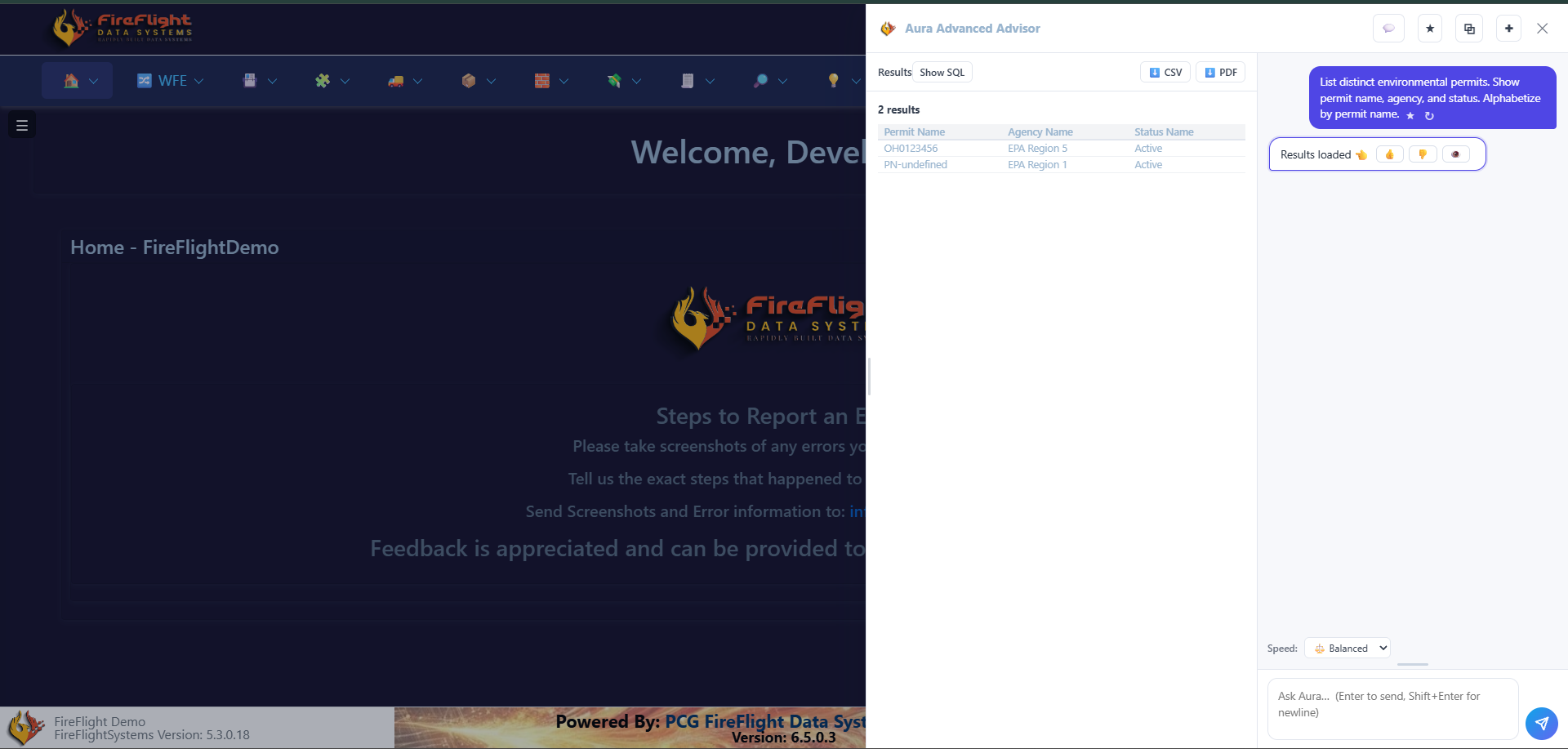
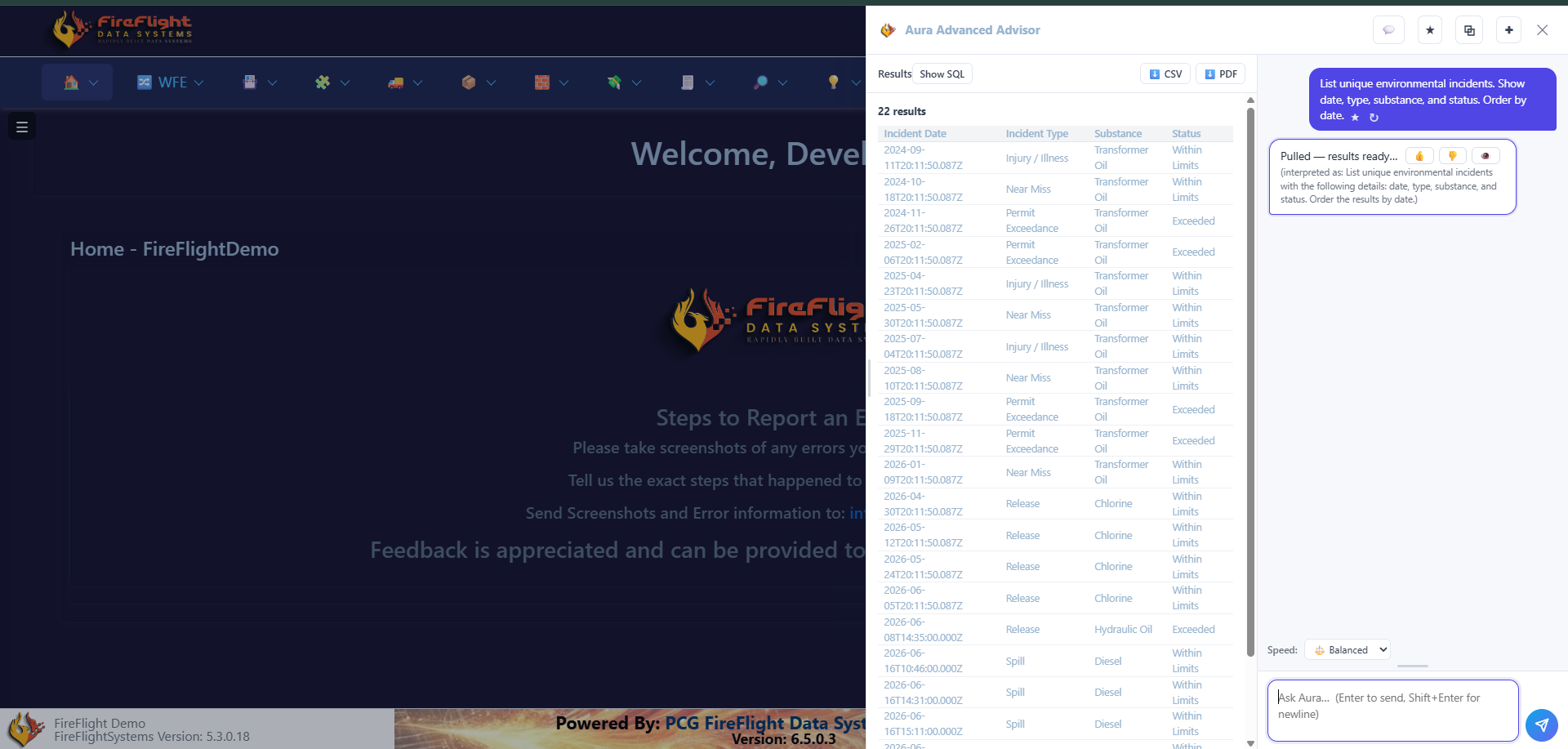
One operational record
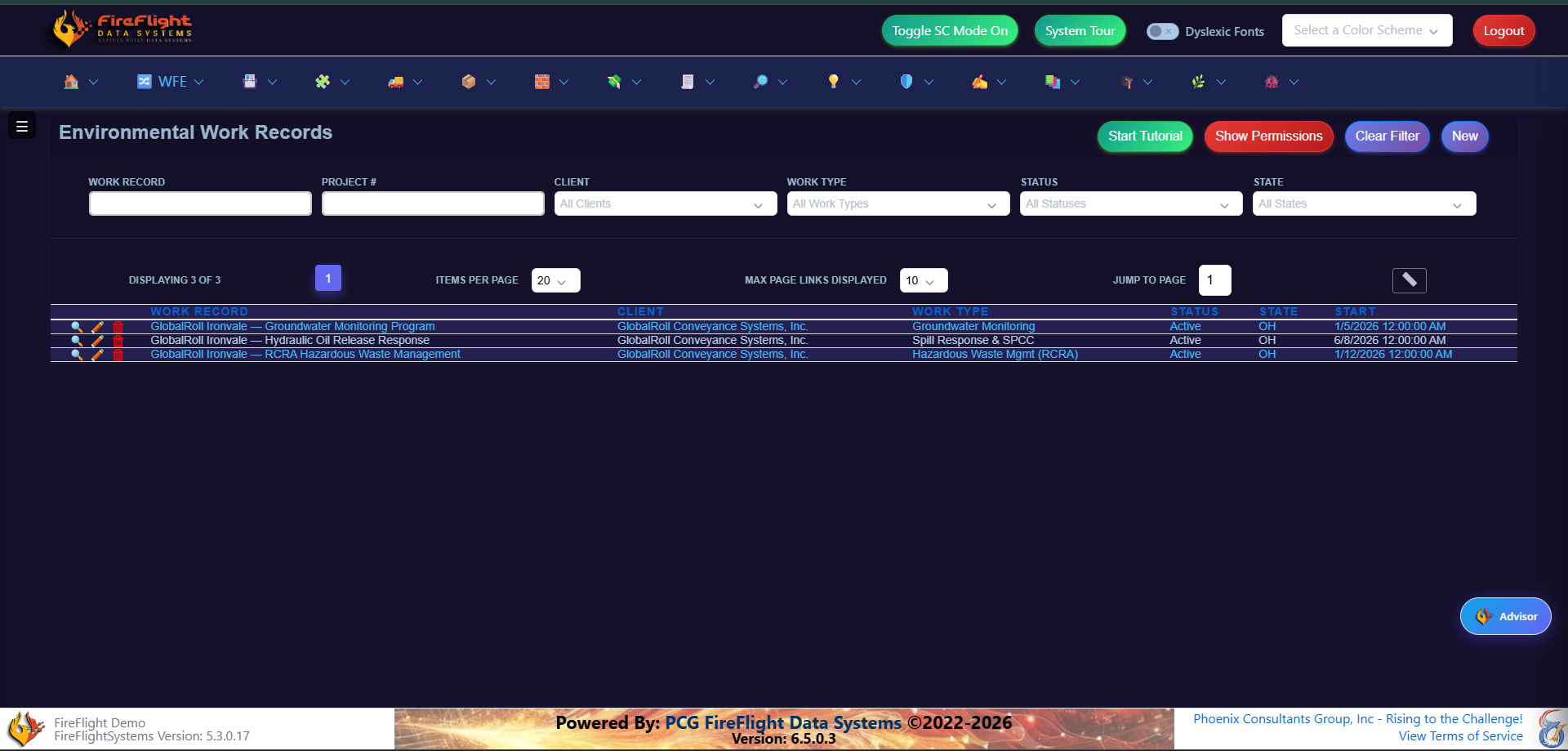
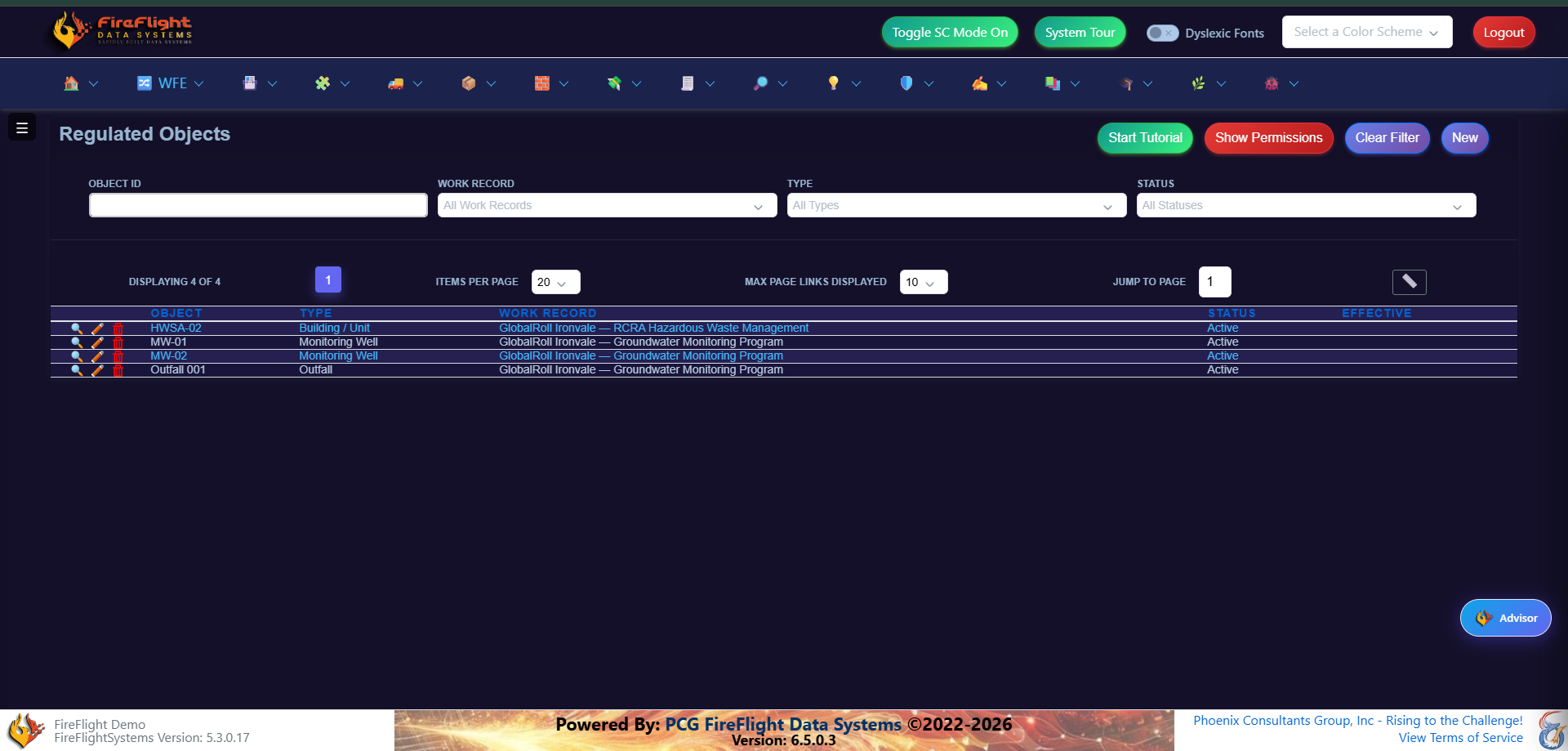
Facilities, objects, work records, and obligations stay connected
Each regulated activity can be tied back to the work record, the object or facility involved, and the obligation it supports. That gives the team one place to see what each activity is and where it stands.
Permits and monitoring
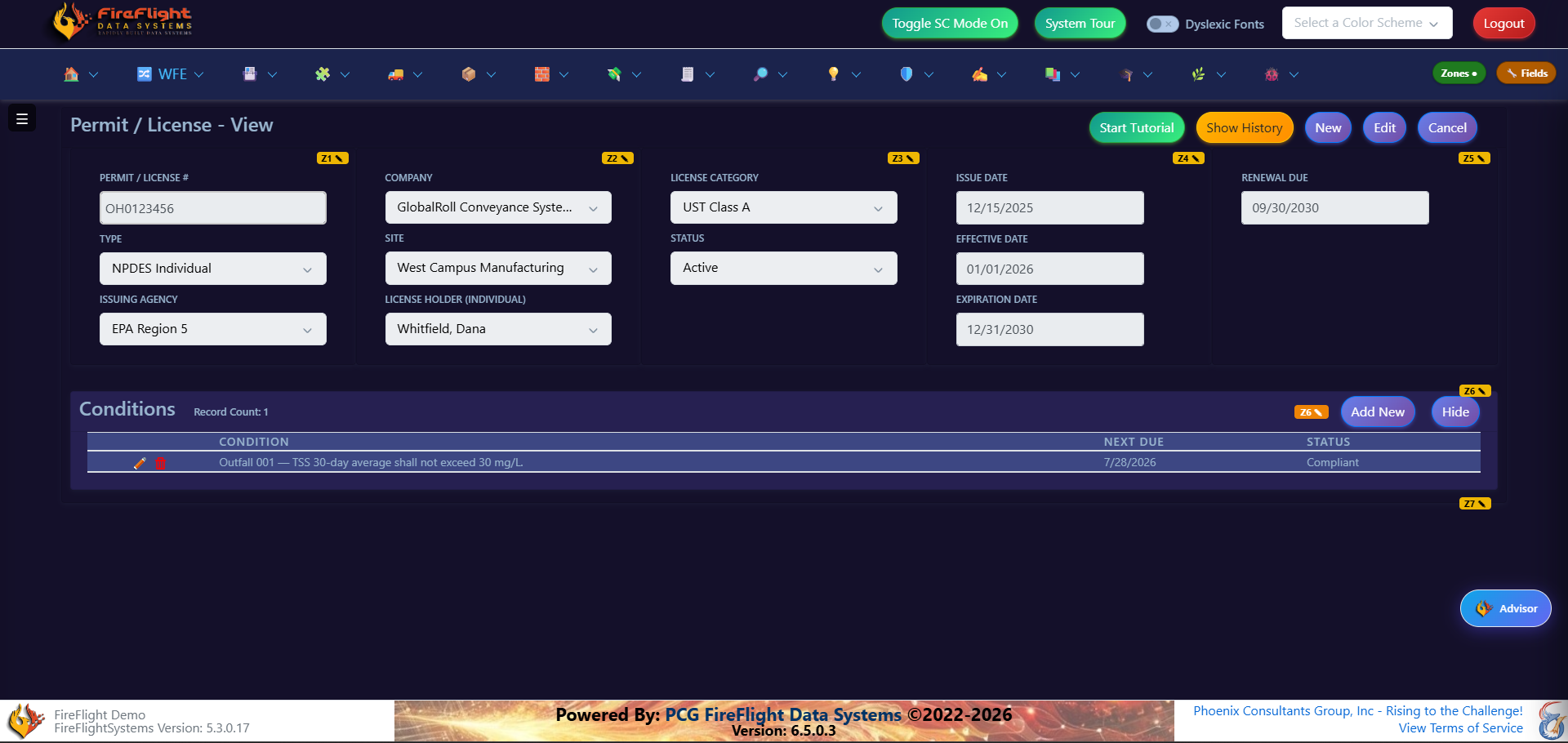
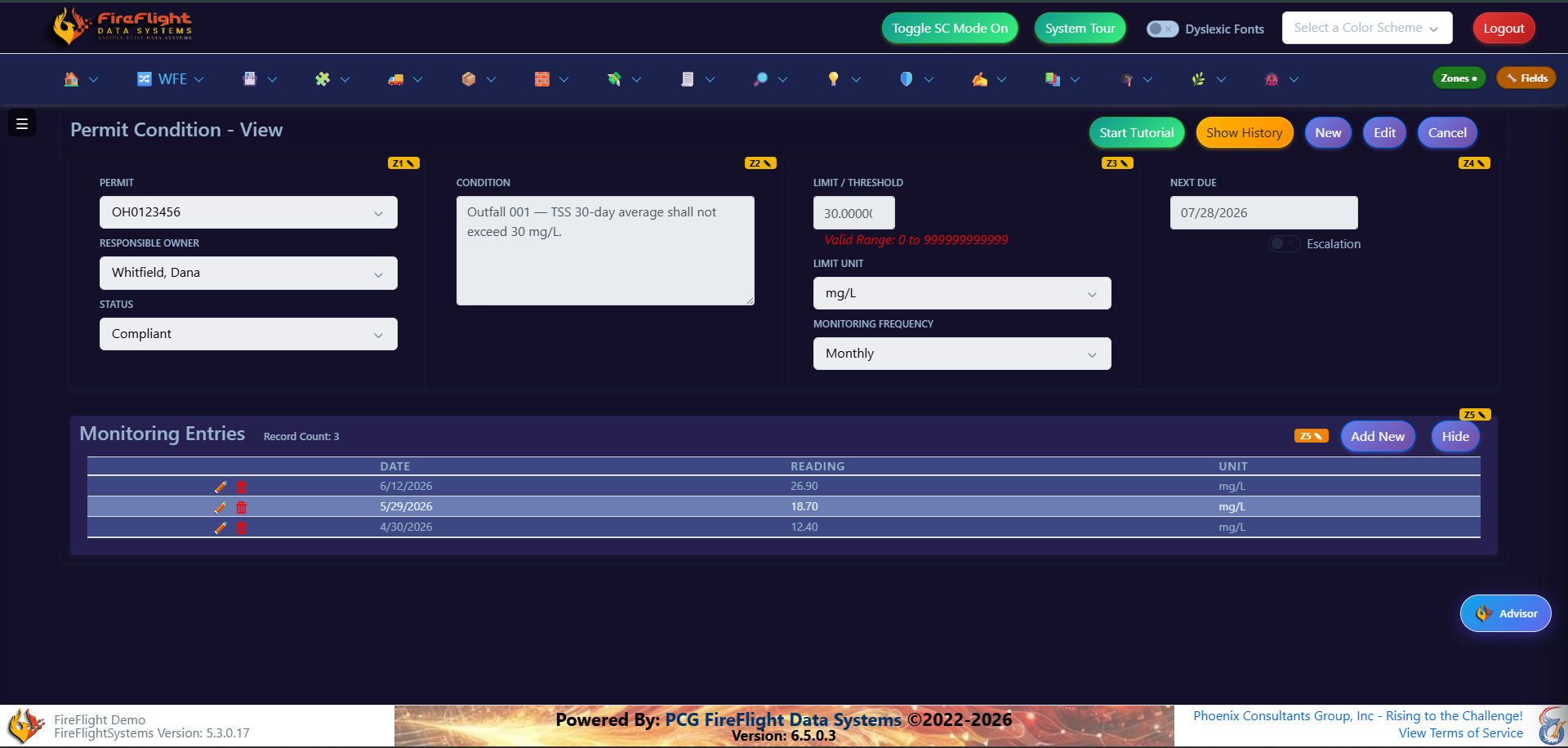
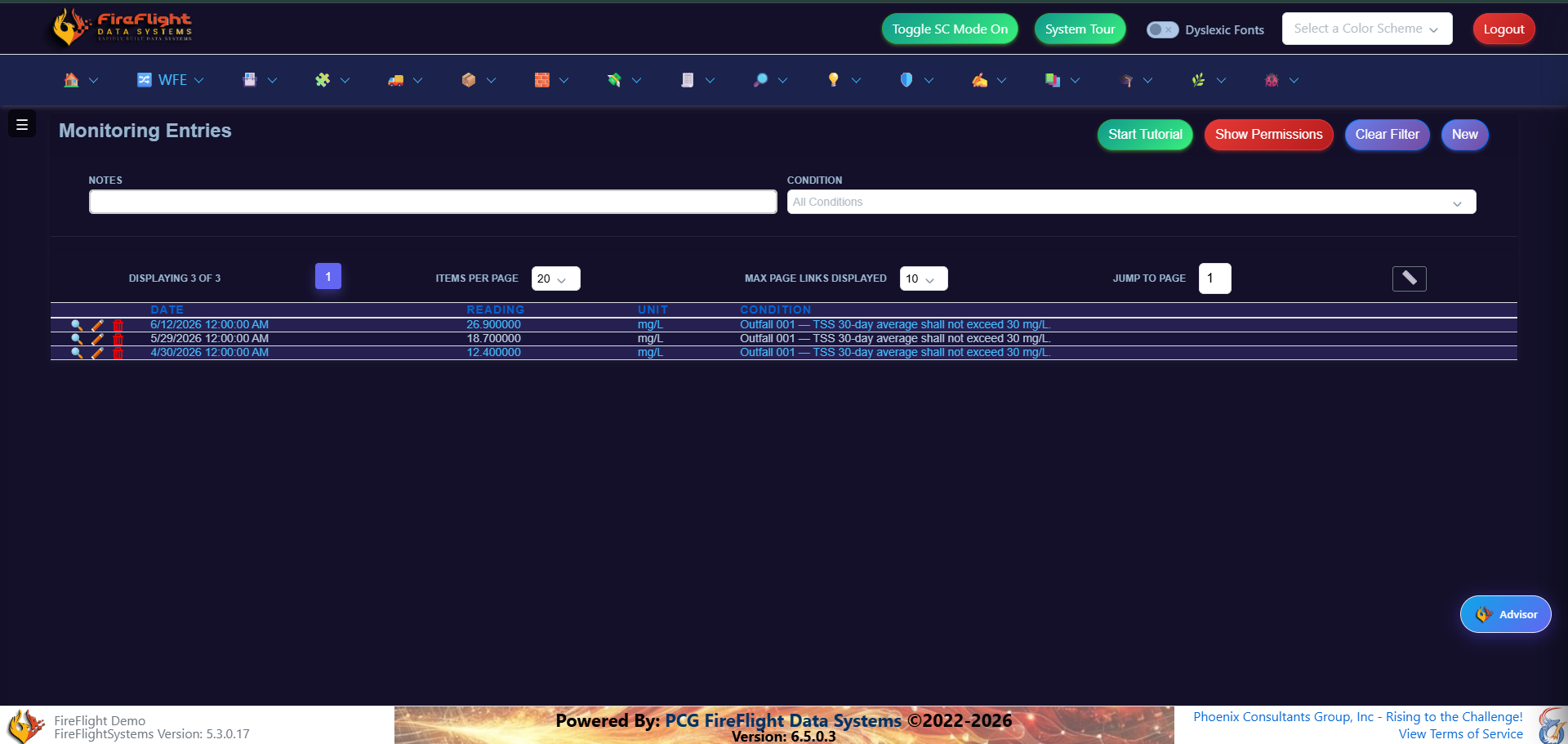
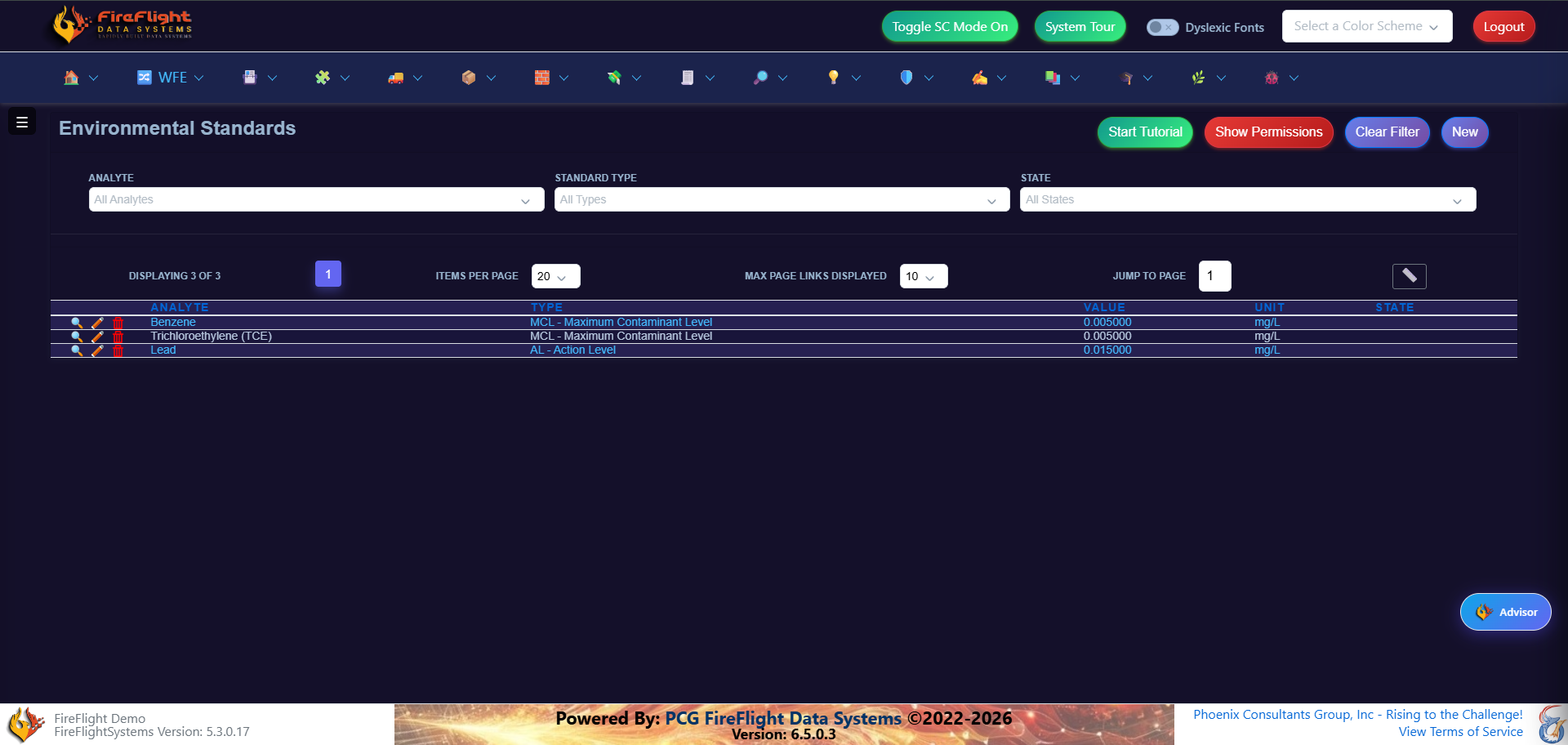
Track permits, conditions, monitoring entries, and standards together
FireFlight keeps permit records, monitoring entries, and the standards they are measured against connected, so the team can see what applies and what needs action.
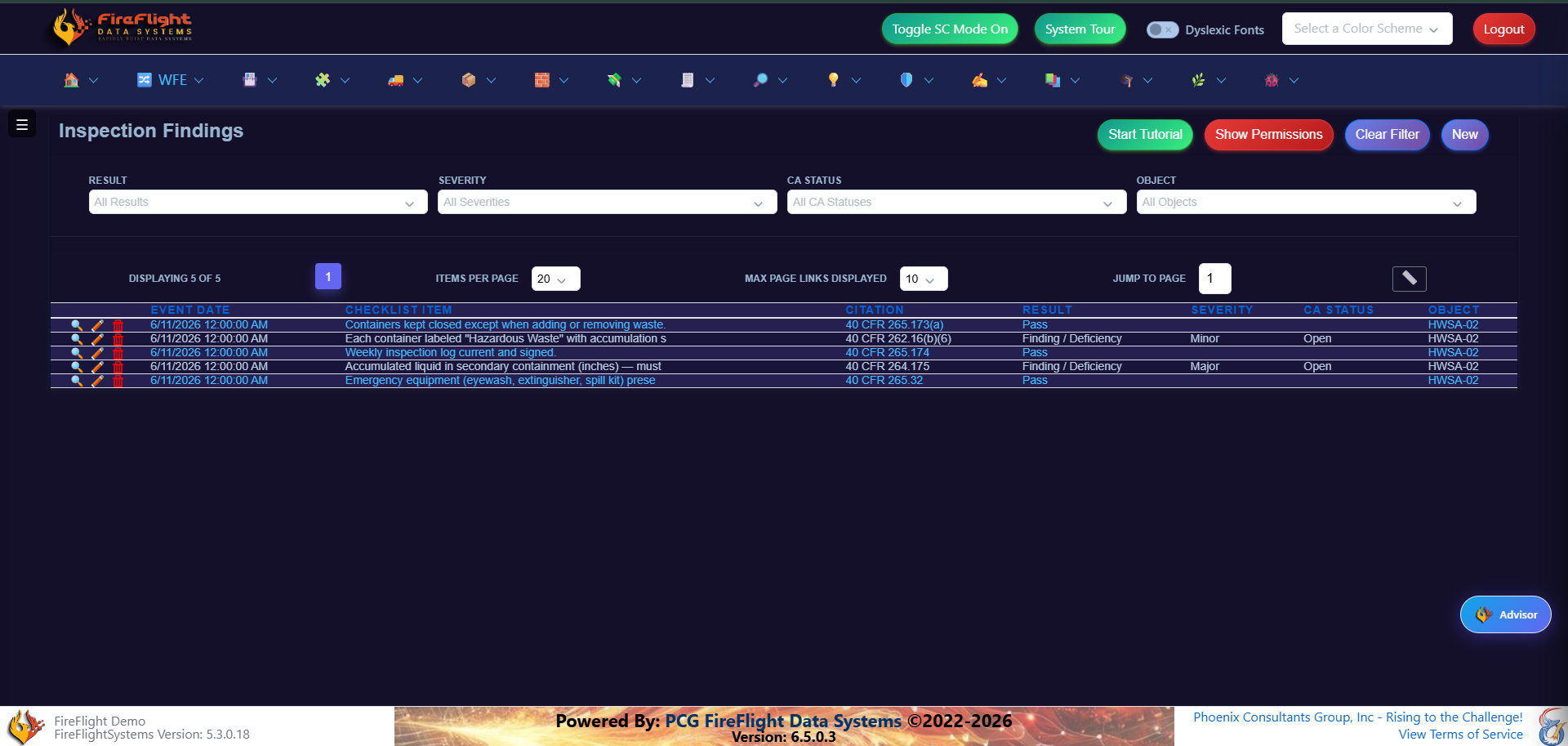
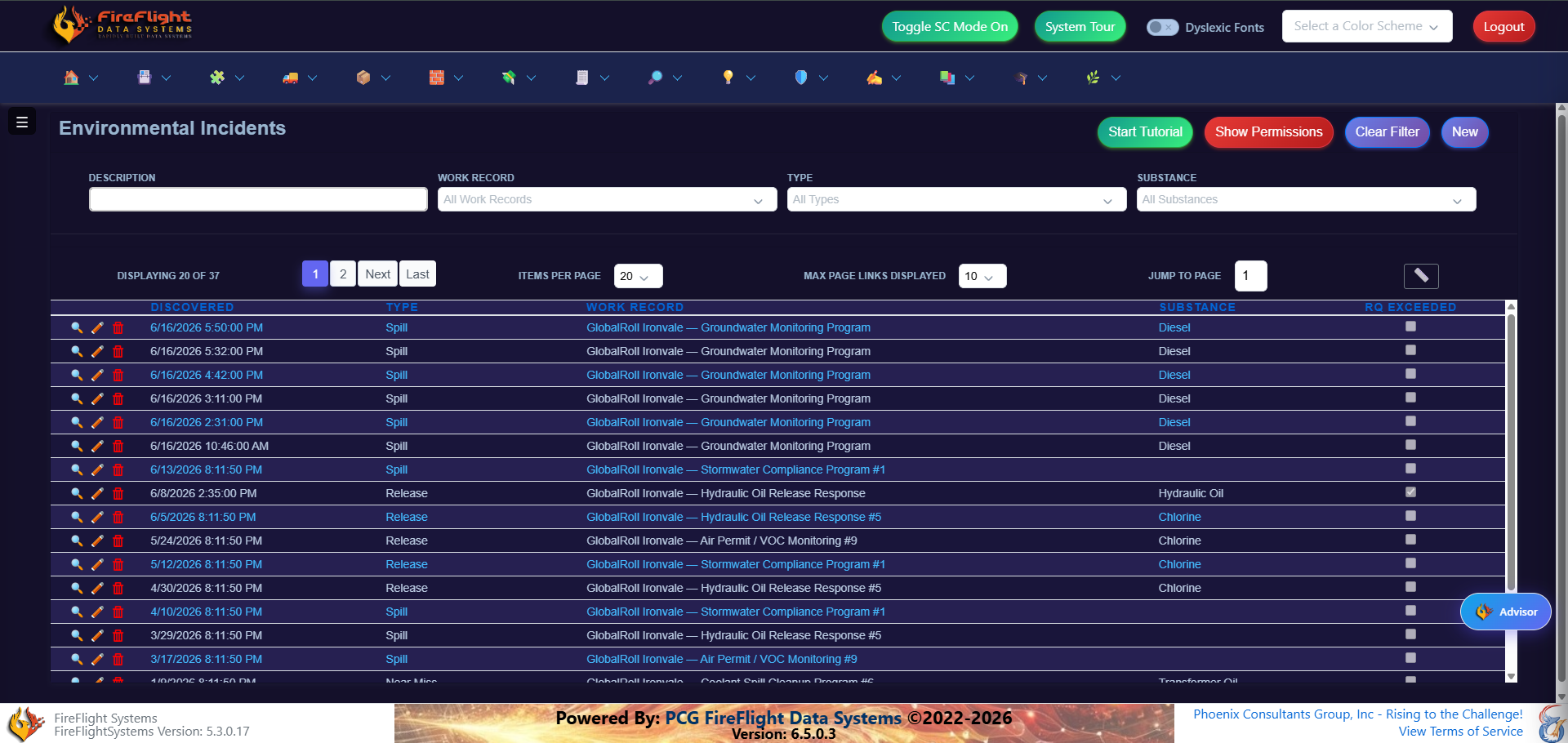
Inspections and incidents
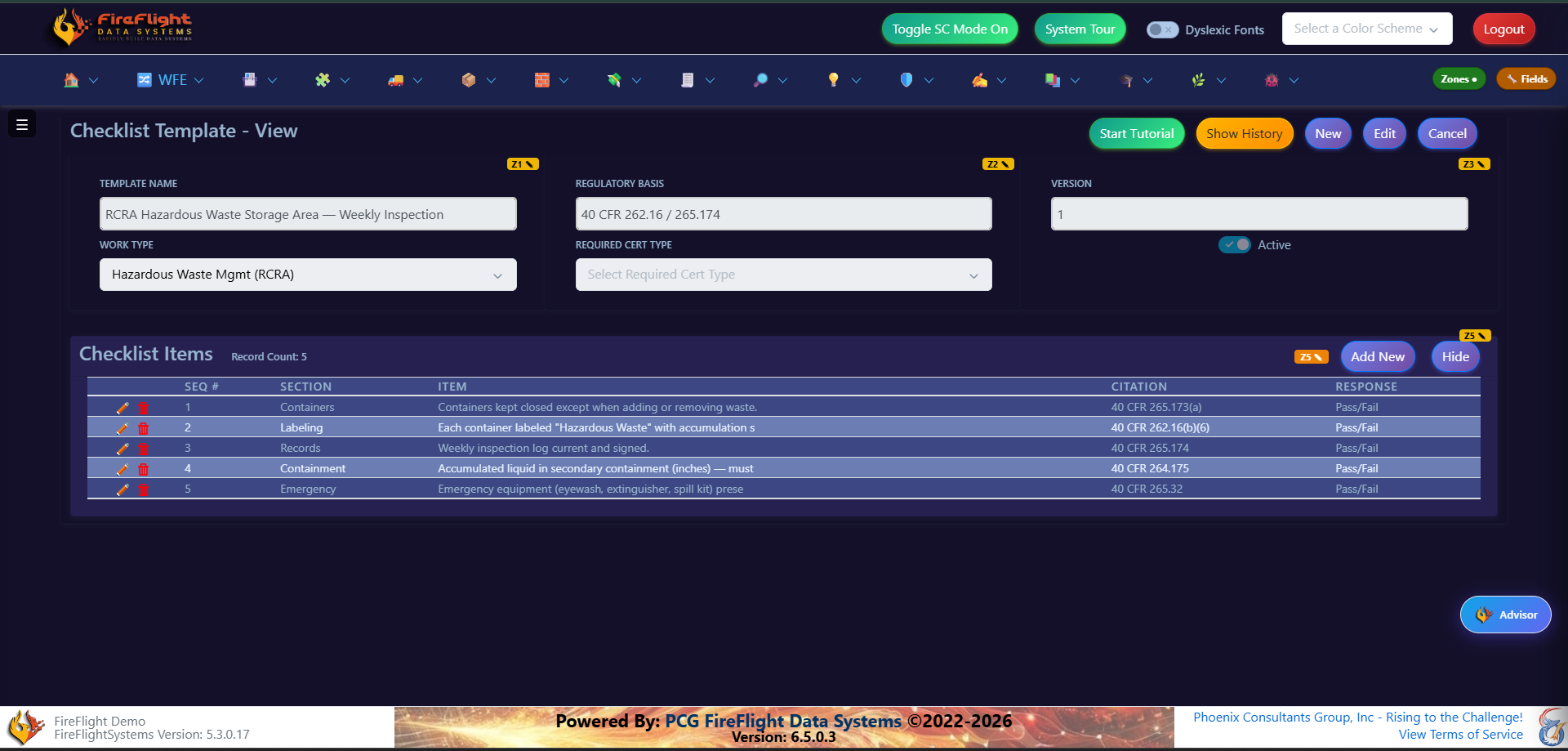
Findings and incidents stay visible after the field work is done
Checklists, findings, incidents, and corrective actions do not have to live in separate tools. FireFlight keeps them connected to the regulated work record so teams can follow status and prove what happened.
Waste documentation
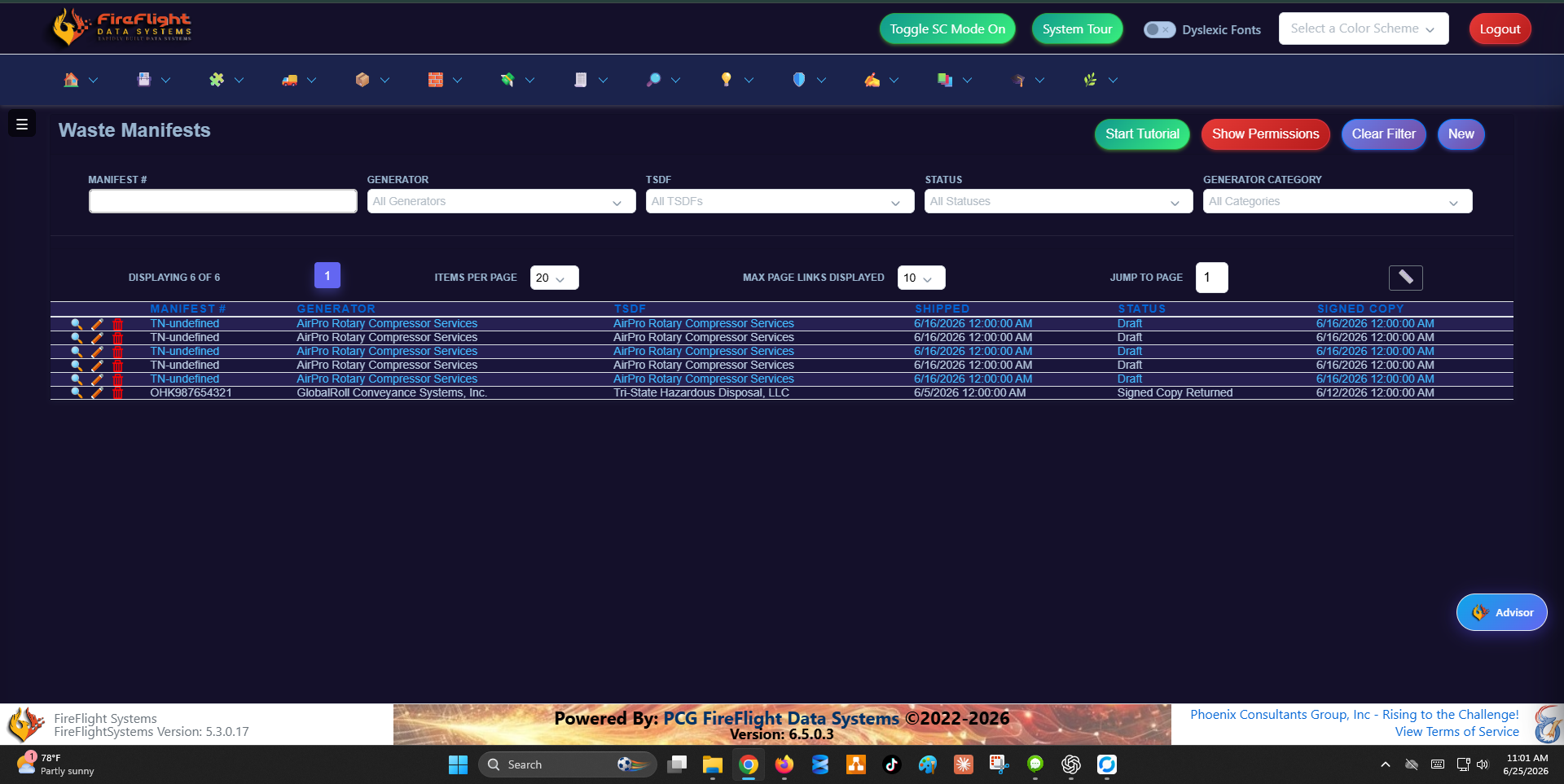
Waste manifests stay part of the compliance trail
For teams that manage regulated waste, FireFlight keeps manifest records visible alongside the rest of the compliance workflow, instead of leaving shipment documentation isolated in folders.
Best fit
Built for operators, not consultants selling compliance services
FireFlight is built for companies that run regulated operations and need one clear view of their permits and obligations, instead of records scattered across separate tools.
Why PCG
Compliance and operational software is what PCG has built since 1995
- FireFlight is configured around your workflow so your team is not forced into a rigid off-the-shelf product.
- PCG hosts and maintains the platform so your team can focus on the work instead of servers, updates, and infrastructure.
- Your data stays yours and can be exported, reported, and used across your operation.
- Support is direct so you can talk to people who understand the system and the work behind it.
Questions
Common questions about FireFlight
Is FireFlight only for environmental teams?
No. FireFlight is a compliance operations platform for regulated work. Environmental permits, inspections, and waste records are common use cases, but the platform can be configured around the way your operation tracks regulated work.
Can FireFlight track permits, conditions, and due dates?
Yes. Permit records, conditions, due dates, and owners can be tracked together with the obligations they create, so teams have one operating view instead of one spreadsheet per topic.
Can teams ask questions in plain English?
Yes. FireFlight can return records from focused questions, such as listing permits, obligations, incidents, findings, or monitoring entries. Simple questions with specific fields work best.
Who owns the data, and who runs the platform?
Your data is yours, and you can export it at any time. PCG builds, hosts, and maintains FireFlight as a service, so your team never has to manage servers or updates.
How is this different from off-the-shelf compliance software?
FireFlight is configured around your workflow instead of forcing your team into a fixed product. PCG has built compliance, field-data, and operational systems since 1995.
What does getting started look like?
A 20-minute call to see whether your workflow is a fit. There is no commitment beyond that.
See whether FireFlight fits your regulated workflow
A 20-minute call will tell us whether PCG is the right fit.
Request access to the FireFlight demoFor environmental consulting firms still assembling compliance reports by hand. FireFlight puts deadlines, documentation, and project status on one record, and your team queries it in plain English.
- Building compliance software since 1995
- Your approved report format
- Hosted and maintained by PCG
What is FireFlight?
FireFlight is a hosted compliance platform built by Phoenix Consultants Group for environmental consulting firms. Project deadlines, documentation, manifests, and submission records all live on one connected record instead of spreadsheets and email threads. Your team queries its own compliance data in plain English, and reports generate from that data in the format your auditor already accepts.
The hard way
Why do audits keep finding gaps?
Spreadsheets for deadlines
Compliance dates live in a workbook someone has to remember to update. A missed cell is a missed deadline an auditor will flag.
Folders for documentation
Manifests, permits, and submissions sit in shared drives. When an auditor asks for the record behind a finding, the hunt begins.
Email threads for status
Project status lives in inboxes. There is no single place that shows where every obligation stands right now.
The connected way
How FireFlight changes the workflow
- Track every obligation and deadline on one record so nothing depends on someone remembering to update a spreadsheet.
- Keep documentation attached to the work so manifests, permits, and submissions stay tied to the project they belong to.
- Query your compliance data in plain English so your team gets the answer it needs without waiting on IT for a report.
- Generate the report in your approved format from the data already on the record, with no manual re-keying.
Ask your data
Answers in plain English, not a ticket to IT
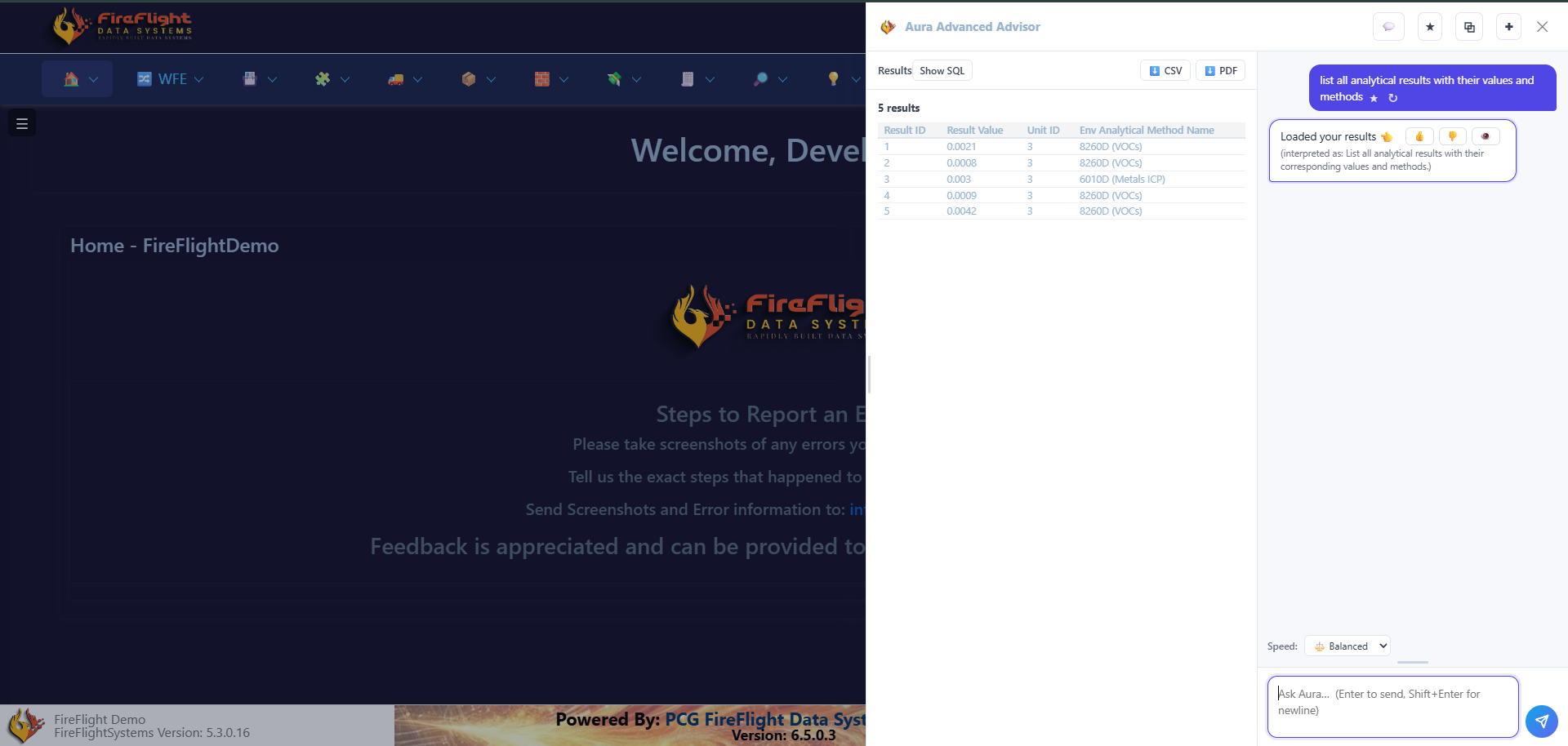
Type a question the way you would say it, for your analytical results or for every obligation and its due date. FireFlight shows what it understood, returns the matching records, and lets you export to CSV or PDF.
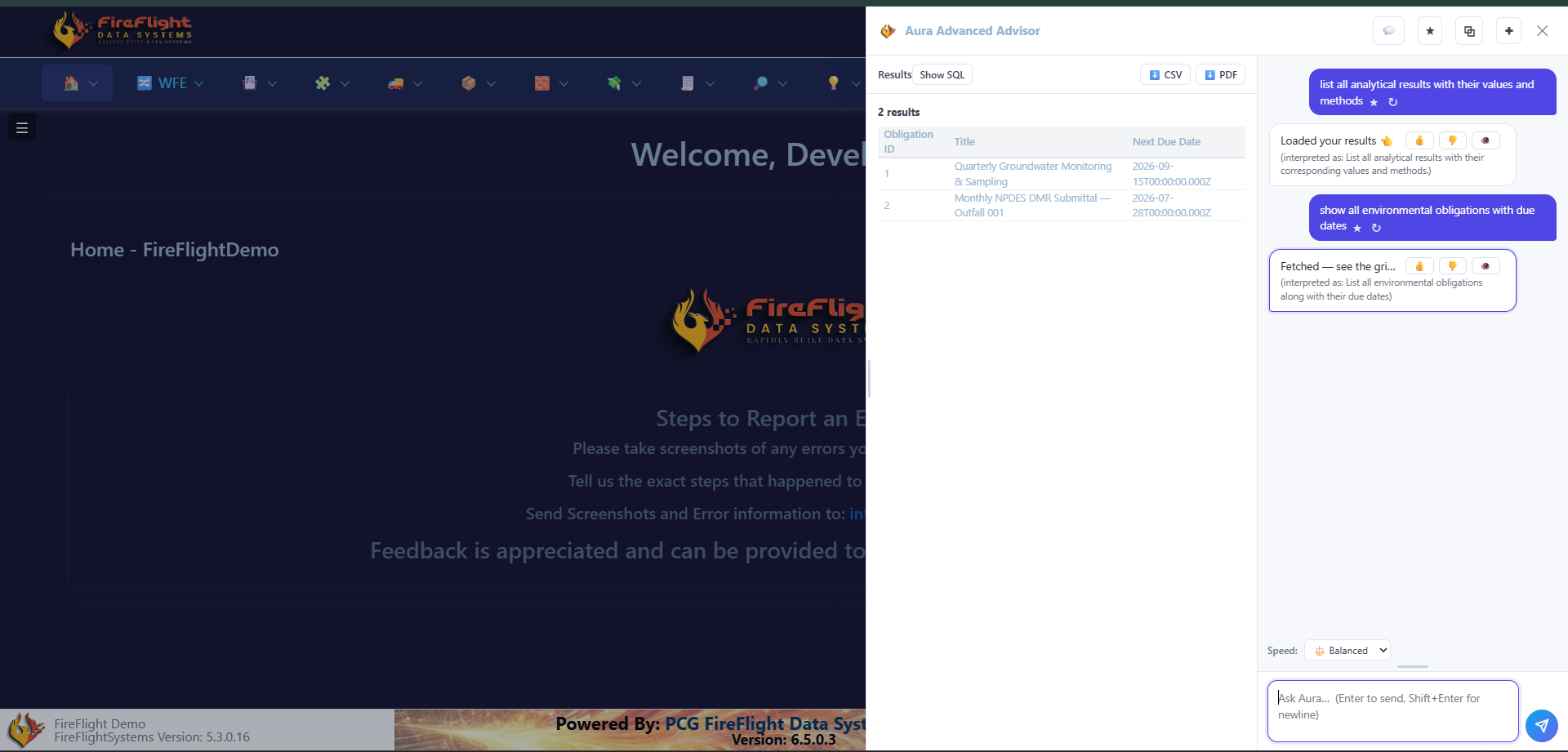
Deadlines on one record
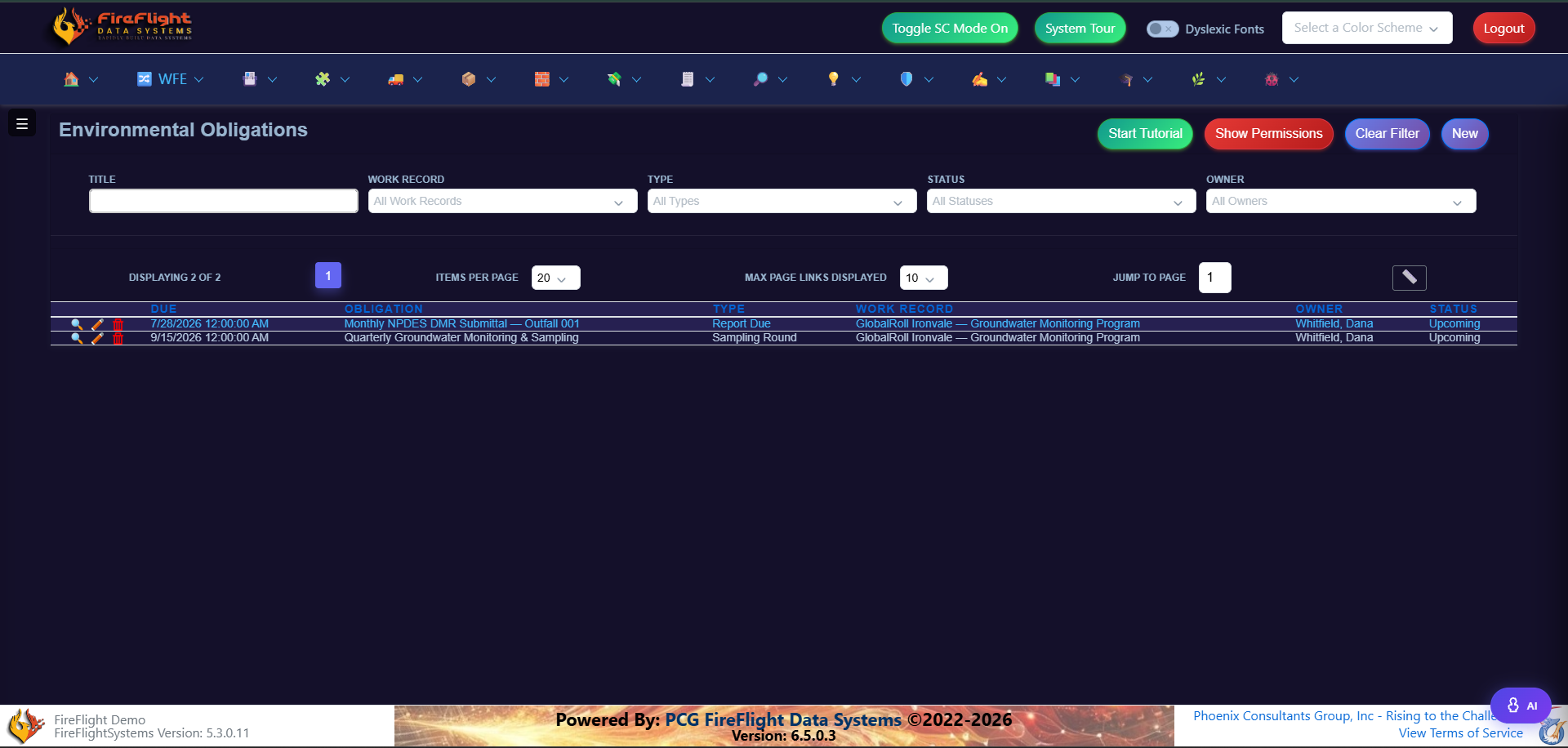
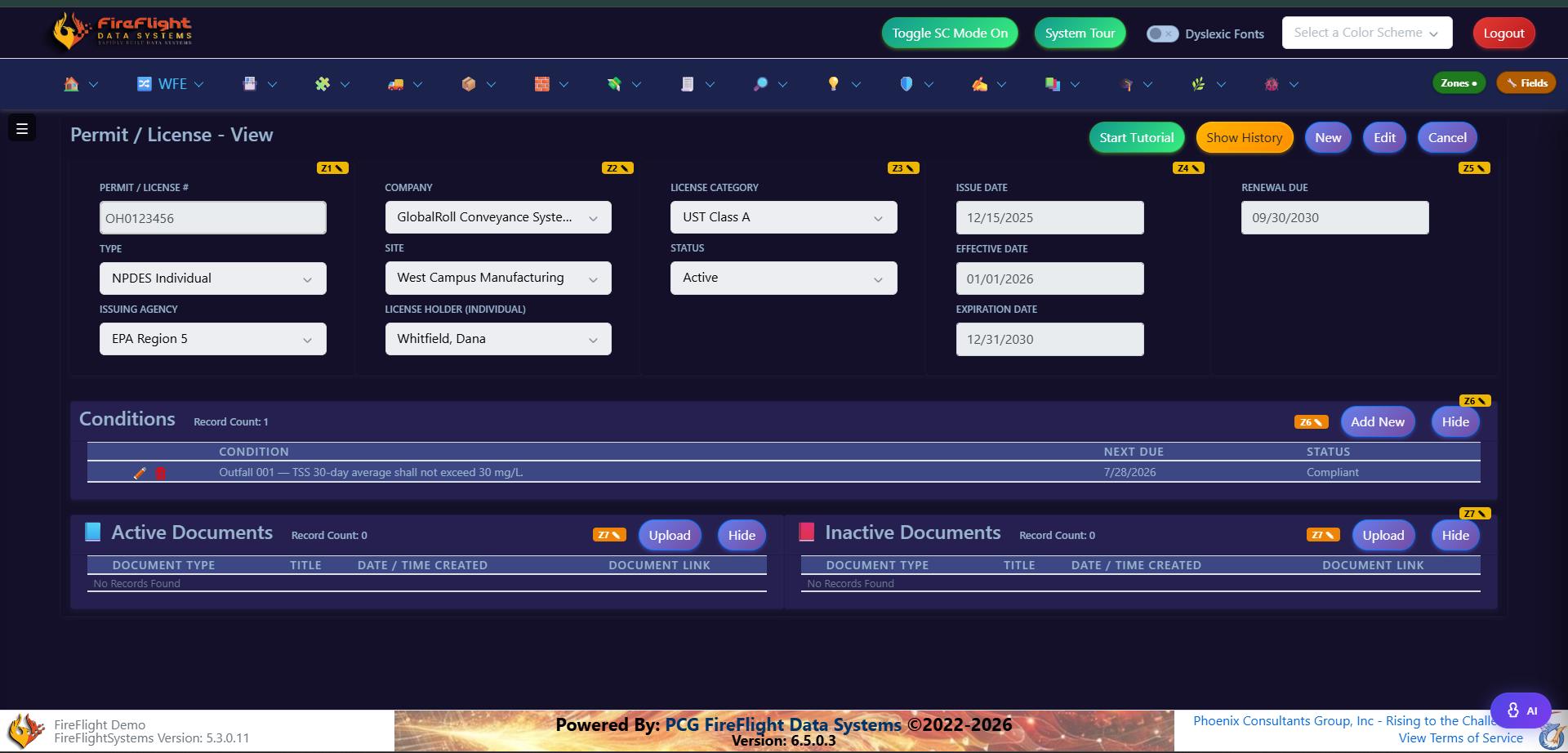
Every obligation and its status in one place
Each obligation carries its due date, the responsible person, and its current status. The list shows what is coming due and who owns it, so the compliance calendar stops living in someone's head.
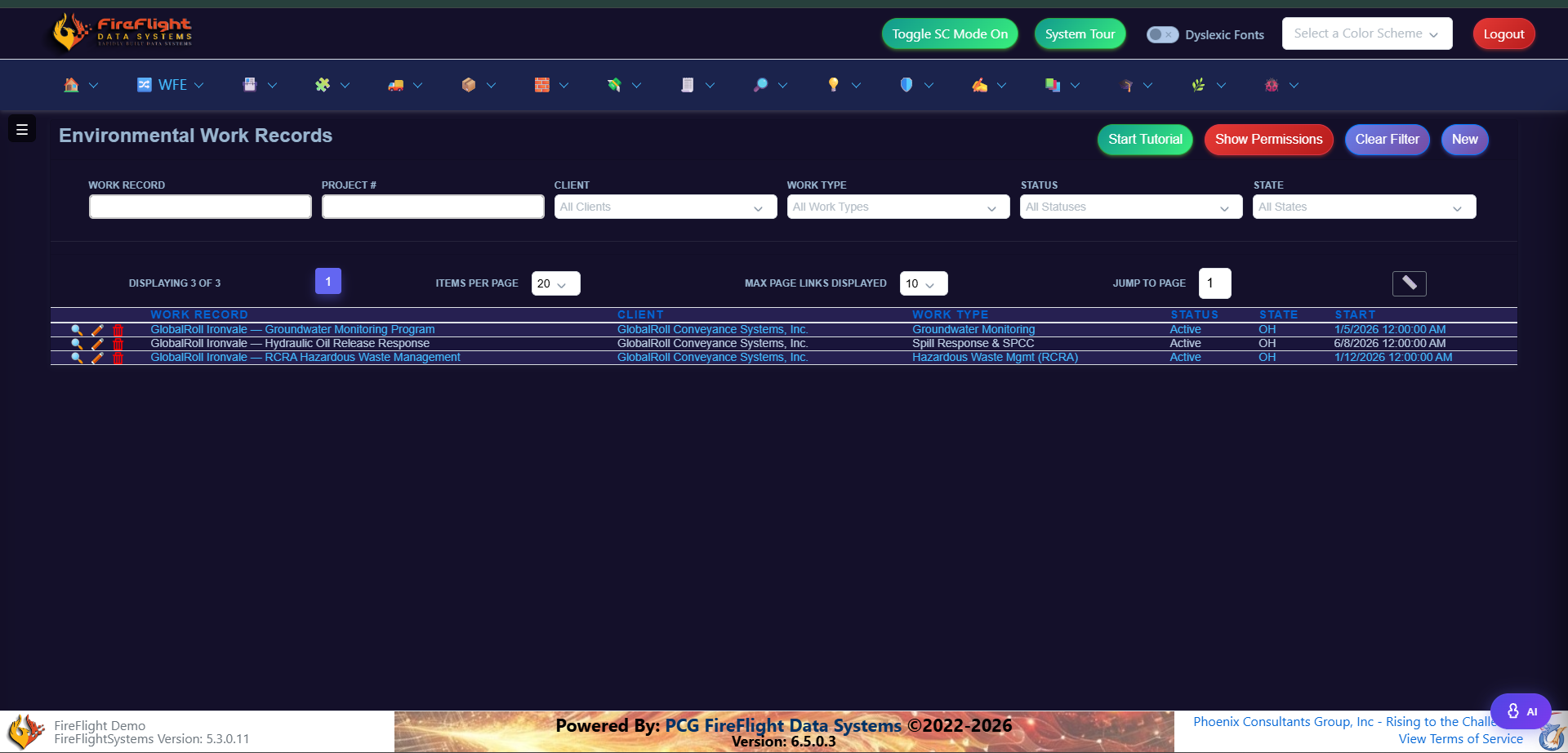
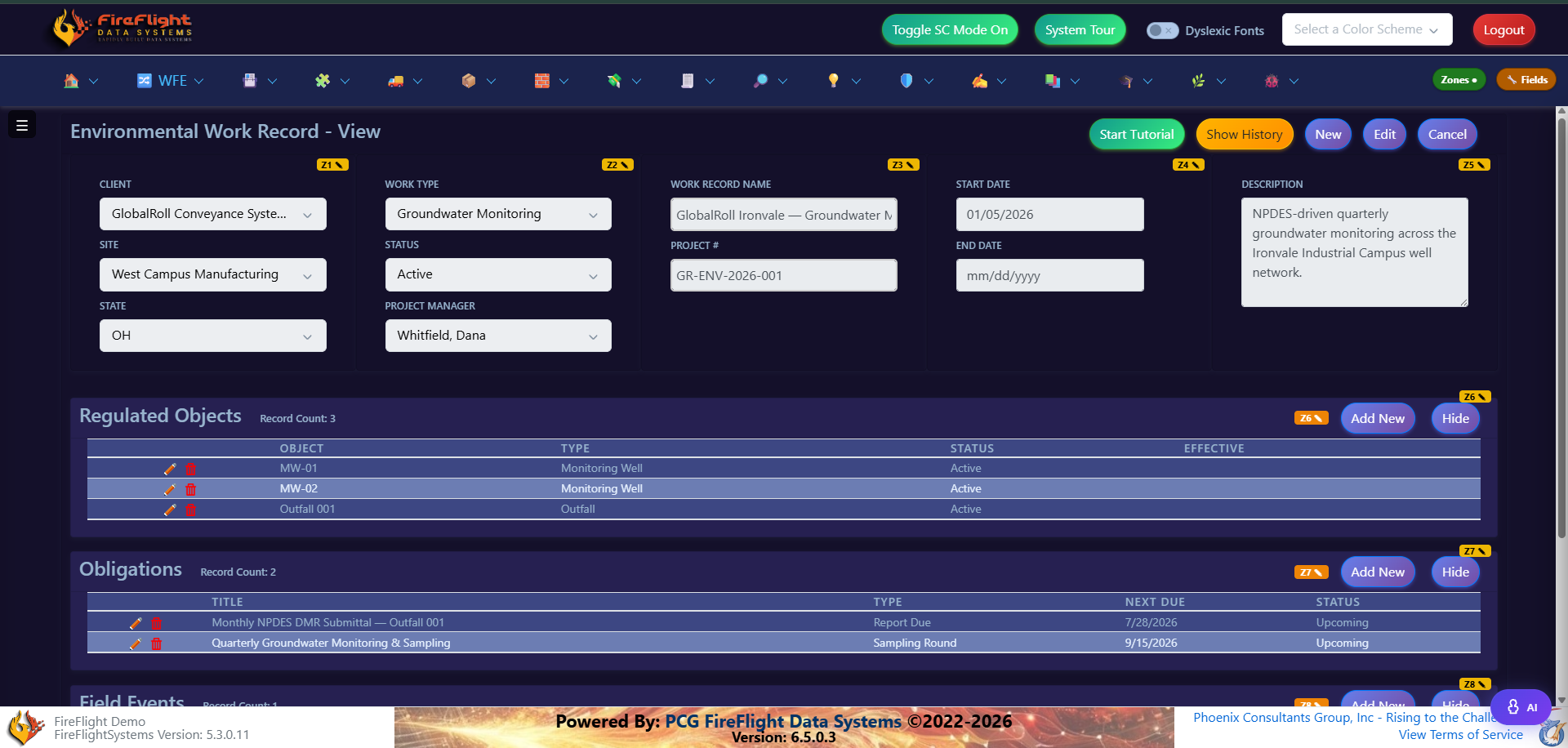
Defensible documentation
Everything tied to the work record
Regulated objects, obligations, permits, and supporting documents all hang off the project they belong to. When an auditor asks how a finding was reached, the trail is already on the record instead of scattered across drives and inboxes.
Audit-ready data
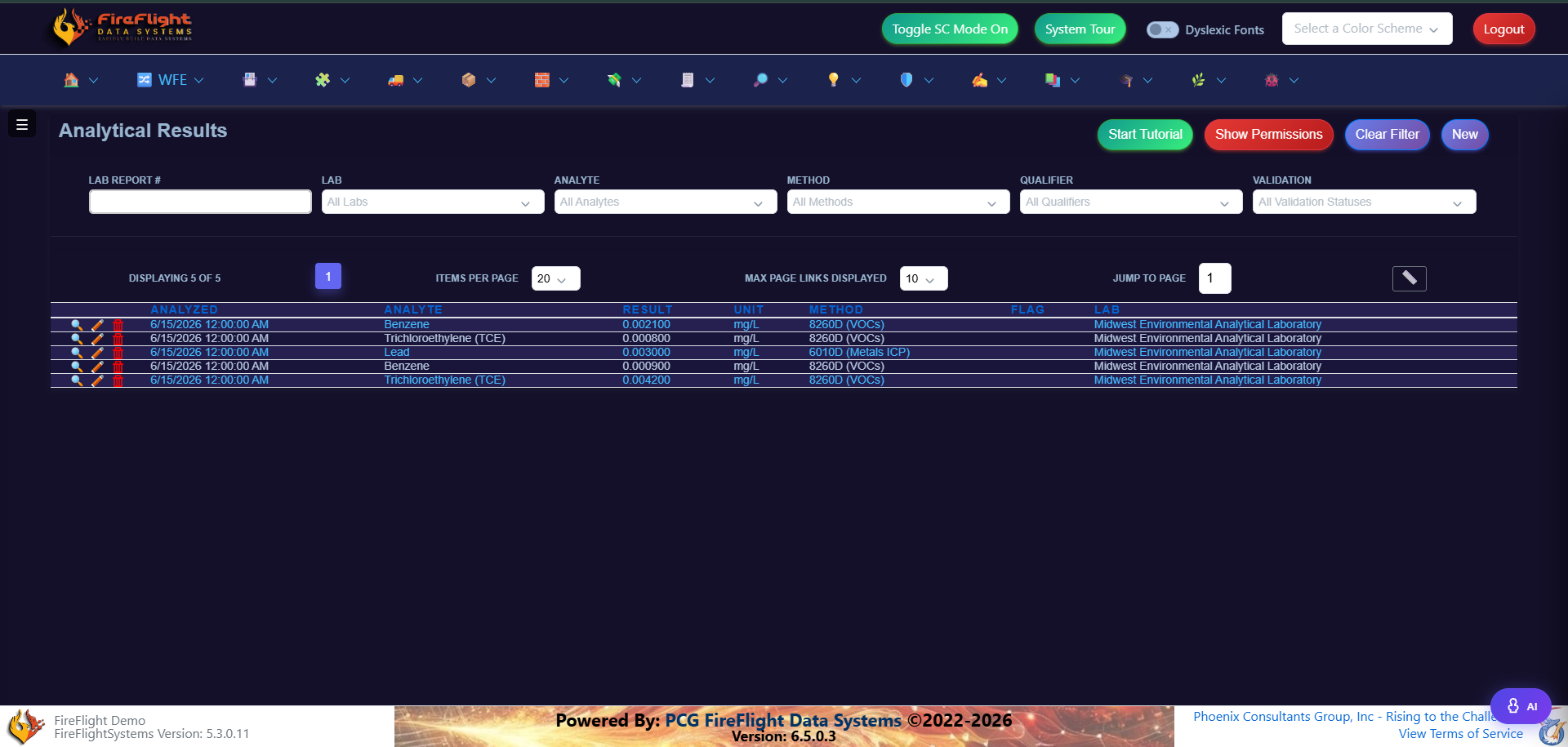
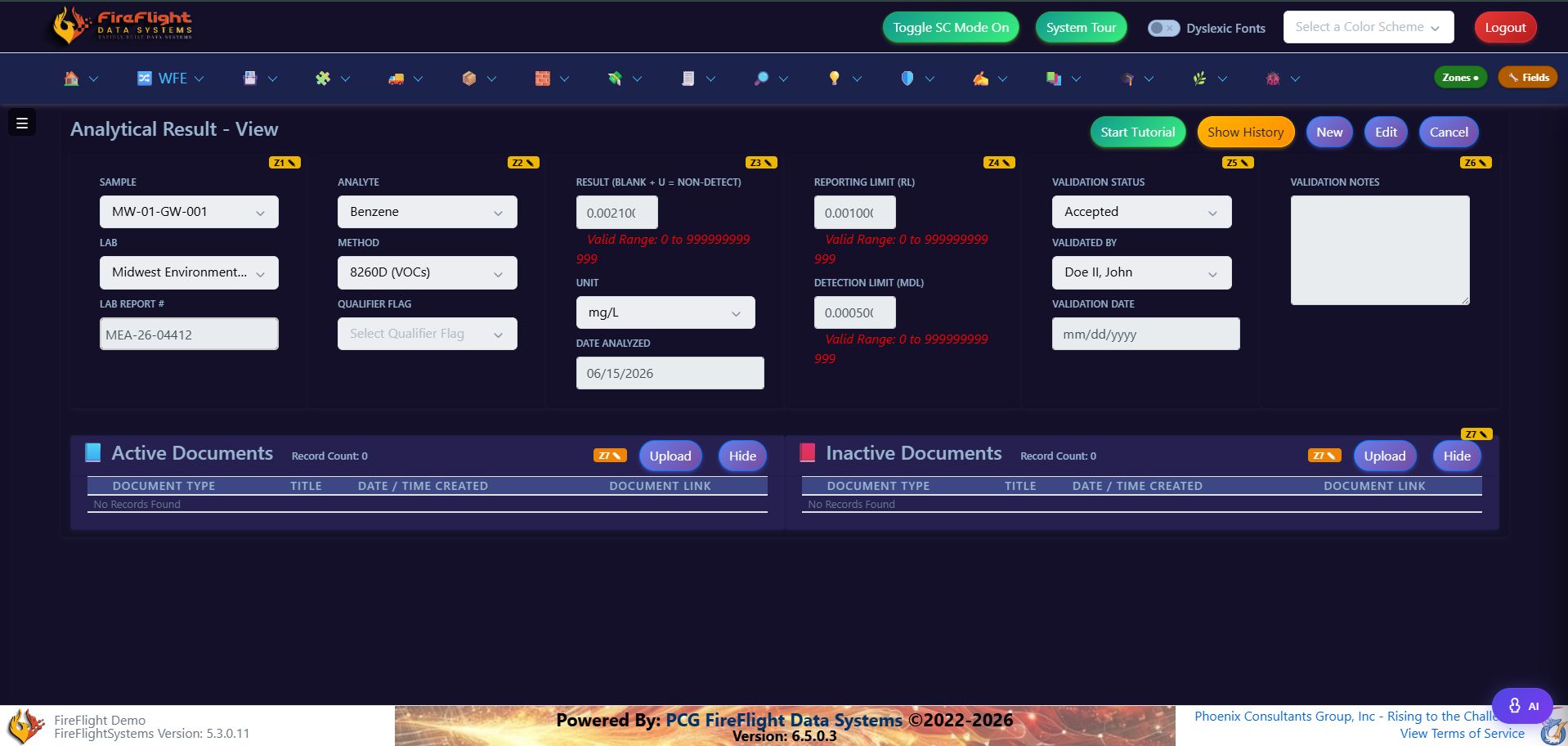
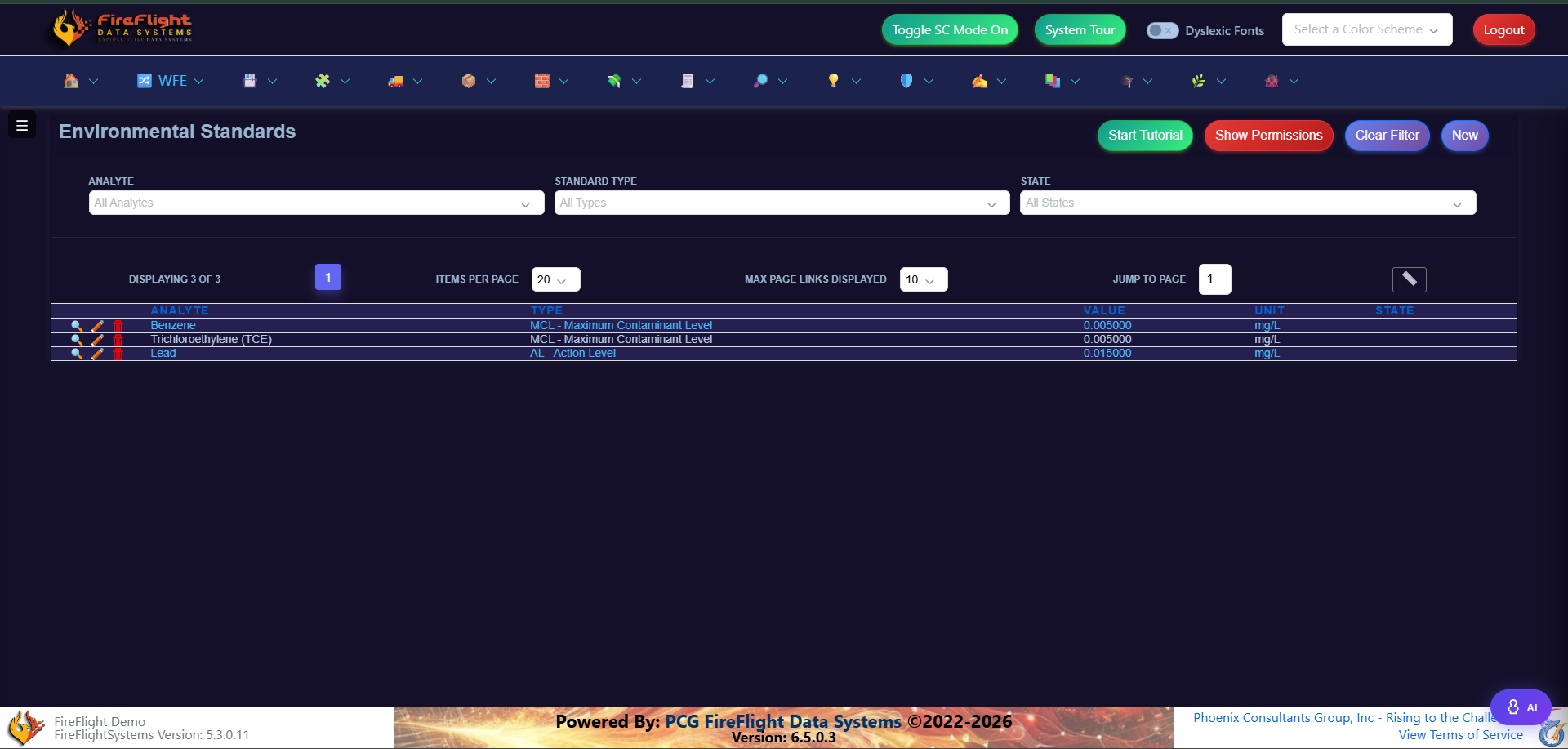
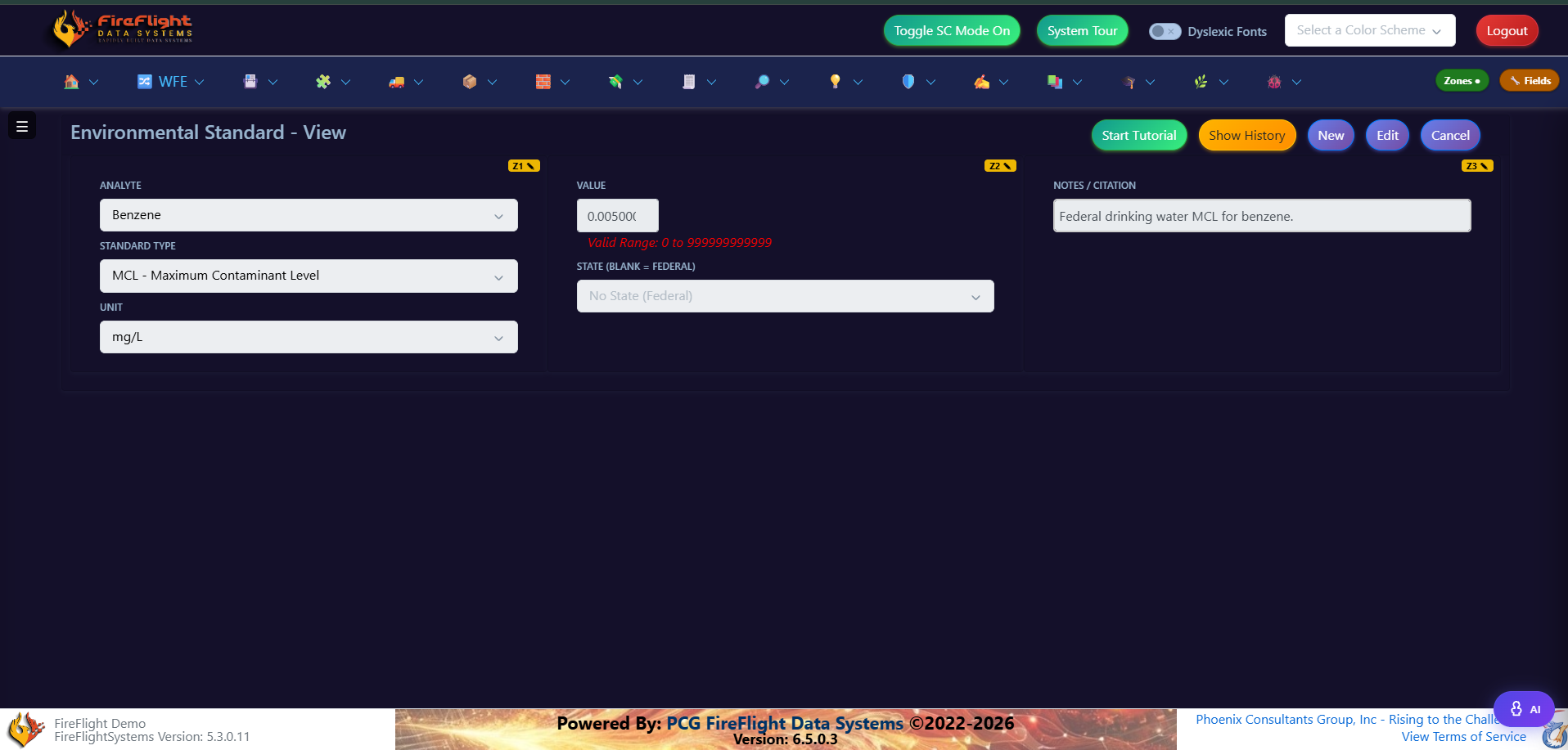
Results checked against the standard
Lab results land on the record with their method, validation status, and the regulatory standard they are measured against. The data behind a report is the same data your team is looking at, so nothing is re-keyed and nothing falls out of sync.
Why PCG
Compliance software is what we have built since 1995
- Roughly a third of that work has been environmental, including Superfund tracking, waste manifest documentation, and air permit submissions.
- Deployments take weeks, not months, because FireFlight is configured to your workflow rather than rebuilt from zero.
- We host and maintain the platform, and your data is always yours to export, so your team stays focused on the work instead of the infrastructure.
- Support is a phone call to a person, not a ticket queue.
Questions
Common questions about FireFlight
Does FireFlight generate reports in our existing format?
Yes. Reports generate from the data on the record in the format your firm already uses and your auditor already accepts, with no manual re-keying.
What does "query your data in plain English" actually mean?
Your team types a question in plain language, for example which permits are due this quarter, and FireFlight returns the matching records, instead of waiting on IT to build a report.
Who owns the data, and who runs the platform?
Your data is yours, and you can export it at any time. PCG builds, hosts, and maintains FireFlight as a service, so your team never has to manage servers or updates.
How long does it take to get started?
Deployments take weeks, not months, because FireFlight is configured to your workflow. PCG hosts the platform and support is a direct phone call.
How is this different from off-the-shelf compliance software?
FireFlight is built around your workflow instead of forcing your team into a fixed product. PCG has built custom compliance software since 1995.
What does getting started look like?
A 20-minute call to see whether your workflow is a fit. There is no commitment beyond that.
See whether FireFlight fits your workflow
A 20-minute call will tell us whether PCG is the right fit.
Book a 20-minute callFor inspection and certification teams who capture findings in the field and need a clean, defensible report at the end. FireFlight connects the whole workflow on one record.
- Building compliance and field-data systems since 1995
- Your approved report format
- Hosted and maintained by PCG
What is FireFlight?
FireFlight is a field-data and compliance system built by Phoenix Consultants Group for inspection and certification teams. Field crews capture findings against your specific checklist, the report generates from that data in your approved format, and the audit trail, documents, and job status all tie back to one inspection record.
The hard way
Why does building inspection reports take so long?
Disconnected steps
Field notes live in one place, checklists in another, photos somewhere else. Every handoff adds time and a chance to miss something.
Manual report assembly
Someone fills in a Word or PDF template by hand after the fact, then chases down the photos and documents that belong with it.
No single source of truth
When an auditor or client asks how a finding was reached, the answer is spread across separate tools.
The connected way
How FireFlight changes the workflow
- Capture findings against your checklist so inspectors record results in the field, not back at the office.
- Generate the report from captured data in your approved format, with no manual re-keying.
- Follow a cleaner audit trail where findings, photos, and documents stay attached to the inspection record.
- Tie billing or job status to the same record so nothing is tracked twice.
For inspection firms
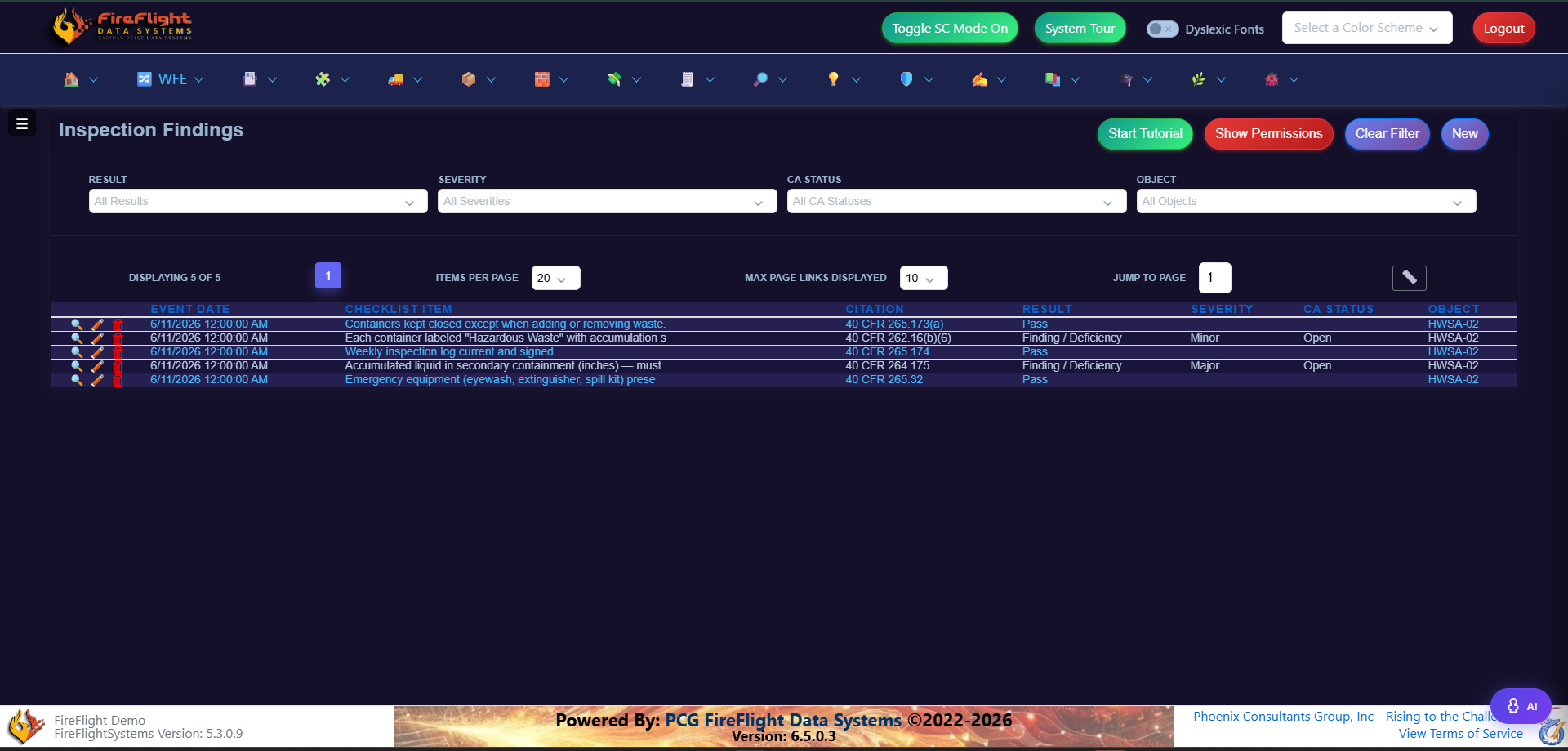
Findings captured against your checklist
Every finding tied to a citation
Inspectors work from your checklist template and record a result, severity, and corrective action for each item. The finding carries its regulatory citation, so the report is defensible the moment it is captured.
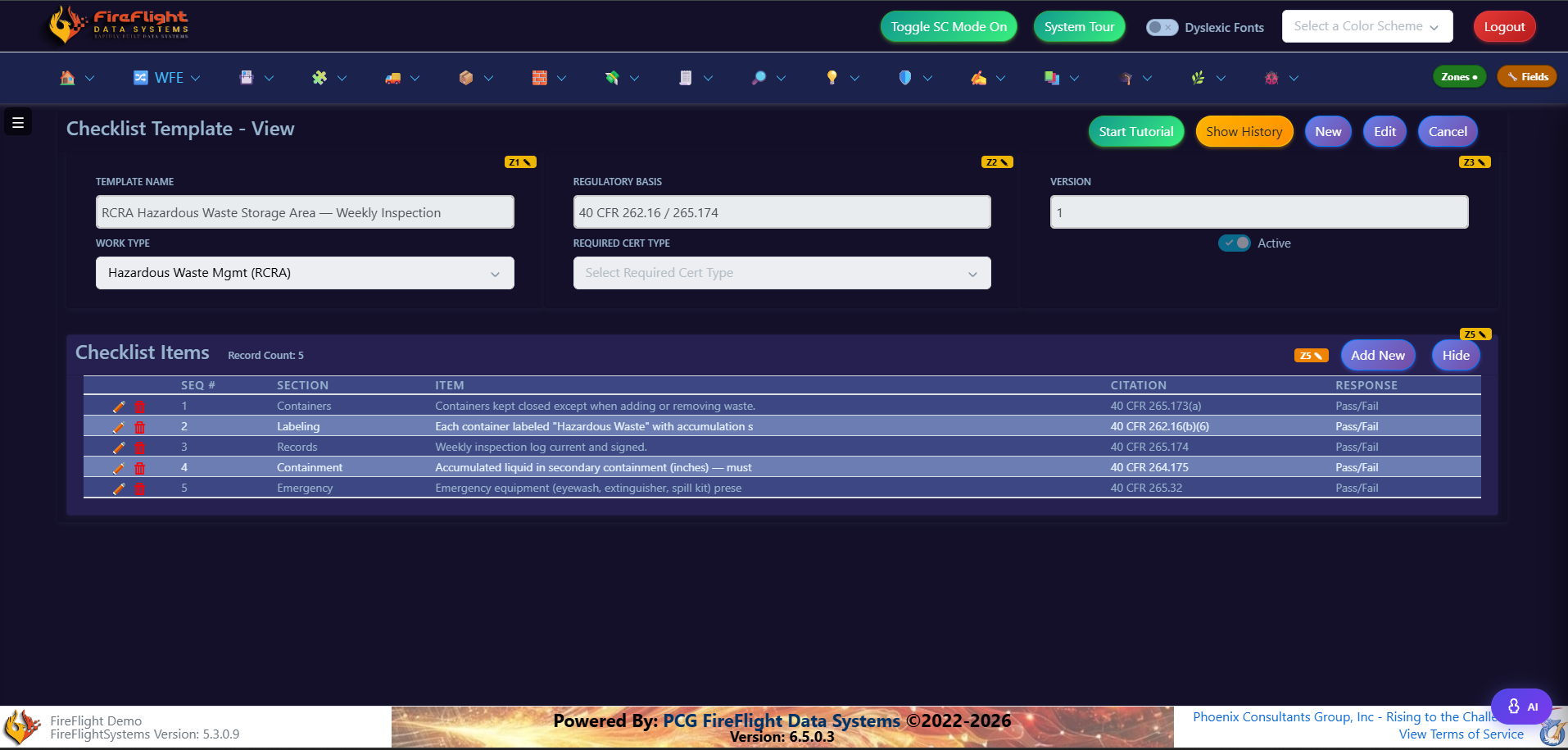
Your checklist becomes the template
Build the checklist once with its regulatory basis and the items your inspectors run in the field. Every inspection uses the same structure, so findings stay consistent across crews and jobs.
For multi-site labs
Chain of custody and results in one record
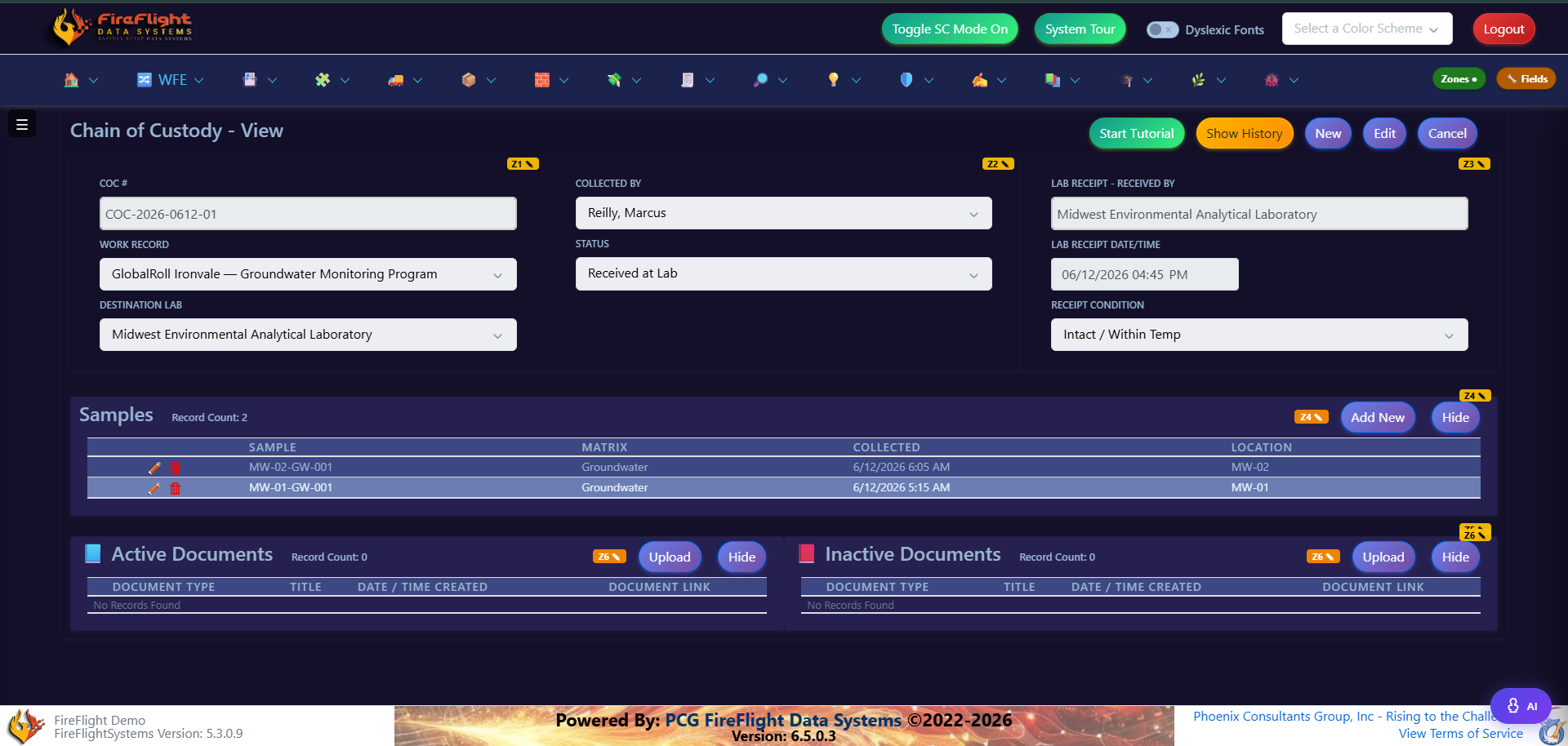
Custody tracked end to end
Samples move from the field to the lab with every transfer logged, including receipt condition and temperature. The chain of custody stays attached to the same record as the results.
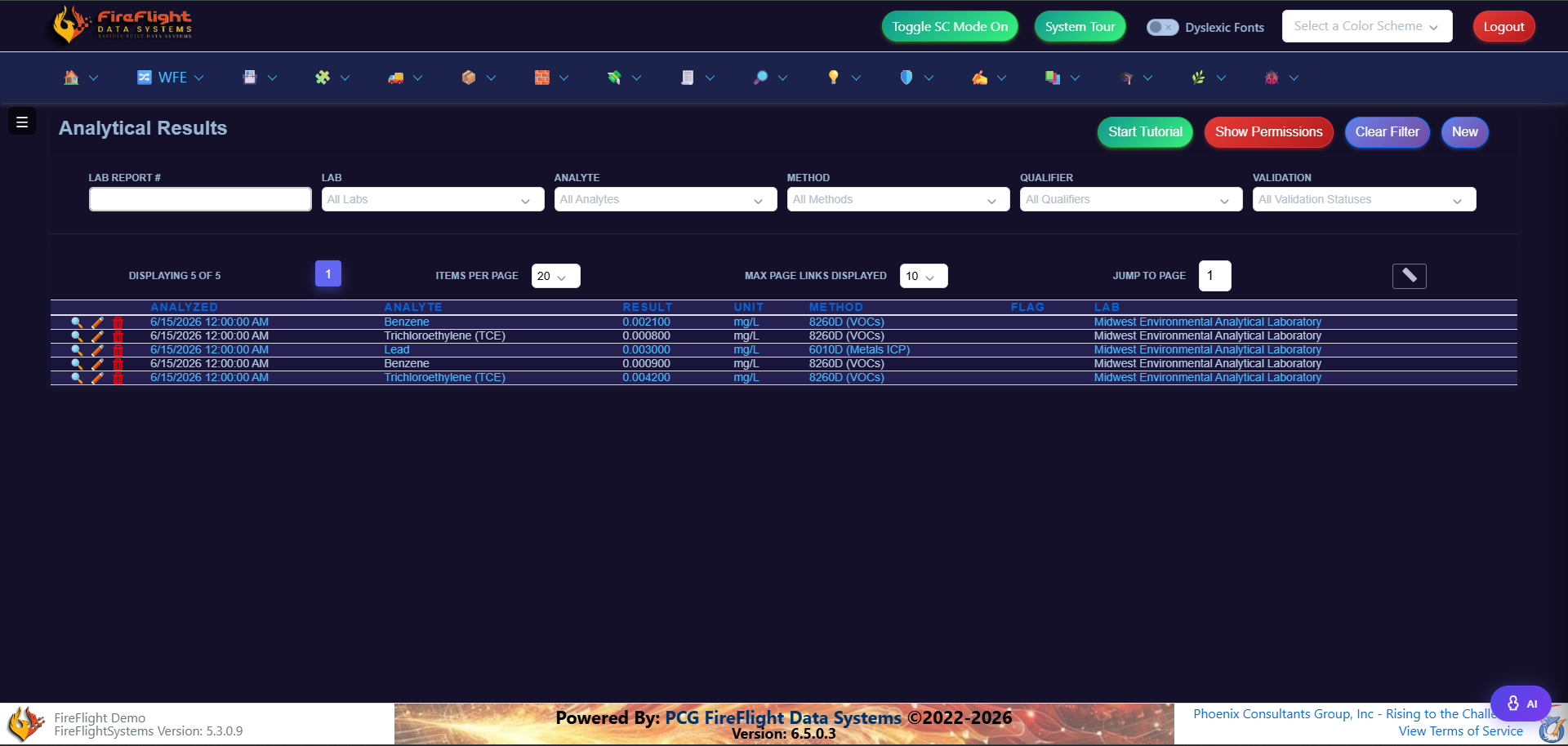
Results checked against the standard
Analytical results record the analyte, method, and qualifier flag, and can be compared against the applicable standard. The data stays defensible and ready for the report.
Questions
Common questions about FireFlight
Does FireFlight use our existing checklists and report format?
Yes. Your checklist becomes the template inspectors capture against, and reports generate in the format you already use.
Can field crews capture findings on mobile?
Yes. Inspectors capture findings in the field from a mobile device. An internet connection is required, since there is no offline mode.
Who owns the data, and who runs the platform?
Your data is yours, and you can export it at any time. PCG builds, hosts, and maintains FireFlight as a service, so your team never has to manage servers or updates.
How is this different from off-the-shelf inspection management software?
FireFlight is built around your workflow instead of forcing your team into a fixed product. PCG has built compliance and field-data systems since 1995.
What does getting started look like?
A 20-minute call to see whether your workflow is a fit. There is no commitment beyond that.
See whether FireFlight fits your workflow
A 20-minute call will tell us whether PCG is the right fit.
Book a 20-minute call