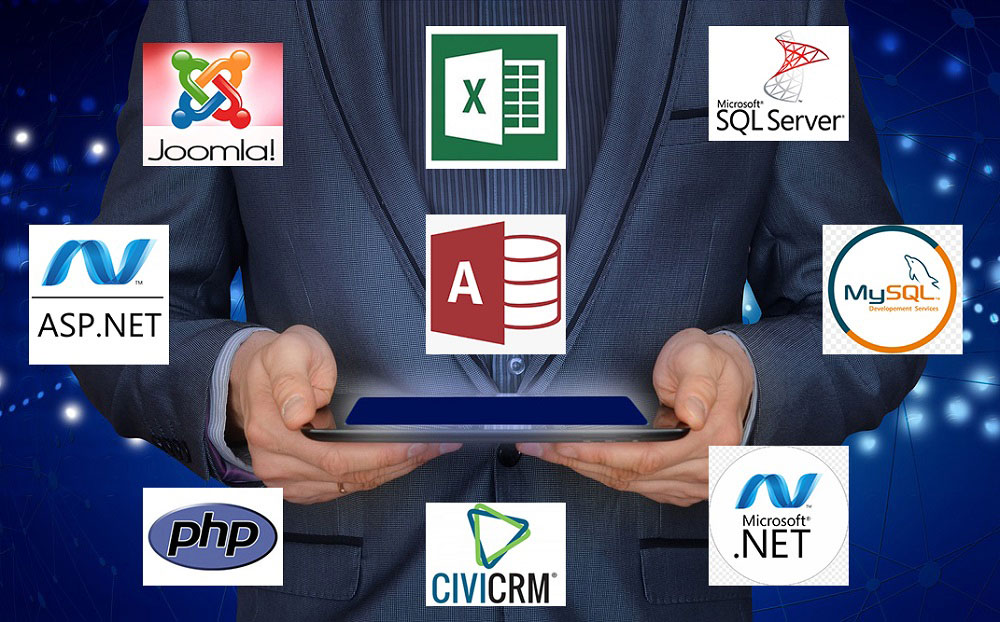
Microsoft Access to SQL Server migration converts each component differently: forms become modern web or desktop interfaces, reports become SSRS or custom report layers, macros become server-side stored procedures or application logic, and VBA business logic gets re-engineered into the destination language. The data itself migrates as schema, relationships, and referential integrity intact.

Microsoft Access to SQL Server migration is a technical project before it is a business project. Developers and IT directors who inherit an Access system as the next migration target need an operational map of what happens to each component, not a strategic case for migration. This article describes that operational map. It covers forms, reports, macros, VBA, queries, relationships, and the table data itself, with the specific translation patterns PCG applies across 30 years of Access migration work.1
The strategic case for migration is documented separately in the PCG Microsoft Access Exit Strategy. This article assumes the strategic decision is already made and the technical team is now responsible for execution. The destination platform discussed here is SQL Server with a custom .NET front end, which is one of two paths PCG offers. An alternative path is migration to FireFlight Data Framework, which is covered in the executive guide.2
Why do Access components require different migration strategies?
Access bundles several distinct technical concerns inside a single file format: data storage, query logic, presentation forms, business rules in VBA, scheduled macros, reporting, and user permissions. The bundling is what made Access productive for rapid application development in the 1990s and 2000s. It is also what makes migration component-specific in 2026. Each concern needs to land in the right tier of a modern architecture, and the right tier is rarely the one Access put it in.
The data layer migrates to SQL Server. Query logic moves to SQL Server views and stored procedures. Business logic translates to either stored procedures (data-layer rules), C# application code (cross-cutting business rules), or front-end event handlers (UI-specific logic). Presentation moves to a modern .NET front end. Reporting lands in SSRS, Crystal Reports for .NET, or a web-based reporting framework depending on the operation's existing tooling.
Each tier has its own translation pattern, its own validation approach, and its own risk profile during migration. Treating the migration as a single monolithic conversion produces bad outcomes: business logic that lives in the wrong tier, performance characteristics that do not match the original, and an interface that loses the workflow advantages staff depended on in the Access environment. PCG's audit phase identifies the right destination for each piece of logic before code translation begins. Component-by-component planning is what separates migrations that produce a maintainable system from migrations that produce Access-shaped problems in a new language.2
What happens to Access forms during migration to SQL Server?
Access forms do not migrate as-is. They are rebuilt in the new front-end framework. The rebuild preserves the workflow staff use day-to-day while replacing the underlying form architecture with one that scales beyond the single-file desktop model Access was built on. Two destination patterns dominate PCG's Access form migrations.
Web front end on ASP.NET Core
Forms become Razor Pages, Blazor components, or Web API endpoints with a JavaScript front end. This pattern fits distributed users, multi-office operations, and businesses that want to retire desktop deployment overhead. Form workflow stays familiar to users. Infrastructure underneath becomes server-centric.
Modern desktop client on WPF or WinForms
Forms become WPF windows or modern WinForms with direct SQL Server connectivity through Entity Framework or ADO.NET. This pattern fits operations with specific hardware integration, offline tolerance requirements, or staff who depend on keyboard shortcuts and the form responsiveness desktop frameworks deliver. Visual presentation approximates Access more closely than web does.
The decision between web and desktop follows the same operational framework PCG uses for VB6 migration target selection: hardware integration, connectivity reliability, user distribution, deployment infrastructure capacity, and workflow form. Most Access forms migrate to web in 2026 because most Access systems lack the hardware integration that pulls VB6 toward desktop. The migration decision is made per application during the audit phase, not as a generic preference.3
Unbound forms in Access have a specific translation path. Access unbound forms are screens that do not directly correspond to a single table, often used for navigation, parameter entry, or composite views. In the destination framework, these become application-tier components built against view models or data transfer objects rather than against the database schema directly. The architectural separation that Access papered over becomes explicit, which is the change that actually delivers the maintainability improvement the migration was supposed to produce.
What happens to Access reports and what replaces them?
Access reports translate to one of three destinations depending on how the operation uses reporting. PCG's audit identifies which destination fits the existing report inventory before any translation work begins.
SQL Server Reporting Services (SSRS)
SSRS produces report layouts that approximate the Access report designer model: grouping, subtotals, page headers, parameter prompts. Reports are stored on the SSRS server, accessed through a web portal or embedded in the new application, and exported to PDF, Excel, or CSV. The migration of Access reports to SSRS is the closest to a layout-preserving conversion that any component achieves.
Web-based reporting layer
Reports become live dashboard views in the new web application, with filters, drill-downs, and export buttons replacing the static report concept. This pattern fits operations that have grown past the limitations of static layouts and want interactive reporting. Migration work is more substantial than SSRS conversion because the user model changes, but the operational benefit is correspondingly larger.
Crystal Reports for .NET
Crystal Reports for .NET handles complex pixel-perfect layouts that operations have invested in over years, particularly invoices, regulatory submissions, and customer-facing documents where the layout itself is a business requirement. The migration preserves the specific layout work while moving the rendering engine to a supported platform.
Power BI for analytical reporting
Operations with substantial analytical reporting requirements sometimes move that category of reports to Power BI rather than rebuilding them in the new application. PCG evaluates case by case based on the operational reality, the existing reporting investment, and whether Power BI licensing makes sense for the user base.
Most Access migrations involve a mixed destination strategy across the report inventory. Pixel-perfect invoices land in Crystal Reports for .NET. Operational dashboards land in the web reporting layer of the new application. Standard tabular reports land in SSRS. The mixed approach reflects the operational reality that Access reports were used for several distinct purposes, and each purpose maps to the best-fitting destination rather than to a uniform replacement.2
What happens to macros and VBA business logic?
VBA does not run in the new environment. Every piece of VBA logic gets re-engineered to one of three destinations, and the destination determines the translation pattern. PCG's audit identifies the destination for each VBA module before translation begins.
Data-layer business rules become SQL Server stored procedures or triggers. Examples include validation that runs whenever a record is saved, calculation logic that updates one table based on changes in another, audit-trail generation, and constraint enforcement that goes beyond what foreign keys and check constraints handle declaratively. Moving this logic to the database server means it runs once, in one place, regardless of which application calls it. Multiple front ends, scheduled jobs, and external integrations all see the same rules enforced consistently.
Cross-cutting business logic becomes C# application code in the new application's service layer. Examples include multi-step workflows, integration with external systems, complex pricing calculations that depend on multiple data sources, and rules that interact with the user interface. Moving this logic to the application tier means it can be unit-tested, version-controlled, and modified without touching the database schema.
UI-specific behavior becomes event handlers in the new front-end framework. Examples include form field validation, conditional visibility of controls, navigation between screens, and immediate feedback to user actions. Translation depends on the destination front end: Razor Pages handlers for ASP.NET Core, code-behind methods for WPF, or component event handlers for Blazor. Behavior staff observed in the Access form is preserved. Implementation moves to where the framework expects it.1
VBA translation is not line-by-line conversion. It is re-engineering the same business outcome in the architecture appropriate to the new platform, which is the difference between a migration that produces a maintainable system and one that produces VBA-shaped problems in a new language.
How does Access table data migrate to SQL Server with relationships intact?
The data layer is the most predictable component of an Access migration. Tables, columns, data types, primary keys, foreign keys, and relationships all have direct SQL Server equivalents. The migration runs through documented patterns rather than novel translation work.
Tables become SQL Server tables with appropriate data type mapping: Access Text becomes SQL Server NVARCHAR with explicit length, Memo becomes NVARCHAR(MAX), Number with Long Integer becomes INT, Date/Time becomes DATETIME2, Currency becomes DECIMAL with appropriate precision, and Yes/No becomes BIT. PCG documents each mapping in the migration audit so the team knows exactly how each Access column landed in SQL Server.
Relationships migrate as SQL Server foreign keys with referential integrity rules. The cascade behavior that Access enforced (cascade update, cascade delete, or restrict) translates directly to SQL Server foreign key cascade options. Composite keys, self-referencing relationships, and many-to-many junction tables all have direct SQL Server representations. The relational model that Access was built on transfers to SQL Server as a structural equivalent rather than as a re-imagined schema.4
Indexes require explicit attention during migration. Access maintains its own index strategy that is largely invisible to developers; SQL Server requires explicit index design tuned to the actual query patterns. PCG's audit captures the queries that run against each table and recommends an index strategy that matches the destination query patterns rather than mirroring the Access defaults. Performance improvements from this single change are often substantial, particularly for operations that experienced concurrency issues on Access.
Speak directly with the engineer who would scope your Access migration
A free 30-minute consultation to evaluate your Access components and the right destination for each one. No obligation, no sales handoff.
What about linked tables, queries, and complex relationships?
Three areas require explicit translation decisions that the audit phase documents before migration begins.
Linked tables in Access connect to external data sources: other Access databases, SQL Server through ODBC, SharePoint lists, Excel files, or other ODBC sources. Each linked source needs a destination strategy. Cross-Access database links typically resolve by migrating the linked database into the same SQL Server instance, replacing the link with a direct schema reference. SharePoint linked lists become integrations through SharePoint REST APIs from the application layer. ODBC links to other database systems become server-side linked servers in SQL Server or scheduled data transfer jobs depending on usage patterns.4
Saved queries translate to SQL Server in three forms depending on usage. Simple SELECT queries used for read operations become views, which are reusable, cacheable, and accessible to any application that connects to the database. Parameterized queries used in forms and reports become stored procedures with parameters, which improves performance through plan caching and enables stricter input validation. Action queries (UPDATE, INSERT, DELETE used to modify data) become stored procedures with transaction handling, which provides explicit control over atomicity and rollback behavior.
Complex relationships that Access papered over need explicit attention. Multi-value fields, lookup fields with dropdowns embedded in the table schema, and attachment fields each require deliberate translation. The multi-value field type normalizes into related tables with proper foreign keys, which is the architectural correction Access deferred. Lookup fields move from the data layer to the application layer where they belong, often as reference data tables joined in views. Attachment fields become file references to a storage location plus structured metadata in the database. PCG documents each translation in the migration audit so the team understands exactly what changed.2
How does PCG validate that nothing was lost in the migration?
Validation is a defined phase of every PCG Access migration, not an assumption made after cutover. The validation approach runs through three layers, each one designed to catch a specific category of issue before the migration is declared complete.
Pre-migration baseline
Captured before any data moves
- Record counts by table, captured from the live Access database
- Aggregate calculations (sums, averages, max, min) on key numeric columns
- Reference integrity counts (orphan records, broken foreign keys identified)
- Query result baselines for the queries the application depends on
- Form behavior documented for the key workflows the team uses daily
- Report outputs archived as PDFs for layout comparison
Post-migration validation
Run before cutover is declared
- Record counts compared to baseline, any deltas explained and approved
- Aggregate calculations compared to baseline, deltas traced to translation rules
- Reference integrity verified in SQL Server, orphans resolved or documented
- Query results validated against baseline for application-critical queries
- Form behavior validated through user acceptance testing on real workflows
- Report outputs compared to archived PDFs for layout and data accuracy
The validation report is delivered as part of the migration deliverable. Any team that needs to audit the migration afterward, whether internal IT, an external auditor, or the business owner, has a documented reconciliation of what was in Access and what landed in SQL Server.
The parallel operation phase complements the validation. PCG runs the new SQL Server backend alongside the existing Access system during a transition period, with users gradually moving to the new front end while Access remains available as a fallback. Any discrepancy that surfaces during parallel operation is investigated and resolved before the Access system is retired. The fallback option means the business is not exposed to a single risky cutover moment.2
Find out what your Access components actually look like under audit
A free 30-minute consultation, followed by a fixed-fee technical audit if it is the right next step.
Technically yes, through ODBC linked tables that connect the existing Access forms to the new SQL Server backend. PCG calls this pattern a split-frontend migration, and it is sometimes used as a stepping stone rather than a final destination. The forms work, but the architectural problems that drove the migration in the first place remain partially unsolved. Full migration to a modern .NET front end on SQL Server resolves the issues that linked tables only postpone.
VBA does not run in the new environment. Each piece of VBA logic gets translated to one of three destinations during migration: server-side SQL Server stored procedures for data-layer rules, C# application code for business logic that lives in the application tier, or UI event handlers in the new front-end framework. The translation is not line-by-line conversion. It is re-engineering the same business outcome in the architecture appropriate to the new platform.
Access saved queries translate to SQL Server in three forms depending on usage. Simple SELECT queries become views. Parameterized queries become stored procedures. Action queries (UPDATE, INSERT, DELETE) become stored procedures with appropriate transaction handling. The query logic is preserved. The performance and concurrency characteristics improve significantly because SQL Server executes the queries on the server rather than pulling data to the client like Access did.
Each linked table source migrates differently. ODBC links to other database systems become server-side linked servers or scheduled data transfers in SQL Server. SharePoint linked lists become integrations through SharePoint REST APIs from the application layer. Cross-Access database links typically resolve by migrating the linked database into the same SQL Server instance. PCG evaluates each linked source case by case during the audit phase rather than committing to a generic approach.
Incremental migration is possible and frequently preferable. PCG migrates the database tables first while the Access front end continues to operate through linked tables. The application layer then migrates module by module, with users transitioning to the new interface gradually. This phased approach reduces risk and allows the team to validate each module before retiring the corresponding Access component. Full cutover is reserved for smaller systems where phased migration adds more complexity than it removes.
1 Phoenix Consultants Group, Microsoft Access Solutions service overview. phxconsultants.com
2 Phoenix Consultants Group, The Microsoft Access Exit Strategy: An Executive Guide. phxconsultants.com
3 Phoenix Consultants Group, VB6 Migration Target: Desktop or Web Application? phxconsultants.com
4 Phoenix Consultants Group, Custom .NET Software Development for Mid-Sized Business. phxconsultants.com
This article is informational and reflects PCG's experience executing Microsoft Access to SQL Server migrations since 1995. It is not legal, regulatory, or technical advice for any specific situation. Translation patterns and destination decisions vary by application; the audit phase exists to determine the right approach for each system. For guidance tailored to a particular Access migration scope, contact Phoenix Consultants Group directly. PCG was founded in 1995.



Emergency Services
Engineering
Environmental Safety
Fortune 500
Industrial Safety
Industry
Information Technologies
Inventory Management
Manufacturing Software
Non Profit Services
Oil & Gas
Regulation Compliance
Retail
Small Business
Transportation

Can you just ask your operation a question?
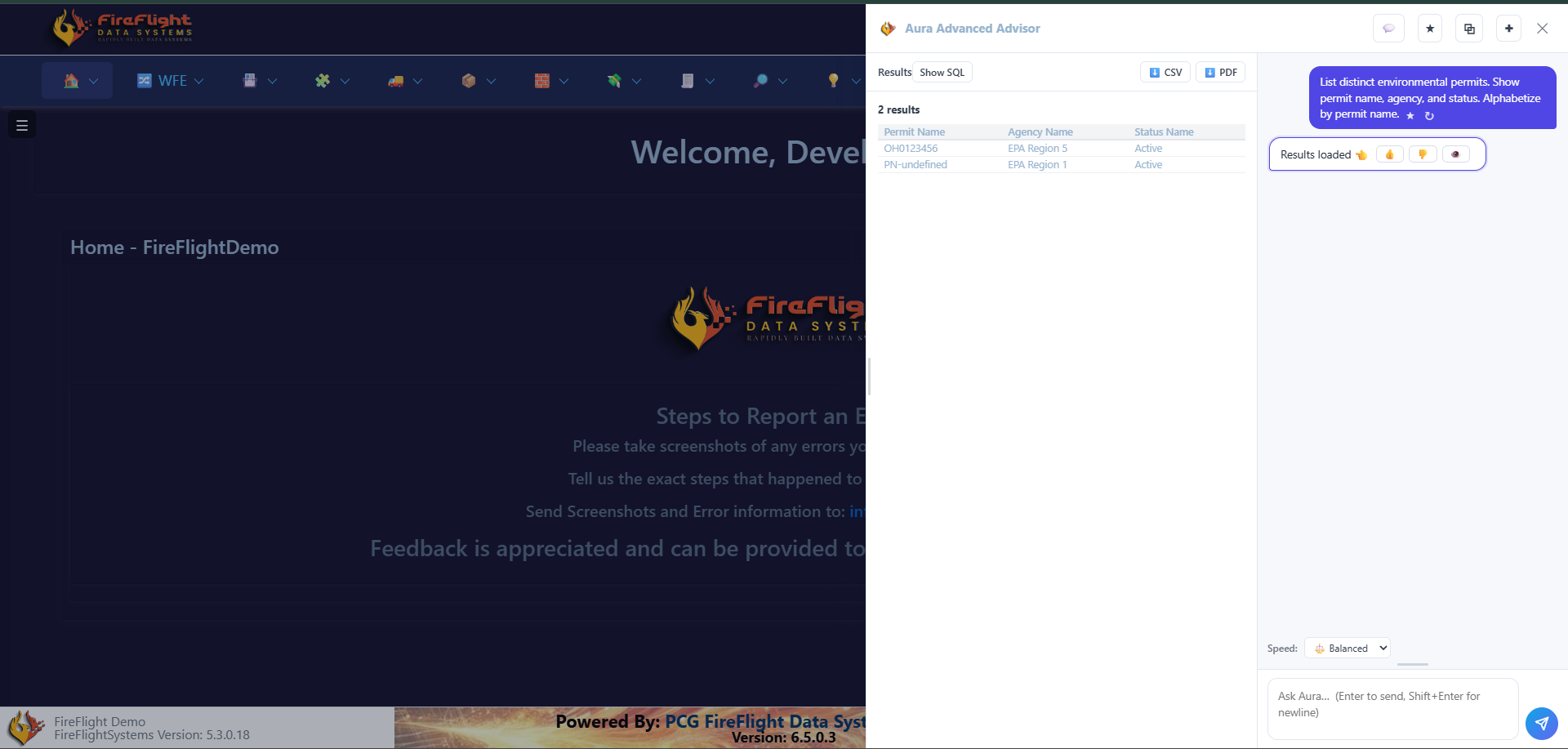
Yes. FireFlight, the operational platform PCG builds and maintains, lets you query your live data in plain English. You do not build a report or export a spreadsheet. You ask, and it returns the matching records, ready to export.
Answers from your live data, in plain English
No SQL, no report builder. It is built into every FireFlight deployment PCG stands up.
Every answer comes with Show SQL, CSV, and PDF export on the result.