
Excel to SQL Server: What Changes for the People Using the Spreadsheet?
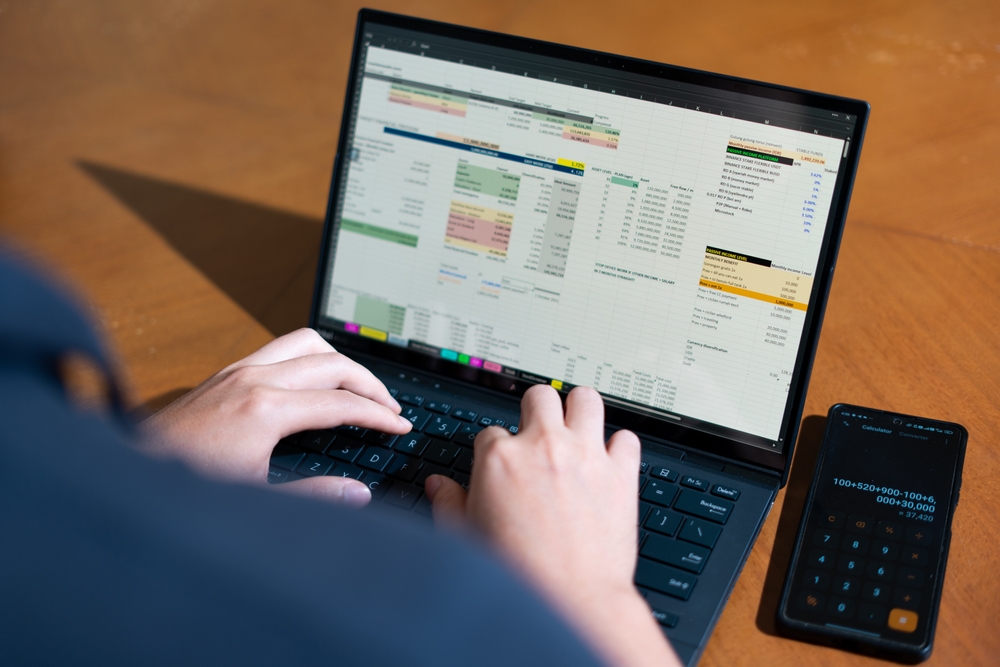
Why does a spreadsheet stop working as the team grows?
A spreadsheet is excellent for one person doing analysis. It starts to fail the moment a group depends on it at the same time. Three limits show up first.
An Excel worksheet holds 1,048,576 rows and no more, and that ceiling is built into the file format rather than a setting you can raise1. Worse than hitting it is what happens quietly: when a file carries more than that, Excel drops every row above the limit without keeping a permanent record of what was lost2. Then there is the file itself. Desktop Excel does not support real simultaneous multi-user editing, so a shared file gets locked by whoever opened it first, or it gets copied, and now there are three versions and no single truth3. And Excel has no database-style guardrails: no enforced relationships between tables, no rule that a value must exist before another can reference it, and no built-in history of who changed what3.
What actually changes for the people entering data?
This is where the day-to-day improves most, and it is the part a demo rarely shows well. In a spreadsheet, the rules live in people's heads. The new hire does not know that column F must be a date, or that you never type in the gray cells. In a database-backed system, those rules live in the system.
A date field only accepts a date. A required field cannot be left blank. A dropdown offers the five valid options instead of inviting eleven spellings of the same one. Two people can both be entering records at the same moment, and neither overwrites the other, because the database is handling concurrency instead of a file lock. The question "who has it open right now" disappears, because the answer is everyone, all the time.
What changes for the people pulling reports?
Spreadsheet reports break in a particular, familiar way. Someone inserts a row above the range a formula points to, and the total is silently wrong for a month before anyone notices.
When the data lives in SQL Server, a report asks the database a question and gets the current answer, so it does not depend on cell positions holding still. Reports refresh on demand against live records. People can be given views that match their role, so the warehouse lead sees stock and the finance lead sees margins, from the same data, without four copies floating around in email. The output can still arrive as an Excel file or a PDF if that is what the recipient expects. What changes is that nobody is rebuilding it by hand every Monday.
What changes for the person who "owns" the spreadsheet?
Most business-critical spreadsheets have an unofficial owner, the one person who understands the formulas and gets the call when something looks off. After the move, that role changes from gatekeeper to user. The logic that lived in their head and their cells now lives in the system, where the rest of the team can rely on it without routing every question through one desk.
That shift is worth an article of its own, because the risk of a single person owning the system the business runs on is real. For now, the operational point is simple. The bottleneck stops being a person.
Does the spreadsheet go away completely?
Not necessarily, and that surprises people. Excel is a strong tool for analysis and ad-hoc questions, and it stays useful for exactly that. What changes is its job. Instead of being the place the records live, it becomes one of the windows into records that live in the database. Excel can connect to SQL Server and pull live figures whenever an analyst wants to slice them.
The important line is about the data. The records the business depends on belong to the business, and after the migration they sit in a database the business controls, with backups and history, rather than in a single file on one laptop. The data does not move to a place you cannot reach. It moves to a place built to protect it. For the wider version of this problem across a company, see the hidden cost of data silos.
Spreadsheet outgrowing the team that depends on it?
A 20-minute call. PCG asks how the spreadsheet is used and who depends on it, then explains what moving it to SQL Server would change.
What does the migration look like operationally?
The work starts by watching the spreadsheet do its job, not by exporting it. PCG documents how it is actually used, which columns matter, which rules are real, and which tabs are abandoned experiments. That reading becomes the design for the database underneath.
From there the pattern is steady. Design the database around the real workflow, build the screens and reports people will use, then run the new system in parallel with the spreadsheet against the same data until the numbers match and the team trusts it. Only then does the spreadsheet step back. The scope and timeline come out of that first reading, not from a guess made before it. The same logic, applied to a desktop database instead of a spreadsheet, is covered in moving Access to SQL Server, and the cost case for leaving the spreadsheet behind is in the spreadsheet trap.
Map your spreadsheet before it breaks at the worst time
PCG runs a fixed-fee discovery that reads how the spreadsheet is used and quotes a migration path with a fixed scope.
Frequently Asked Questions
1 Microsoft. Excel specifications and limits. A worksheet holds a maximum of 1,048,576 rows by 16,384 columns, fixed by the file format. support.microsoft.com
2 Microsoft Excel specifications and OOXML format references. When a file exceeds 1,048,576 rows, Excel loads only the first 1,048,576 and does not keep a permanent record of the rows dropped. support.microsoft.com
3 Microsoft Excel documentation and database design references. Desktop Excel does not provide true simultaneous multi-user editing, relational integrity constraints, or a built-in change history, which standard databases such as SQL Server do. support.microsoft.com