

The ERP That Got You Here Is the One Holding You Back
Last updated: June 2026 |
June 2026 | Phoenix Consultants Group | Legacy Systems + Operational Modernization
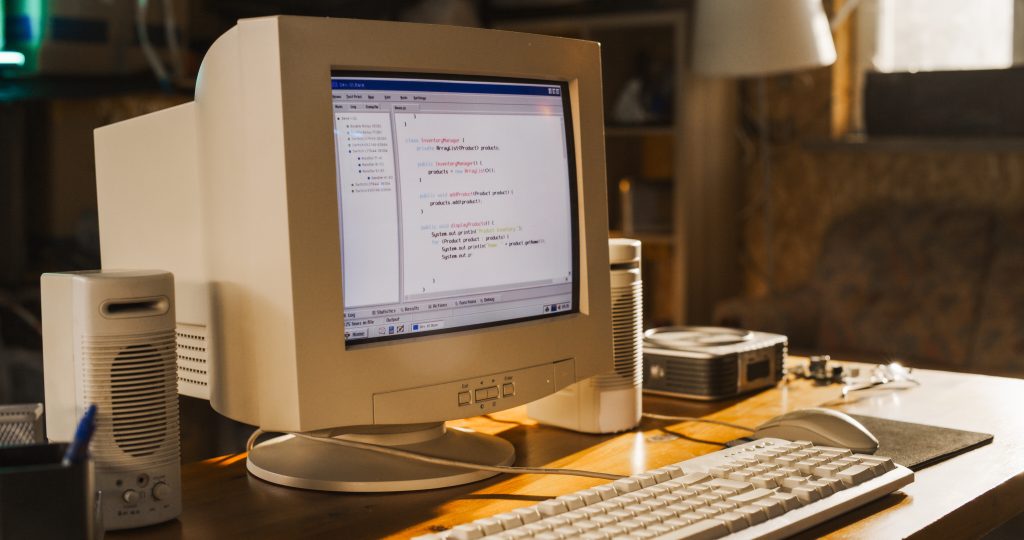
Many companies fail to realize how much a legacy ERP limitations operational cost impacts their annual bottom line. The system has been running for eleven years. It went live when the company had 40 employees and two warehouse locations. It handled everything the business needed at the time, and the implementation team did a solid job.
Now there are 180 employees, six locations, three new product lines, and a procurement process that the original ERP was never designed to manage.
Nobody decided to keep it forever. It just never seemed like the right time to change it. The customizations were too deep. The migration felt too risky. There was always a more urgent project. And the system was still technically running.
But running is not the same as working. And the difference between those two things is being paid every week in ways that never appear on a single line of any budget report.
What a Legacy ERP Actually Costs
A legacy ERP costs more than its licensing fee. The licensing fee is visible. The operational cost of staying on a system that no longer fits the business is not.
The invisible cost lives in the manual workarounds that exist because the system cannot handle current workflows. It lives in the integrations that break under volume and require IT intervention to restart. It lives in the reports that take three hours to prepare manually because the system cannot produce them directly. It lives in the IT hours spent maintaining configurations that should have been retired years ago, and in the onboarding time for new employees learning a system that operates nothing like any modern tool they have used before.
None of those costs appear under “ERP” in the budget. They appear as overtime, IT tickets, consultant fees, and productivity gaps that everyone on the operations team can feel but nobody can formally attribute.
The Signs a Legacy ERP Has Become a Liability
A legacy ERP becomes a liability when the cost of working around it exceeds the cost of replacing it. These are the operational signals that the crossover point has already passed.
The Workaround Count Is Growing, Not Shrinking
Every mature ERP implementation has some workarounds. A workaround or two is normal. A workaround for every major workflow is a different situation entirely.
When the operations team has built parallel spreadsheets, manual reconciliation steps, and offline approval processes specifically because the ERP cannot handle them, the workaround infrastructure has become the real operating system. The ERP is the record of last resort, not the system of record.
Count the workarounds that exist today. If they number more than five and they involve core operational processes: receiving, procurement, inventory management, or production reporting, the system is no longer managing the business. The business is managing around the system.
Reports Require Manual Assembly Before Anyone Can Read Them
A functional ERP produces reports directly from operational data. A legacy ERP that no longer fits the business produces raw exports that someone has to manually assemble, filter, and format before they are usable.
When the operations manager spends two hours every Monday morning pulling data from three separate screens, copying it into a spreadsheet, and building the weekly performance summary by hand, that is not a reporting process. That is a symptom of a system that was never designed to report on the workflows the business now runs.
The two hours are real labor cost. The delay between when the data exists and when leadership can act on it is a real operational cost. And the accuracy risk of a manually assembled report is a real decision-making cost.

Integrations Break Regularly and Require Manual Recovery
When a legacy ERP was built, it integrated with the tools that existed at the time. Those integrations were often built through custom connectors, file-based data transfers, or middleware solutions that were state of the art a decade ago.
As the surrounding technology landscape has changed, those integrations have become fragile. A platform update on either side can break a connection. A volume spike can cause a transfer to time out. A format change in an export file can corrupt an import.
When the IT team fields a regular cadence of integration failure tickets and the standard resolution is a manual data re-entry job to catch up what the broken transfer missed, the integration infrastructure is not working. It is being maintained on life support by people who have more important things to do.
New Workflows Cannot Be Added Without Custom Development
Modern operations require new workflows regularly. A new product line requires new inventory classifications. A new customer requirement demands a new approval step. A new compliance regulation requires a new documentation process.
In a current system, those additions are configuration changes. In a legacy ERP that has been customized beyond its original design boundaries, every new workflow requirement is a custom development project. The vendor may no longer support the version the business is running. The original implementation partner may no longer exist. The internal team that knew how the customizations worked may have turned over.
Each new requirement takes longer and costs more than the last one. The system that was once flexible enough to grow with the business has become rigid, and rigidity in operations is always expensive.
Onboarding New Staff Takes Weeks, Not Days
A current ERP system is designed with modern usability principles. Navigation is intuitive. Workflows are guided. New users can learn the core functions in a training session or two.
A legacy ERP that predates modern UX standards requires weeks of structured training before a new employee can operate it independently. The documentation is outdated. The interface requires memorized keystroke sequences. Mistakes that a modern system would catch with a validation prompt go undetected until they surface as data errors downstream.
When onboarding time for a warehouse receiver or a procurement coordinator runs to three or four weeks, part of that time is the job complexity. Part of it is a system that was not designed to be learned quickly.
Why Organizations Stay on Legacy ERP Systems Too Long
Understanding why legacy systems persist is as important as understanding what they cost. The reasons are almost always rational at the time, and almost always incorrect in hindsight.
The Migration Risk Feels Larger Than the Status Quo Risk
Replacing an ERP is a significant project. Data migration, workflow redesign, staff training, and operational continuity during the transition are all real challenges with real costs.
The migration risk is visible because it is concentrated in a defined project. The status quo risk is invisible because it is distributed across hundreds of small operational failures every month. When both are evaluated, the visible risk looks larger than the invisible one, even when the math says otherwise.
The Customizations Feel Irreplaceable
After years of custom development, a legacy ERP accumulates configurations that feel unique to the business. The assumption is that any new system would require rebuilding all of that logic from scratch, at a cost that exceeds the value of switching.
That assumption is often wrong. Many of the customizations that feel essential are workarounds for problems a modern system solves natively. The custom approval routing that took six months to build in the legacy system may be a standard configuration option in a current platform. The custom inventory adjustment workflow may exist out of the box.
A proper requirements review almost always reveals that the list of genuinely irreplaceable customizations is shorter than anyone expected.
Nobody Owns the Decision
ERP replacement decisions require alignment across operations, finance, IT, and executive leadership. When no single owner has the authority and the mandate to drive the decision forward, the default is to maintain the status quo until the system forces the issue.
The system usually forces the issue at the worst possible moment: during a high-volume period, during an audit, or after a critical integration failure that cannot be patched in time.
How to Evaluate Whether a Legacy ERP Replacement Is Justified
The decision to replace a legacy ERP should be based on operational data, not on frustration or on a vendor’s pitch. These are the four calculations that matter.
Calculate the True Annual Cost of Workarounds
List every manual workaround that exists because the ERP cannot handle the workflow natively. For each one, estimate the weekly labor hours required to execute it. Multiply by the fully loaded cost of the roles involved and by 52 weeks.
That number is the annual operational cost of the workarounds. It does not include error correction, integration failures, or reporting delays. It is the floor, not the ceiling.
Measure IT Hours Dedicated to Legacy ERP Maintenance
Track the IT hours spent on ERP-related tickets over a 90-day period: integration failures, data corrections, custom configuration updates, and vendor compatibility patches. Annualize the result.
In most mid-size operations running legacy ERP systems, IT maintenance hours represent between 15 and 30 percent of total IT capacity. That is capacity not being applied to new projects, improvements, or strategic initiatives.
Document the Reporting Gap
Identify every report that leadership uses for operational decisions and determine how many of them are produced directly by the ERP versus manually assembled from ERP exports. Calculate the weekly labor hours spent on manual report assembly.
A reporting gap of more than four hours per week per report is a strong signal that the system’s data model no longer matches the operational model the business runs.
Assess the Integration Failure Rate
Pull the last six months of integration failure incidents. Calculate the average monthly frequency, the average resolution time, and the average manual data recovery effort per incident.
An integration failure rate above two incidents per month with a recovery time of more than four hours per incident represents a structural instability in the operational infrastructure that will not improve without a change to the underlying system.
What a Realistic ERP Transition Looks Like for a Mid-Size Operation
Replacing a legacy ERP does not require a full operational shutdown. A phased approach allows the business to migrate workflows progressively while maintaining continuity.
The transition starts with a requirements audit: documenting current workflows, identifying which workarounds are solving real problems versus compensating for system limitations, and mapping the data that needs to migrate versus the data that can be archived.
The next phase is a gap analysis between current workflows and the capabilities of candidate replacement systems. The goal is not to find a system that replicates the existing ERP. It is to find a system that handles current workflows natively, eliminates the highest-cost workarounds, and supports the operational scale the business is moving toward.
Implementation follows a workflow priority sequence: the highest-cost operational processes go live first, generating immediate return on the transition investment. Lower-priority workflows migrate in subsequent phases, with each phase building on the stability of the previous one.
The legacy system runs in parallel during each phase until the migrated workflows are stable and the team is operating confidently in the new environment. Then it is decommissioned, section by section, rather than in a single cutover that puts the entire operation at risk simultaneously.
5-Day Action Plan: Assessing Your Legacy ERP Situation
Day 1: List every manual workaround currently in use across operations, procurement, warehouse, and finance. For each workaround, document the workflow it replaces and the weekly labor hours required to execute it. The total is the minimum annual cost of staying on the current system.
Day 2: Pull the last 90 days of IT support tickets and filter for ERP-related issues. Count the total hours spent on maintenance, integration failures, and custom configuration work. This is your current IT carrying cost for the legacy system.
Day 3: Identify the five reports that operations and leadership use most frequently for decisions. Determine which ones the ERP produces directly versus which ones require manual assembly. Document the weekly hours spent building those reports by hand.
Day 4: Map the current integrations between the ERP and other systems. For each integration, document the last failure date, the resolution time, and whether the fix was a patch or a structural repair. An integration that has failed more than twice in six months is not stable.
Day 5: Bring the data from Days 1 through 4 into a single operational cost summary. That summary is the factual basis for a replacement evaluation. It removes the conversation from “it feels like the system is holding us back” to “here is what the system is costing us every year.”

When the Data Makes the Decision
The organizations that stay on legacy ERP systems longest are almost never making an irrational choice. They are making a rational choice based on incomplete information: the cost of staying is invisible, and the cost of switching is visible.
The five-day audit above makes both costs visible. When the annual cost of workarounds, IT maintenance, manual reporting, and integration failures is set against a realistic transition investment, the decision usually becomes straightforward.
Phoenix Consultants Group works with mid-size operations to evaluate that equation honestly: not to sell a replacement for its own sake, but to determine whether the current system is still the right tool for where the business is today and where it is heading. When the data supports a transition, PCG designs and implements it in phases that protect operational continuity. When the data supports staying and optimizing, that is the recommendation instead.
The goal is an operational system that works for the business as it actually runs today. Not as it ran eleven years ago.

Is your business suffering from app overload?
👉 Contact Phoenix Consultants Group today to discover how a custom solution can cut through the clutter and put your business back in control.
Frequently Asked Questions
How do you know when it is time to replace a legacy ERP system? The clearest signals are a growing count of manual workarounds for core workflows, reports that require manual assembly before they are usable, integrations that fail regularly and require manual data recovery, and new workflow requirements that each demand custom development projects. When these conditions exist simultaneously, the annual cost of staying typically exceeds the cost of a phased transition.
What does a legacy ERP actually cost beyond the licensing fee? The operational cost of a legacy ERP includes labor hours spent on manual workarounds, IT hours dedicated to maintenance and integration failure recovery, weekly time spent manually assembling reports from raw ERP exports, onboarding delays for new staff learning an outdated interface, and the decision-making cost of acting on data that is always hours or days behind operational reality.
Why do companies keep legacy ERP systems too long? The most common reasons are that the migration risk feels larger than the status quo risk because the status quo cost is distributed and invisible, that customizations feel irreplaceable when many are actually solving problems a modern system handles natively, and that no single owner has the authority to drive the replacement decision forward before the system forces the issue at the worst possible time.
Can a legacy ERP replacement be done without shutting down operations? Yes. A phased migration approach allows the highest-cost workflows to go live in the new system first while the legacy system continues running in parallel. Each phase builds on the previous one. The legacy system is decommissioned section by section rather than in a single cutover, which significantly reduces the risk to operational continuity during the transition.
How long does it take to replace a legacy ERP in a mid-size operation? Timeline depends on operational complexity, the number of locations involved, and the volume of data that requires migration. A phased approach for a mid-size operation typically runs between six and eighteen months from requirements audit to full decommission of the legacy system. The first phase, covering the highest-priority workflows, can often go live within 90 days of project start.
What is the first step in evaluating a legacy ERP replacement? Start with a workaround audit and an IT maintenance cost analysis before evaluating any replacement options. Understanding what the current system is costing in operational labor and IT capacity gives you the factual baseline needed to evaluate whether a replacement investment is justified and what return timeline is realistic.