
Phoenix Consultants Group | Custom Computer Programming Phoenix Consultants Group | Custom Computer Programming
  • Custom Software Developers
    • Analyzing Business Needs
    • Custom Application Development
    • Data Collection and Management
    • Form Design & Development
    • Visual Basic Programming Experts
    • Custom Technology Products & Software Solutions for Business
  • .NET Development
    • Business Logic to .NET Architecture:
    • Smarter Decisions with Intelligent Data Systems
    • Custom .NET Software Development
  • Fireflight Data System
    • Fireflight – Project
  • Data Management
    • Managing Legacy Data and Systems
    • Conversion, Migration & Integration
    • Data Management
    • Data Movement & Middleware Integration Services
    • Enterprise Resource Planning
    • Inventory Management Systems
    • Microsoft Access Solutions
      • Access Database Consulting
      • Access Database Design
      • Access for Rapid Data Development
      • Access Database Programming
  • Case Studies
    • ISO 9000 Documentation & Regulatory Compliance Database
    • Superfund Soil Remediation
    • OSHA Training & Certification
    • Ground Water Monitoring
    • Pest Control Reporting Engine
    • Vineyard Pest Trap Management
    • Fueling System for a Top-5 U.S. Metro Fleet
    • Payroll System for a Multi-Facility Physician Staffing Company
    • Ground Support Equipment (GSE) Management System for Airport Operations
    • (MSDS/SDS) Management System
    • Pesticide Licensing Compliance System
    • EPA Title V Air Quality Management System
  • Tech Wisdom
  • Industries We Serve
    • Custom Software Portfolio
  • Blog
  • About Us
  • Contact Us
Phoenix Consultants Group | Custom Computer Programming
  • Custom Software Developers
    • Analyzing Business Needs
    • Custom Application Development
    • Data Collection and Management
    • Form Design & Development
    • Visual Basic Programming Experts
    • Custom Technology Products & Software Solutions for Business
  • .NET Development
    • Business Logic to .NET Architecture:
    • Smarter Decisions with Intelligent Data Systems
    • Custom .NET Software Development
  • Fireflight Data System
    • Fireflight – Project
  • Data Management
    • Managing Legacy Data and Systems
    • Conversion, Migration & Integration
    • Data Management
    • Data Movement & Middleware Integration Services
    • Enterprise Resource Planning
    • Inventory Management Systems
    • Microsoft Access Solutions
      • Access Database Consulting
      • Access Database Design
      • Access for Rapid Data Development
      • Access Database Programming
  • Case Studies
    • ISO 9000 Documentation & Regulatory Compliance Database
    • Superfund Soil Remediation
    • OSHA Training & Certification
    • Ground Water Monitoring
    • Pest Control Reporting Engine
    • Vineyard Pest Trap Management
    • Fueling System for a Top-5 U.S. Metro Fleet
    • Payroll System for a Multi-Facility Physician Staffing Company
    • Ground Support Equipment (GSE) Management System for Airport Operations
    • (MSDS/SDS) Management System
    • Pesticide Licensing Compliance System
    • EPA Title V Air Quality Management System
  • Tech Wisdom
  • Industries We Serve
    • Custom Software Portfolio
  • Blog
  • About Us
  • Contact Us

Category: Content Authority Page

Last updated: June 2026
dBase and Clipper are xBase systems, the same family as FoxPro, and they share one thing that makes migration predictable: the .dbf data format. The data moves to SQL Server the same way regardless of which tool built it. What differs is the application layer, and that gets rebuilt.
Phoenix Consultants Group, a custom software firm that migrates dBase, Clipper, and FoxPro xBase systems to SQL Server

Is dBase or Clipper safe to keep running in 2026?

The application still runs, which is exactly what makes the question easy to postpone. The risk is in what sits underneath it. Both tools are frozen in a DOS-era design, and the vendors moved on long ago.

Clipper is the clearer case. The last commercial release, CA-Clipper 5.3b, shipped in 1997 and runs on DOS1. Almost no new commercial Clipper applications were written after 1995, and the language never made the jump from DOS to Windows under its original owner1. dBase has a longer tail: the product line is now owned by dBase LLC, which still sells current dBASE versions, but the dBASE III, IV, and 5 applications that businesses actually run in production date from the 1980s and 1990s, and The Register reported that the dBase website ceased operating in 20262. Either way, the people who wrote these systems are retiring, and the pool of developers who can read the code keeps shrinking.

What is xBase, and why does it matter for the migration?

dBase, Clipper, and FoxPro are not three unrelated products. They are members of one family, informally called xBase, that grew out of the dBase language and file format of the 1980s3. dBase came first, from Ashton-Tate, and its data file format, the .dbf, was already described as a de facto standard by 19854. The others adopted that same format.

dBase

The original. An interpreted database and language from Ashton-Tate. Source of the .dbf format the whole family shares.

Clipper

A compiler for dBase code from Nantucket, later CA-Clipper. It turned xBase programs into standalone DOS executables.

FoxPro

The xBase product Microsoft bought and grew into Visual FoxPro. Same .dbf data, its own database engine and tooling.

That shared lineage is not trivia. It is the single fact that makes a dBase or Clipper migration predictable, because it decides how the hardest part, the data, comes across.

Whatever tool wrote the application, the business data lives in .dbf files, and that format is common across dBase, Clipper, and FoxPro. The data migrates the same way for all three.

Does it matter whether you are on dBase, Clipper, or FoxPro?

For the part that scares people most, the data, the answer is no. For the part they underestimate, the application, the answer is yes. Splitting the project along that line is what keeps it sane.

The data

Same path for all three
  • Stored in shared .dbf tables
  • Index and memo files read alongside
  • Migrated into SQL Server
  • Schema redesigned, integrity enforced

The application

Differs by tool
  • dBase code is interpreted
  • Clipper code is compiled to DOS executables
  • FoxPro carries its own engine and forms
  • This layer is rebuilt, not copied

FoxPro is the sibling PCG writes about most, because Microsoft grew it into a full development platform before ending it. If your system is specifically a FoxPro one, the dedicated guide is migrating Visual FoxPro in 2026. For dBase and Clipper, the data story is identical and the application story is simpler, because neither carries FoxPro's heavier runtime.

Where does the data go?

SQL Server is the standard target, and the move is well understood. The .dbf tables are read, along with their index files and any memo files holding longer text, and loaded into SQL Server. The schema is redesigned rather than copied, because xBase tables were often flattened for speed on 1990s hardware and use field types that do not map one to one onto a modern database.

The ownership question matters here, so it is worth stating plainly. The records belong to the business. After the migration they sit in a database the business controls, with backups, history, and real multi-user access, instead of in .dbf files on a shared drive. The same data move, applied to a Microsoft Access database, is walked through in moving Access to SQL Server.

Running on dBase or Clipper and not sure where to start?

A 20-minute call. PCG asks what the system does and how it was built, then explains how the data and the application would move.

Book Your Free Consultation

What about the application written in dBase or Clipper code?

This is the part that gets rebuilt. The data came across cleanly because of the shared format, but the program logic is tied to its tool, and there is no automatic converter that turns decades-old xBase code into a modern application worth maintaining.

The default rebuild target is C# .NET with SQL Server behind it, with a desktop or web front end depending on how the system is used. Business rules that still match how the company operates are carried over. Logic that only existed to work around a 1992 limitation is left behind. There is a middle option for Clipper specifically: the open-source compilers Harbour and xHarbour are close to fully compatible with old Clipper code and can recompile it for current systems5. That can keep a Clipper application alive while a real migration is planned. It is a bridge, not a destination, because the application is still xBase underneath and the developer pool is still shrinking.

What if no one still understands the dBase or Clipper code?

This is how most of these projects begin. The person who wrote the system retired years ago, the documentation is thin or missing, and nobody on staff can explain how a particular calculation works. It feels like a dead end. It is not.

A dBase or Clipper application can be reconstructed by reading it. The source code, the compiled program, and the .dbf data together describe what the system does, and that reading produces a written account the business can confirm before any rebuild starts. The same approach, for the broader case of a vanished developer, is in what to do when your developer disappears. Waiting does not make the code easier to read. It only raises the odds that the move happens under pressure, after a failure, instead of on a schedule the business chooses.

Move off xBase before a Windows change forces the timing

PCG runs a fixed-fee discovery that reads your dBase or Clipper system and quotes a migration path with a fixed scope.

Book Your Free Consultation

Frequently Asked Questions

Is dBase still supported in 2026?+
The dBase product line is owned by dBase LLC, which still sells current dBASE products. The DOS-era dBASE III, IV, and 5 applications many businesses still run are unsupported legacy. The Register reported that the dBase website ceased operating in 2026.
Is Clipper still supported?+
No. The last commercial release, CA-Clipper 5.3b, shipped in 1997 and runs on DOS. There is no vendor support. Open-source projects Harbour and xHarbour keep the language compilable, but that is a community effort, not vendor support.
Can dBase and Clipper data move to SQL Server?+
Yes. Both store data in the .dbf format, so the tables, indexes, and memo files are read and migrated into SQL Server, with the schema redesigned and integrity enforced. The path is the same whether the system was written in dBase, Clipper, or FoxPro.
Does it matter whether we are on dBase, Clipper, or FoxPro?+
For the data, no. All three are xBase and share the .dbf format, so the data migrates the same way. The difference is the application layer: dBase is interpreted, Clipper is compiled to DOS executables, and FoxPro has its own engine. That part is rebuilt to fit the tool.
Do we have to rewrite the whole application?+
The application layer is rebuilt, usually in .NET with SQL Server behind it. Business rules that still match how the company works are preserved. Harbour or xHarbour can extend a Clipper application's life as a bridge, but that buys time rather than retiring the risk.
What if our dBase or Clipper developer is gone?+
The application is reconstructed by reading the source code and the .dbf data together, not by interviewing people who no longer remember. That reading produces a written account of what the system does, which becomes the basis for the migration.
Who migrates dBase and Clipper systems?+
A custom software firm that does legacy migration. PCG has moved xBase systems, including dBase, Clipper, and FoxPro applications, into SQL Server and modern front ends since the late 1990s, starting each project by reading the code and the data.
About the Author

Allison Woolbert

CEO and Senior Systems Architect, Phoenix Consultants Group

Allison Woolbert is the principal of Phoenix Consultants Group, the custom software consultancy founded in 1995. PCG has migrated xBase systems, including dBase, Clipper, and Visual FoxPro applications, into SQL Server and modern front ends for industrial, manufacturing, and environmental services clients since the late 1990s.

Allison leads PCG's discovery and architecture practice, where the first deliverable on every legacy engagement is a written account of what the existing system does, read from the code and the data.
LinkedIn.

1 Clipper (programming language), Wikipedia. Created by Nantucket Corporation, first released 1985 as a compiler for dBASE III; acquired by Computer Associates in 1992 and renamed CA-Clipper; last release CA-Clipper 5.3b, May 20, 1997, on DOS; almost no new commercial Clipper applications after 1995. en.wikipedia.org

2 dBase, Wikipedia. The dBase line, after Borland acquired Ashton-Tate (1991) and sold the rights (1999), is owned by dBase LLC, which sells dBASE PLUS and a DOS-based dBASE CLASSIC; citing The Register that the dBase website ceased operating in 2026. en.wikipedia.org

3 xBase family references, Wikipedia. dBASE, FoxPro, Clipper, Xbase++, FlagShip, and Harbour share the dBASE language lineage and the .dbf file format; the term xBase distinguishes the family from the original Ashton-Tate product. en.wikipedia.org

4 .dbf file format, Wikipedia and Library of Congress sustainability of digital formats. The .dbf format was introduced in 1983 with dBASE II and was described as a de facto standard by 1985. en.wikipedia.org; loc.gov

5 Harbour (programming language), Wikipedia. Harbour is a free, open-source, cross-platform compiler that is backward compatible with nearly all Clipper 5.2x and 5.3 code; xHarbour is a related fork. en.wikipedia.org

This article is informational and not legal, financial, or compliance advice for a specific situation. Phoenix Consultants Group has provided custom software development since 1995.
Last updated: June 2026
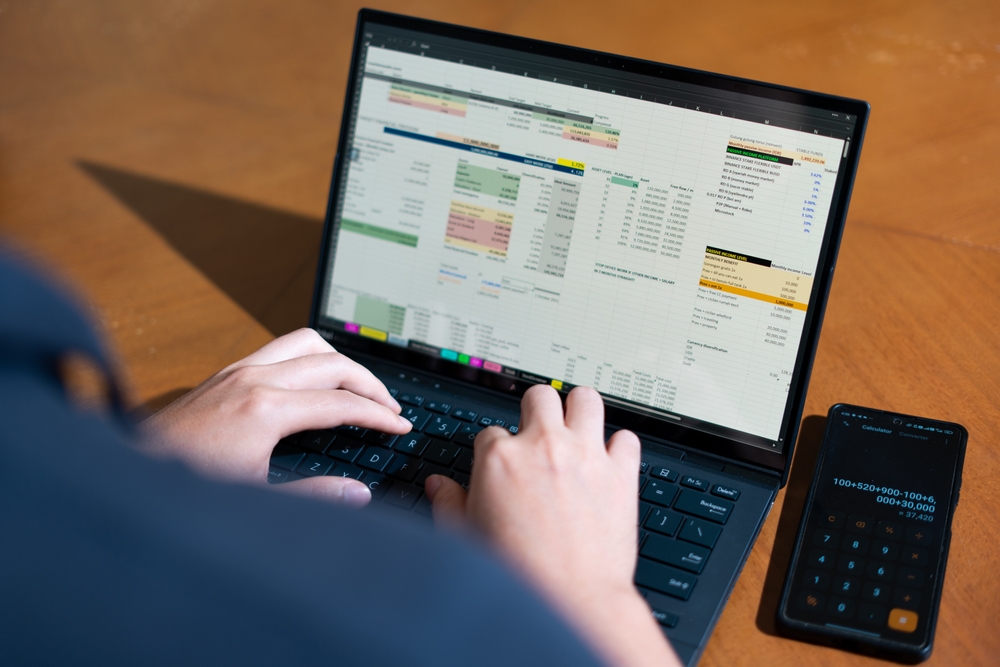
When a single analyst builds and owns a spreadsheet the business depends on, the file quietly becomes infrastructure that nobody else can read. Research finds the large majority of business spreadsheets contain errors, and the person who built it is usually the only one who knows the logic. If they leave, the knowledge leaves with them.
A single analyst working alone on a complex business-critical spreadsheet that only they understand in 2026

Does one person hold a spreadsheet your business cannot lose?

A 20-minute call. PCG asks what the spreadsheet does and who understands it, then explains how to move that knowledge into a system.

Book Your Free Consultation

How does a personal spreadsheet become business infrastructure?

Almost no one sets out to run a department on a spreadsheet. It happens one helpful addition at a time. An analyst builds a tracker to make their own job easier. A manager asks for a tab. A second team starts sending their numbers to the same file. Two years later, the quarterly forecast, the commission run, or the production schedule depends on a workbook that grew in the dark.

By then it is infrastructure, but it was never designed as infrastructure. There is no documentation, because it was never a project. There is one author, because it was never meant to be shared. And there is a quiet assumption that the person who built it will always be around to keep it running.

How risky are the spreadsheets businesses already rely on?

More than most owners would guess, and the research on this is unusually consistent. The European Spreadsheet Risks Interest Group reports that the majority, more than 90 percent, of spreadsheets contain errors1. Field audits of real business spreadsheets have found errors across a wide span of the files examined, with the more rigorous studies landing at the higher end2.

The harder problem is psychological. People are confident in spreadsheets precisely because they do not go looking for mistakes. In controlled studies, developers estimated they had a 10 to 18 percent chance of an error, while 86 percent of them had actually made one3. The errors are not loud. They sit in a single cell, feed a total, and produce a number that looks reasonable enough to act on. A business-critical spreadsheet owned by one person is the place this risk concentrates, because no second set of eyes ever checks it.

The danger is not that the spreadsheet is wrong. It is that it can be wrong without anyone knowing, and only one person is positioned to ever find out.

What is the key-person risk, specifically?

Key-person risk is the exposure a business carries when one individual is the only one who understands how something essential works. With a spreadsheet, it shows up in a precise way. One person knows why column M subtracts a value that looks like it should be added. One person remembers the manual step every Friday that keeps the totals honest. One person can tell whether a strange result is a real signal or a known quirk.

While that person is at their desk, none of this looks like a problem. The spreadsheet works. The risk is invisible right up until the moment it is not, which tends to be a resignation, a long illness, a retirement, or a Tuesday when they are simply unreachable and a number is due. This is the spreadsheet version of a problem PCG sees across technologies, described in the IT key-man risk.

Why doesn't "just have someone else learn it" work?

It sounds like the obvious fix, and it rarely holds. The formulas are visible, but the formulas are not the knowledge. The knowledge is the unwritten context: why a rule exists, which inputs are trusted, what the owner quietly corrects before anyone sees the output, and which tabs are live versus abandoned.

A successor inherits the cells without the reasoning. They can keep the spreadsheet running on a good day, and they are lost the first time it behaves strangely, because the person who knew what strange meant is gone. Handing the file over is not the same as handing over the understanding, and the understanding was never written down.

What does moving off the personal spreadsheet look like?

The goal is to move the knowledge out of one head and into a system the whole team can rely on. The order matters, and the first step is the one that expires.

  1. Capture the owner's knowledge while they are here. Document the rules, the manual steps, and the exceptions, working with the person who knows them before that window closes.
  2. Turn the rules into a real design. The logic that lived in cells becomes enforced rules in a database, so it runs the same way every time.
  3. Rebuild it as a multi-user system. Validation at entry, a recorded history of changes, and access for more than one person, so the work no longer routes through a single desk.
  4. Keep the data with the business. The records belong to the business and move into a database the business controls, with backups and history, instead of a file on one laptop.

The data stays the business's own throughout. What changes is that the rules and the history stop being one person's private memory and become part of a system anyone authorized can run. The operational side of that change, from the point of view of the people doing the daily work, is covered in what changes when a spreadsheet moves to SQL Server.

What happens if you wait until the person leaves?

The spreadsheet keeps working after they go, which is exactly what makes waiting feel safe. Nothing breaks on the last day. The cost arrives later, when a number looks wrong and no one can explain the formula, or when a new requirement needs a change nobody dares to make.

At that point the job is reconstruction with the author gone, which is the same predicament as rebuilding software when the original developer has vanished, only now it is the spreadsheet the business runs on. PCG handles that version too, described in what to do when your developer disappears. It is solvable either way. It is simply cheaper, faster, and safer while the person who built it can still answer the phone.

Capture the knowledge before it walks out the door

PCG runs a fixed-fee discovery that documents how the spreadsheet works and quotes a path to a multi-user system with a fixed scope.

Book Your Free Consultation

Frequently Asked Questions

What is key-person risk in a spreadsheet?+
It is the risk that one individual is the only person who understands how a business-critical spreadsheet works. When the logic, the fixes, and the assumptions live in that person's head, the business depends on their availability, and loses the knowledge if they leave.
How common are errors in business spreadsheets?+
Research is consistent that they are common. The European Spreadsheet Risks Interest Group reports that the majority of spreadsheets contain errors, and field audits have found error rates ranging widely across the spreadsheets examined. Most go undetected because no one is looking for them.
Why can't someone else just learn the spreadsheet?+
Because most of the knowledge is undocumented. The formulas are visible, but the reasons behind them, the manual steps, and the exceptions the owner handles by habit are not written down anywhere. A successor inherits the cells without the context.
What happens if the person who owns the spreadsheet leaves?+
The business keeps running on a tool no one fully understands, until something breaks or needs to change. At that point the work of reconstructing the logic is far harder without the author present, which is why capturing it while they are still there matters.
Is a shared cloud spreadsheet enough to fix this?+
It helps with simultaneous editing, but it does not solve key-person risk. The logic still lives in one person's formulas and habits, errors are still hard to detect, and there is still no validation or audit trail. The dependency on the individual remains.
How do you move the knowledge out of one person's spreadsheet?+
By documenting how the spreadsheet works while the owner is available, then rebuilding it as a system where the rules are enforced, the history is recorded, and more than one person can run it. The knowledge moves from a person into a system the business can rely on.
Who can rebuild a business-critical spreadsheet into a real system?+
A custom software firm that does database development and legacy reconstruction. PCG has turned analyst-owned spreadsheets into multi-user systems since the late 1990s, starting by capturing the owner's knowledge before it walks out the door.
About the Author

Allison Woolbert

CEO and Senior Systems Architect, Phoenix Consultants Group

Allison Woolbert is the principal of Phoenix Consultants Group, the custom software consultancy founded in 1995. PCG has turned analyst-owned, business-critical spreadsheets into documented multi-user systems for industrial, manufacturing, and environmental services clients since the late 1990s.

Allison leads PCG's discovery and architecture practice, where the first deliverable on every engagement is a written account of how the current tool works, captured from the people who run it. LinkedIn.

1 European Spreadsheet Risks Interest Group (EuSpRIG), Research and Best Practice. The majority, more than 90 percent, of spreadsheets contain errors. eusprig.org

2 R. Panko, University of Hawaii, research on spreadsheet errors, summarized via EuSpRIG. Field audits of operational spreadsheets report error rates across a wide range of the files examined, with more rigorous methodologies at the higher end. eusprig.org; panko.shidler.hawaii.edu

3 R. Panko, spreadsheet error and overconfidence research. Developers estimated a 10 to 18 percent chance of error, while 86 percent of participants had made at least one. eusprig.org; panko.shidler.hawaii.edu
This article is informational and not legal, financial, or compliance advice for a specific situation. Phoenix Consultants Group has provided custom software development since 1995.
Last updated: June 2026
Moving an Excel spreadsheet to SQL Server changes the daily experience more than the data. People can edit at the same time without locking the file, entries get checked as they are typed, every change is recorded, and reports stop breaking when someone inserts a row. The spreadsheet does not get bigger. It stops being a spreadsheet.
An operations team working together on a shared business database after migrating from an Excel spreadsheet to SQL Server in 2026

Why does a spreadsheet stop working as the team grows?

A spreadsheet is excellent for one person doing analysis. It starts to fail the moment a group depends on it at the same time. Three limits show up first.

An Excel worksheet holds 1,048,576 rows and no more, and that ceiling is built into the file format rather than a setting you can raise1. Worse than hitting it is what happens quietly: when a file carries more than that, Excel drops every row above the limit without keeping a permanent record of what was lost2. Then there is the file itself. Desktop Excel does not support real simultaneous multi-user editing, so a shared file gets locked by whoever opened it first, or it gets copied, and now there are three versions and no single truth3. And Excel has no database-style guardrails: no enforced relationships between tables, no rule that a value must exist before another can reference it, and no built-in history of who changed what3.

What actually changes for the people entering data?

This is where the day-to-day improves most, and it is the part a demo rarely shows well. In a spreadsheet, the rules live in people's heads. The new hire does not know that column F must be a date, or that you never type in the gray cells. In a database-backed system, those rules live in the system.

A date field only accepts a date. A required field cannot be left blank. A dropdown offers the five valid options instead of inviting eleven spellings of the same one. Two people can both be entering records at the same moment, and neither overwrites the other, because the database is handling concurrency instead of a file lock. The question "who has it open right now" disappears, because the answer is everyone, all the time.

What changes for the people pulling reports?

Spreadsheet reports break in a particular, familiar way. Someone inserts a row above the range a formula points to, and the total is silently wrong for a month before anyone notices.

When the data lives in SQL Server, a report asks the database a question and gets the current answer, so it does not depend on cell positions holding still. Reports refresh on demand against live records. People can be given views that match their role, so the warehouse lead sees stock and the finance lead sees margins, from the same data, without four copies floating around in email. The output can still arrive as an Excel file or a PDF if that is what the recipient expects. What changes is that nobody is rebuilding it by hand every Monday.

The spreadsheet did not fail because the team did anything wrong. It failed because a one-person tool was asked to do a many-person job, and no amount of careful formatting fixes that.

What changes for the person who "owns" the spreadsheet?

Most business-critical spreadsheets have an unofficial owner, the one person who understands the formulas and gets the call when something looks off. After the move, that role changes from gatekeeper to user. The logic that lived in their head and their cells now lives in the system, where the rest of the team can rely on it without routing every question through one desk.

That shift is worth an article of its own, because the risk of a single person owning the system the business runs on is real. For now, the operational point is simple. The bottleneck stops being a person.

Does the spreadsheet go away completely?

Not necessarily, and that surprises people. Excel is a strong tool for analysis and ad-hoc questions, and it stays useful for exactly that. What changes is its job. Instead of being the place the records live, it becomes one of the windows into records that live in the database. Excel can connect to SQL Server and pull live figures whenever an analyst wants to slice them.

The important line is about the data. The records the business depends on belong to the business, and after the migration they sit in a database the business controls, with backups and history, rather than in a single file on one laptop. The data does not move to a place you cannot reach. It moves to a place built to protect it. For the wider version of this problem across a company, see the hidden cost of data silos.

Spreadsheet outgrowing the team that depends on it?

A 20-minute call. PCG asks how the spreadsheet is used and who depends on it, then explains what moving it to SQL Server would change.

Book Your Free Consultation

What does the migration look like operationally?

The work starts by watching the spreadsheet do its job, not by exporting it. PCG documents how it is actually used, which columns matter, which rules are real, and which tabs are abandoned experiments. That reading becomes the design for the database underneath.

From there the pattern is steady. Design the database around the real workflow, build the screens and reports people will use, then run the new system in parallel with the spreadsheet against the same data until the numbers match and the team trusts it. Only then does the spreadsheet step back. The scope and timeline come out of that first reading, not from a guess made before it. The same logic, applied to a desktop database instead of a spreadsheet, is covered in moving Access to SQL Server, and the cost case for leaving the spreadsheet behind is in the spreadsheet trap.

Map your spreadsheet before it breaks at the worst time

PCG runs a fixed-fee discovery that reads how the spreadsheet is used and quotes a migration path with a fixed scope.

Book Your Free Consultation

Frequently Asked Questions

Can multiple people edit at once after moving from Excel to SQL Server?+
Yes. A SQL Server database supports many people reading and writing at the same time, with each change recorded as it happens. Desktop Excel does not support true simultaneous multi-user editing, which is why a shared spreadsheet ends up locked or copied.
What happens to our existing Excel formulas?+
The calculations are rebuilt as part of the new system rather than copied. A formula that lived in a cell becomes a rule in the database or the application, so it runs the same way for everyone and cannot be overwritten by accident.
Do we still use Excel after migrating to SQL Server?+
Often yes, but as a window into the data rather than the place the data lives. Excel can connect to SQL Server to pull live figures for analysis, while the records the business depends on are kept in the database.
How much data can SQL Server hold compared to Excel?+
An Excel worksheet stops at 1,048,576 rows, and anything past that is dropped silently when the file is opened. SQL Server is built to hold far more than that, limited by storage rather than a fixed row count.
Will people need retraining after the migration?+
Some, but less than expected when the new screens are built around the existing workflow. Most people find data entry easier because the system guides what goes where, rather than relying on everyone remembering the spreadsheet's unwritten rules.
What about the reports we already built in Excel?+
They are rebuilt to run against live data in the database, so they refresh on demand and do not break when a row is inserted or a column is moved. The output can still land in Excel or PDF if that is what people expect to receive.
Who migrates an Excel spreadsheet to SQL Server?+
A custom software firm that does data migration and database development. PCG has moved spreadsheets and desktop databases into SQL Server since the late 1990s, starting each engagement by documenting how the spreadsheet is actually used before designing the database.
About the Author

Allison Woolbert

CEO and Senior Systems Architect, Phoenix Consultants Group

Allison Woolbert is the principal of Phoenix Consultants Group, the custom software consultancy founded in 1995. PCG has moved business-critical spreadsheets and desktop databases into SQL Server for industrial, manufacturing, and environmental services clients since the late 1990s, designing each system around how the team already works.

Allison leads PCG's discovery and architecture practice, where the first deliverable on every engagement is a written account of how the current tool is used before any database is designed. LinkedIn.

1 Microsoft. Excel specifications and limits. A worksheet holds a maximum of 1,048,576 rows by 16,384 columns, fixed by the file format. support.microsoft.com

2 Microsoft Excel specifications and OOXML format references. When a file exceeds 1,048,576 rows, Excel loads only the first 1,048,576 and does not keep a permanent record of the rows dropped. support.microsoft.com

3 Microsoft Excel documentation and database design references. Desktop Excel does not provide true simultaneous multi-user editing, relational integrity constraints, or a built-in change history, which standard databases such as SQL Server do. support.microsoft.com

This article is informational and not legal, financial, or compliance advice for a specific situation. Phoenix Consultants Group has provided custom software development since 1995.
Last updated: June 2026
If you run a Visual Basic 6 application and no longer have the source code, you cannot simply decompile your way back to it. Most VB6 apps were compiled to native code, which does not hand back clean source1. The realistic path is reconstruction. PCG extracts what is recoverable, documents how the app behaves, and rebuilds it on .NET.
A developer reverse engineering a legacy Visual Basic 6 application with no source code to plan a .NET rebuild in 2026

Can you decompile a VB6 EXE to get the source code back?

The honest answer is rarely, and never cleanly. Visual Basic 6 compiles in two modes, P-code and native code. Native was the default in VB6, and roughly 90 percent of VB6 applications shipped as native2.

If your app is P-code, a decompiler can recover the forms and a good part of the program logic as pseudo-source. If it is native, you do not get the original code back at all. What you get is a slow reverse-engineering effort against disassembly3. Two things are gone for good in either case: the variable and function names, and every comment the original developer wrote. A decompiler hands you working logic full of names like Function1 and Var7, not a project anyone can maintain with confidence4. Decompilation is an analysis aid, not a restore button.

What can actually be recovered from a VB6 executable?

It helps to be precise about what survives compilation and what does not, because the gap is where the rebuild effort lives.

Recoverable

With decompilers and resource tools
  • Forms and their layout, from the .frm and .frx files
  • Icons and embedded resources
  • Partial program logic, more of it from P-code than native
  • The database schema and data, read from the live database the app uses

Lost

Not present in the compiled EXE
  • Original variable, function, and procedure names
  • Every comment and any record of design intent
  • Third-party OCX and ActiveX controls, which must be sourced or replaced4

The most valuable recoverable asset is usually not inside the EXE at all. It is the database the application has been writing to for years. That schema and that data are the real record of how the business runs, and they survive no matter how the program was compiled.

Why is "just decompile it" the wrong plan for a business-critical app?

Even a clean P-code decompile gives you pseudo-source that nobody can maintain confidently. No names, no comments, no design intent. Building the next ten years of a business on reverse-engineered code is fragile in a way that does not show up until someone has to change it.

The platform underneath is frozen too. The VB6 IDE has been unsupported since April 8, 2008, and Microsoft's own guidance is to replace VB6 applications with modern technology1. The runtime still ships in Windows 11, but support is limited to serious regressions and critical security issues, and it is 32-bit only5.

Recovered VB6 code runs on a platform Microsoft has told you to leave since 2008. Investing in maintaining that code is spending money to stay exactly where the vendor recommends against staying.

What does PCG actually do to rebuild a VB6 app with no source?

The method is reconstruction, and it starts by reading the application rather than chasing the missing code. The order matters.

  1. Discovery and behavior capture. Run the app, document every screen, input, output, and rule as a black-box specification of what it does.
  2. Database first. Read the schema and the data the app depends on. This is the backbone of the rebuild and the part that survived intact.
  3. Extract what the EXE allows. Pull forms and layouts for visual parity, recover resources, and use any P-code logic a decompiler can surface as reference material.
  4. Map the dependencies. Identify the third-party controls and external calls, then match each to a modern equivalent.
  5. Rebuild on .NET. Build to the documented behavior, not the lost code, so the result is a maintainable application rather than a transcription.
  6. Parallel run and cut over. Run the old and new against the same data until the new one is validated, then switch.

This is the same discovery-first approach PCG uses on every legacy engagement, including cases where the original developer has disappeared. The target and scope come out of step one, which is why the rebuild is quoted on evidence rather than on a guess. For the broader picture of moving VB6 forward, see the VB6 migration to .NET guide.

Lost the source to a VB6 app you depend on?

A 20-minute call. PCG asks what the app does, what it connects to, and where it runs, then tells you what a rebuild would involve.

Book Your Free Consultation

How long does a no-source VB6 rebuild take, and what drives it?

It depends, and the discovery phase is what turns that into a real number. The drivers are the count of forms and reports, how much business logic is buried in the code, the number of integrations and third-party controls, the size and cleanliness of the database, and whether the app is P-code, which is more recoverable, or native, which is less.

A single-form utility is a short project. A multi-module operations system with hundreds of rules is a larger one. The honest version of this answer never comes before the discovery phase, because quoting a no-source rebuild without reading the app first is how projects double in cost halfway through. The same variables drive the price, which is covered in the cost of losing your business software source code.

What happens if you do nothing?

The app keeps running, because the runtime still works in Windows 11. That is exactly what makes the risk so easy to defer.

The trigger is rarely a crash. It is a new Windows build that breaks a 32-bit dependency, a third-party control that stops loading after an update, a hardware failure on the one machine the app lives on, or a business requirement the frozen application cannot meet. On that day the rebuild becomes an emergency, run on the worst possible timing instead of yours. The source code did not vanish today. What is quietly disappearing is the choice about when to deal with it.

Plan the rebuild before the deadline picks itself

PCG runs a fixed-fee discovery that reads your VB6 app and its data, then quotes a rebuild path with a fixed scope.

Book Your Free Consultation

Frequently Asked Questions

Can I recover VB6 source code from an EXE file?+
Rarely, and never completely. If the app was compiled to P-code, a decompiler can recover forms and much of the logic as pseudo-source. If it was compiled to native code, which was the default for about 90 percent of VB6 apps, you cannot get clean source back. In every case, original names and comments are lost.
How do I know if my VB6 app is P-code or native?+
A decompiler or binary analysis tool can tell you by inspecting the executable. Native was the VB6 default, so most apps are native. P-code apps are more recoverable, but neither mode returns a maintainable project with original names and comments.
Will a decompiler give me back my original VB6 project?+
No. A decompiler is an analysis aid, not a restore. It surfaces logic and forms for reference, with generic names and no comments. It does not reproduce the original project a developer would maintain.
Can you rebuild a VB6 app if the original developer is gone and there is no source?+
Yes. The method is reconstruction, not decompilation. PCG documents how the app behaves, reads the database it runs on, extracts what the executable allows, and rebuilds the application on .NET, validated against the old one before cutover.
Does VB6 still run on Windows 11 in 2026?+
Yes. The VB6 runtime ships with Windows 11 and is supported for the lifetime of supported Windows versions, limited to serious regressions and critical security issues. The IDE has been unsupported since April 2008, and the runtime is 32-bit only.
How long does it take to rebuild a VB6 application without the source code?+
It depends on the number of forms, the amount of business logic, the integrations and third-party controls, and the database. A discovery phase that reads the app and its data produces the real estimate. A small utility is a short project, and a multi-module system is a larger one.
Who can rebuild a VB6 application with no source code?+
A custom software firm that does legacy reconstruction. PCG has rebuilt VB6, Visual FoxPro, Access, and Paradox systems since the late 1990s, starting each engagement by documenting what the application does before writing any new code.
About the Author

Allison Woolbert

CEO and Senior Systems Architect, Phoenix Consultants Group

Allison Woolbert is the principal of Phoenix Consultants Group, the custom software consultancy founded in 1995. PCG has rebuilt and migrated legacy systems across Visual Basic 6, Microsoft Access, Visual FoxPro, and Paradox for industrial, manufacturing, and environmental services clients since the late 1990s, including projects where no source code remained.

Allison leads PCG's discovery and architecture practice, where the first deliverable on every legacy engagement is a written account of what the existing application does, built before any new code is written. LinkedIn.

1 Microsoft. Support Statement for Visual Basic 6.0 on Windows. The VB6 IDE has been unsupported since April 8, 2008, and Microsoft recommends replacing VB6 applications with modern technology. learn.microsoft.com

2 VBReFormer technical documentation; VB Decompiler. VB6 compiles to P-code or native code; native is the VB6 default, and roughly 90 percent of VB6 applications are native-compiled. vb-decompiler.org

3 Developer community guidance and VB Decompiler product documentation. P-code can be decompiled to pseudo-source with relatively high recovery; native code cannot be restored to clean VB source and requires manual reverse engineering. vb-decompiler.org

4 VB Decompiler; Microsoft. Forms (.frm and .frx) and resources can be extracted, while original names and comments are lost, and third-party OCX or ActiveX controls cannot be recovered from the executable. learn.microsoft.com

5 Microsoft. The VB6 runtime is supported for the lifetime of supported Windows versions, limited to serious regressions and critical security issues, ships in Windows 11, and is 32-bit only. learn.microsoft.com

This article is informational and not legal, financial, or compliance advice for a specific situation. Phoenix Consultants Group has provided custom software development since 1995.
Last updated: June 2026 Part 4 of 4
The previous three parts of this series got Ollama installed, configured, monitored, and ready. This final part closes the gap between "Ollama is available" and "Ollama is a reliable failover." Firewall configuration prevents accidental exposure. Auto-failover code makes the switch from cloud to local automatic. Drills and contingency procedures verify that the system actually works when needed.

A 2026 joint analysis by SentinelOne and Censys scanned the public internet for 293 days and found 175,000 unique Ollama instances exposed across 130 countries, most with no authentication and no firewall protection1. Many had tool-calling capabilities enabled, meaning attackers could not just consume the host's compute resources but potentially execute commands on the underlying system.

This is the part of the implementation that gets skipped most often. Ollama works perfectly on the developer's laptop with default settings. The production deployment that survives a security audit, runs as automated failover, and is tested regularly requires the steps in this article.

Why does Ollama need a firewall?

By default, Ollama binds only to 127.0.0.1:11434, which means localhost only2. This default is safe. The Ollama API is unreachable from other machines on the network, and no firewall configuration is strictly necessary.

The default changes the moment OLLAMA_HOST is set to 0.0.0.0:11434, which is required for any deployment where Ollama needs to serve requests from other machines (the most common business use case). At that point, the API is reachable from anywhere on the network. Without authentication and without a firewall, any user on the local network or, worse, any reachable internet host, can:

Submit arbitrary inference requests that pin the GPU for minutes at a time, effectively a denial-of-service attack against the host machine.

Exfiltrate model outputs by sending crafted prompts designed to leak training data or sensitive information that was used in fine-tuning.

Map the environment by querying the API for installed models, GPU specifications, and other host details that inform a larger attack.

Critical: Ollama has no built-in authentication. If OLLAMA_HOST is set to 0.0.0.0, anyone who can reach port 11434 can use the API. Firewall rules are the primary access control.

How is the firewall configured on Linux?

Linux has two common firewall tools. Ubuntu and Debian use ufw (Uncomplicated Firewall). Red Hat, CentOS, and Fedora use firewalld. Both achieve the same result with different syntax.

ufw on Ubuntu and Debian

The pattern is straightforward: deny port 11434 by default, then allow only the specific subnet or IP addresses that should have access.

# Enable ufw if not already enabled sudo ufw enable # Allow Ollama API access from the corporate subnet (example: 192.168.1.0/24) sudo ufw allow from 192.168.1.0/24 to any port 11434 proto tcp # Optional: allow access from a specific VPN subnet sudo ufw allow from 10.8.0.0/24 to any port 11434 proto tcp # Explicitly deny access from anywhere else to port 11434 sudo ufw deny to any port 11434 proto tcp # Check the resulting rules sudo ufw status numbered

firewalld on Red Hat, CentOS, Fedora

firewalld uses zones. The pattern is to add port 11434 to an "internal" zone that includes only trusted source addresses, and explicitly close that port in the "public" zone.

# Add trusted source to the internal zone sudo firewall-cmd --zone=internal --add-source=192.168.1.0/24 --permanent # Allow port 11434 only in the internal zone sudo firewall-cmd --zone=internal --add-port=11434/tcp --permanent # Reload to apply sudo firewall-cmd --reload # Verify sudo firewall-cmd --list-all --zone=internal

How is the firewall configured on Windows?

Windows uses Windows Defender Firewall. PowerShell as Administrator is the simplest way to configure rules consistently. The goal is the same: allow port 11434 only from trusted subnets.

# Open PowerShell as Administrator # Allow Ollama API from the corporate subnet New-NetFirewallRule -DisplayName "Ollama API - Internal" ` -Direction Inbound -Action Allow ` -Protocol TCP -LocalPort 11434 ` -RemoteAddress 192.168.1.0/24 # Block port 11434 from all other sources New-NetFirewallRule -DisplayName "Ollama API - Block External" ` -Direction Inbound -Action Block ` -Protocol TCP -LocalPort 11434 ` -RemoteAddress Any # Verify rules Get-NetFirewallRule -DisplayName "Ollama API*"

How is the firewall configured on macOS?

macOS uses pf (Packet Filter) for firewall rules. The application firewall in System Settings does not provide enough granularity for port-level control. Editing the pf configuration directly is required.

# Edit the pf configuration sudo nano /etc/pf.conf # Add these lines at the bottom # Block all incoming on port 11434 by default block in proto tcp from any to any port 11434 # Allow only the trusted subnet pass in proto tcp from 192.168.1.0/24 to any port 11434 # Load the updated configuration sudo pfctl -f /etc/pf.conf # Enable pf if not already enabled sudo pfctl -e # Check active rules sudo pfctl -sr

What additional Ollama hardening matters?

Firewall rules are the first layer. Three more environment variables and configurations reduce the attack surface further.

Restrict CORS origins

Set OLLAMA_ORIGINS to the specific frontend URLs that should be allowed to call the API from a browser. This prevents arbitrary websites from making cross-origin requests to Ollama if a user visits them while on the corporate network3.

Environment="OLLAMA_ORIGINS=https://docs.internal.corp,https://app.internal.corp"

Disable the built-in web UI in production

Ollama includes a basic web UI that exposes model metadata and lacks role-based access control. Disable it in production deployments4.

Environment="OLLAMA_NO_WEBSERVER=1"

Run Ollama as an unprivileged user

The official Linux installer already creates an ollama system user with no shell access. Verify this on existing installations and avoid running Ollama as root or as the primary user account. Resource limits via systemd cgroups prevent runaway processes from affecting the rest of the system.

Production hardening checklist

  • Firewall rules in place restricting port 11434 to trusted sources only
  • OLLAMA_ORIGINS set to specific allowed origins, not wildcard
  • OLLAMA_NO_WEBSERVER=1 set to disable the unauthenticated UI
  • Ollama running as an unprivileged system user, not root
  • Reverse proxy with authentication in front of Ollama if accessed across networks
  • Logs being collected and reviewed (see Part 3 monitoring script)
  • Disk encryption at rest for the model storage directory

How does automatic failover from cloud AI to local AI work?

The architecture is simple: a thin client library sits between the application and the AI provider. Every request goes through the client. The client tries cloud AI first, and if that fails for any reason, retries the same request against local Ollama. The application code calling the client never knows which backend served the response.

The failover client handles three cases:

Connection failure

Cloud AI endpoint is unreachable, DNS fails, or TCP connection times out. Switch to Ollama immediately.

HTTP error

Cloud AI returns 5xx status code (server error) or specific 4xx codes (rate limits, service degraded). Retry with Ollama.

Timeout

Cloud AI accepts the request but takes longer than the timeout threshold. Cancel and retry with Ollama.

A working failover client in Python

The code below is the same pattern PCG uses for production deployments. It handles all three failure modes, logs which backend served each request, and exposes a single interface that drop-in replaces direct calls to the OpenAI or Anthropic SDK.

#!/usr/bin/env python3 # ai_failover_client.py # A failover client that tries cloud AI first, then falls back to local Ollama. import requests import logging import os from typing import Optional # Configuration via environment variables CLOUD_API_URL = os.getenv("CLOUD_API_URL", "https://api.openai.com/v1/chat/completions") CLOUD_API_KEY = os.getenv("CLOUD_API_KEY") OLLAMA_URL = os.getenv("OLLAMA_URL", "http://localhost:11434/api/chat") OLLAMA_MODEL = os.getenv("OLLAMA_MODEL", "llama3.1:8b") CLOUD_TIMEOUT = int(os.getenv("CLOUD_TIMEOUT", "15")) OLLAMA_TIMEOUT = int(os.getenv("OLLAMA_TIMEOUT", "60")) logging.basicConfig(level=logging.INFO, format="%(asctime)s [%(levelname)s] %(message)s") def call_cloud(messages: list, model: str = "gpt-4o") -> Optional[str]: """Try the cloud AI provider. Returns response text or None on failure.""" try: r = requests.post( CLOUD_API_URL, headers={"Authorization": f"Bearer {CLOUD_API_KEY}"}, json={"model": model, "messages": messages}, timeout=CLOUD_TIMEOUT ) if r.status_code == 200: return r.json()["choices"][0]["message"]["content"] logging.warning(f"Cloud returned status {r.status_code}") return None except requests.exceptions.RequestException as e: logging.warning(f"Cloud request failed: {e}") return None def call_ollama(messages: list, model: str = OLLAMA_MODEL) -> Optional[str]: """Try the local Ollama instance. Returns response text or None on failure.""" try: r = requests.post( OLLAMA_URL, json={"model": model, "messages": messages, "stream": False}, timeout=OLLAMA_TIMEOUT ) if r.status_code == 200: return r.json()["message"]["content"] logging.error(f"Ollama returned status {r.status_code}") return None except requests.exceptions.RequestException as e: logging.error(f"Ollama request failed: {e}") return None def ai_request(messages: list, cloud_model: str = "gpt-4o") -> dict: """ Main entry point. Tries cloud first, falls back to Ollama on failure. Returns a dict with the response text and which backend served it. """ response = call_cloud(messages, model=cloud_model) if response is not None: logging.info("Served by cloud") return {"backend": "cloud", "text": response} logging.info("Cloud unavailable, falling back to Ollama") response = call_ollama(messages) if response is not None: return {"backend": "ollama", "text": response} logging.error("Both cloud and Ollama failed") return {"backend": "none", "text": None, "error": "All backends failed"} # Usage example if __name__ == "__main__": result = ai_request([ {"role": "user", "content": "Summarize the benefits of local AI in 50 words."} ]) print(f"[{result['backend']}] {result['text']}")
The key property is that the application code calling ai_request() never knows whether the response came from cloud AI or local Ollama. The failover is transparent, which is the whole point.

What is contingency mode and when does it activate?

Contingency mode is the operational state where all AI traffic routes to local Ollama by default, skipping the cloud AI attempt entirely. This is useful in two scenarios.

Known cloud outage. If the team knows the cloud provider is down (from a status page, social media, or repeated failover events in the logs), forcing contingency mode skips the wasted attempt at calling cloud AI and reduces latency for every request during the outage.

Compliance requirements. Some workflows handle data that should never touch cloud providers. Contingency mode can be enabled selectively for these workflows while other parts of the business continue using cloud AI.

Implementation is a single environment variable that the failover client checks before making any cloud request:

# In the client code, add at the top of ai_request() if os.getenv("AI_CONTINGENCY_MODE") == "true": logging.info("Contingency mode active, routing directly to Ollama") response = call_ollama(messages) if response: return {"backend": "ollama", "text": response}

How often should the failover system be tested?

Quarterly at minimum. Monthly for business-critical deployments. The test is straightforward and takes about 15 minutes.

Quarterly failover drill

  • Pick a low-traffic window (early morning, weekend, post-business hours)
  • Block outbound traffic to the cloud AI endpoint at the firewall level for 15 minutes
  • Have team members use AI-dependent workflows normally during the block
  • Verify that the failover client logged "Cloud unavailable, falling back to Ollama" for every request
  • Confirm response quality from local models was acceptable for the workflows tested
  • Confirm monitoring alerts fired correctly (the team got notified)
  • Remove the firewall block and verify automatic recovery to cloud
  • Document any failures, surprises, or workflow gaps for the next iteration

Untested failover is failover that does not work when needed. The drill exists so the team finds problems in a controlled 15-minute window, not during an actual 78-minute Anthropic outage.

Does PCG build production AI continuity systems for clients?

Phoenix Consultants Group has been building production software systems for operational continuity since 1995, and three decades of experience in environments where business-critical software cannot stop translates directly to AI infrastructure. A custom AI continuity engagement covers everything in this series as a single deliverable: hardware assessment, Ollama deployment, monitoring integration, failover client development, security hardening, and team training on the contingency procedures.

The FireFlight Data System, PCG's modular platform for operational data, uses the same engineering discipline. Continuous monitoring, automatic recovery, security defaults that assume the worst, and tested procedures for every failure mode. The Ollama deployment follows that same playbook because the goal is the same: a system that works when the team needs it most.

Need a turnkey AI continuity system?

PCG handles hardware, deployment, monitoring, failover code, security hardening, and team training as one engagement. The diagnostic call is with an engineer, not a sales tier.

Book Your Free Consultation

Frequently Asked Questions

Does Ollama need a firewall for business use?
Yes. A 2026 SentinelOne and Censys analysis found 175,000 Ollama instances exposed publicly with no authentication or firewall protection. Default Ollama binds to localhost only, which is safe. The moment OLLAMA_HOST is changed to 0.0.0.0 to allow network access, a firewall becomes mandatory. Without one, anyone reaching the host can submit inference requests, consume GPU resources, and potentially exfiltrate model outputs.
How do I configure a firewall for Ollama on Linux?
Use ufw on Ubuntu and Debian or firewalld on Red Hat and CentOS. The pattern is identical: block port 11434 from all sources by default, then explicitly allow the specific IP addresses or subnets that should reach Ollama. A single ufw command allows the corporate subnet and blocks everything else.
How does automatic failover from cloud AI to local AI work?
A small client library sits between the application and the AI provider. Each request goes to the cloud AI first. If the cloud AI returns an error, times out, or fails health checks, the same request is automatically retried against Ollama. The application sees one consistent API while the failover happens transparently. Typical implementation is 50 to 80 lines of code in any modern language.
Should failover be automatic or manual?
Automatic for most workflows. Manual failover requires someone to notice the outage and trigger the switch, which adds minutes or hours of delay. Automatic failover handles the switch in milliseconds. The exception is workflows with strict compliance or audit requirements where every model output must be logged with its source, in which case manual approval before falling back may be appropriate.
What is contingency mode for an AI continuity system?
Contingency mode is the operational state where all AI traffic routes to local Ollama instead of the cloud provider. It can be triggered automatically by repeated cloud failures or manually by an operator. While in contingency mode, the system logs all requests separately so the team has a record of what ran locally during the outage and can verify outputs after the cloud provider recovers.
How often should the failover system be tested?
Quarterly at minimum, monthly for business-critical deployments. A test drill blocks cloud AI access at the firewall level for 15 minutes during a low-traffic window. The team verifies that all applications continue working, monitors response quality from local models, and confirms that monitoring alerts fired correctly. Untested failover is failover that does not work when needed.

About the Author

Allison Woolbert

CEO and Senior Systems Architect, Phoenix Consultants Group

Allison Woolbert is the principal of Phoenix Consultants Group, the custom software consultancy founded in 1995. PCG has run legacy migration projects across Microsoft Access, Visual FoxPro, Paradox, VB6, and other discontinued platforms for industrial, manufacturing, and environmental services clients since the late 1990s.

Allison leads PCG's discovery and architecture practice, where the first deliverable on every legacy engagement is an honest inventory of what the existing application actually does and what it should do next.

LinkedIn.

Sources

1 SentinelOne and Censys joint analysis on exposed Ollama instances, early 2026: serverman.co.uk/ai/ollama/ollama-security-guide

2 Ollama default network binding documentation: github.com/ollama/ollama/blob/main/docs/faq.md

3 Ollama environment variables reference, OLLAMA_ORIGINS for CORS control: docs.ollama.com

4 Ollama production security configuration, web UI and authentication: markaicode.com/configure-ollama-firewall-rules-security

This article is informational and reflects industry observations as of June 2026. It is not legal, compliance, or financial advice for any specific situation. Phoenix Consultants Group, founded 1995, provides custom software development and AI infrastructure consulting. For guidance tailored to your organization's specific requirements, contact PCG directly.

Continue Reading

Get the full security and failover guide

This is Part 4 of a 4-part series on building an AI continuity plan with Ollama. Enter your email to unlock the rest of this article including firewall configuration for Linux, Windows, and macOS, a working Python failover client, and the testing drill that keeps the system trustworthy.

Tech Wisdom Series AI Signup

We verify your email first. One click confirms your subscription.

Last updated: June 2026 Part 3 of 4
A working Ollama installation is only half the story. The other half is choosing the right model for each business task and monitoring the system so that failures get detected before they matter. This guide covers model selection by use case, system prompt patterns that work for local models, and a complete Python monitoring script that runs as a scheduled task.

Part 2 of this series handled hardware and installation. With Ollama running, the next questions are operational. Which model should handle which task? How does a business team know if the local AI is healthy before the moment they need it? What gets logged, and where do alerts go?

The team that treats local AI like any other production service is the team whose failover actually works during a cloud AI outage. This part covers the practices that get a deployment from "installed" to "trusted."

Which local AI model should the business use?

The honest answer is that no single model is optimal for every task. Frontier cloud models like Claude and GPT-5 are general enough that one model handles everything. Local models are typically more specialized. A practical business deployment has two or three models installed, each assigned to the task it handles best.

For general business tasks (email, documents, summaries)

Llama 3.1 8B is the most versatile general-purpose model. It runs on 8 to 12 GB of VRAM, generates 50 to 70 tokens per second on consumer NVIDIA GPUs, and produces output quality comparable to GPT-3.5 across most business workflows1. For organizations with more memory available, Llama 3.3 70B matches GPT-4 on most benchmarks and runs on 40 GB of VRAM2.

ollama pull llama3.1:8b # 4.7 GB download, runs on 8GB+ VRAM ollama pull llama3.3:70b # 43 GB download, runs on 40GB+ VRAM

For code generation and review (Claude Code replacement)

Qwen2.5-Coder is the most capable open coding model available through Ollama. The 7B variant runs comfortably on consumer hardware and handles autocomplete, refactoring, and bug fixing. The 32B variant scores 92.7 percent on HumanEval, putting it in the same range as GPT-4o for pure coding benchmarks3.

ollama pull qwen2.5-coder:7b # 4.7 GB, daily coding work ollama pull qwen2.5-coder:32b # 20 GB, complex multi-file changes

For structured reasoning and analysis

Microsoft's Phi-4 14B is purpose-built for mathematical reasoning, structured logic, and analytical tasks. It scores 80.4 percent on the MATH benchmark and outperforms general models several times its size on STEM problems4. Phi-4 is the right pick for data analysis pipelines, algorithm design, and any task where step-by-step logical reasoning matters more than creative output.

ollama pull phi4:14b # 9 GB, structured reasoning tasks

For fast lightweight tasks

Phi-3 Mini and Gemma 2 2B are lightweight models that run on minimal hardware. They are suitable for fast text classification, simple Q&A, and tasks where response latency matters more than depth. They are not replacements for larger models but they cover the case where a task does not need full reasoning capability.

The recommended emergency library

A typical business deployment for cloud AI failover has these four models installed:

Model Size on Disk VRAM Needed Replaces
llama3.1:8b 4.7 GB 8 GB ChatGPT general use
qwen2.5-coder:7b 4.7 GB 8 GB Claude Code, Copilot
phi4:14b 9 GB 10 GB Data analysis, reasoning
mistral:7b 4.1 GB 6 GB Fast email/document drafting

Total disk footprint: roughly 22 GB. Total VRAM needed if loading all at once: around 32 GB. With OLLAMA_KEEP_ALIVE set to 30 minutes and OLLAMA_MAX_LOADED_MODELS set to 2, the system loads on demand and unloads idle models, which keeps memory pressure manageable on 16 to 24 GB systems.

How are system prompts different for local AI models?

Local models follow system prompts, but they need more explicit instruction than frontier cloud models. A prompt that works perfectly on Claude may produce inconsistent results on Llama 3.1 8B. Three patterns matter.

Be direct. Frontier models infer intent. Local models follow instructions literally. Replace "Help the user with their question" with "Read the question. Provide a 3-sentence answer. Do not add disclaimers or apologies."

State the output format. If JSON is needed, say so explicitly and provide an example. If a specific length is needed, give a word count or sentence count. Vague instructions get vague results.

Forbid unwanted behaviors explicitly. Phrases like "Do not add commentary" or "Do not explain your reasoning" prevent the model from padding responses with filler. Local models tend to over-explain unless told not to.

A working system prompt template for business document drafting:

# Send via the Ollama API with system field set You are a professional business writing assistant. Output rules: - Write in clear, direct sentences. - Use the requested document type and length. - Do not add introductions or conclusions unless asked. - Do not include phrases like "I hope this helps" or "Let me know if". - Reply with the document content only.

Why does monitoring matter for a failover system?

A failover that fails is worse than no failover at all. The team that built it believes coverage exists. When the cloud AI outage finally happens and the local fallback turns out to be broken, the response is slower than if they had planned for full degradation from the start.

Monitoring catches three categories of failure:

Service down. The Ollama process crashed, the systemd service stopped, the host was rebooted but Ollama did not restart, or the API port is no longer accessible.

Models missing. Disk pressure caused models to be cleaned up, a model failed to download, or the OLLAMA_MODELS directory became unmounted. The service is technically running but cannot respond to inference requests.

Performance degraded. The GPU driver was updated and is no longer detected, the system fell back to CPU inference, or the model load time has grown unacceptable. The service responds, but slowly enough that the failover is unusable.

What does a working Ollama monitoring script look like?

The script below performs three checks: API health, model availability, and a test inference. It logs results to a file and exits with a status code that integrations like cron, systemd timer, or external monitoring tools can use.

#!/usr/bin/env python3 # ollama_health_check.py # Runs three checks against a local Ollama installation. # Exit 0 if healthy, exit 1 if any check fails. import requests import json import sys import time import logging from pathlib import Path # Configuration OLLAMA_URL = "http://localhost:11434" REQUIRED_MODELS = ["llama3.1:8b", "qwen2.5-coder:7b"] TEST_MODEL = "llama3.1:8b" TEST_TIMEOUT_SECONDS = 30 LOG_FILE = "/var/log/ollama_health.log" logging.basicConfig( filename=LOG_FILE, level=logging.INFO, format="%(asctime)s [%(levelname)s] %(message)s" ) def check_api(): """Verify the Ollama API is responding.""" try: r = requests.get(f"{OLLAMA_URL}/", timeout=5) if r.status_code == 200: logging.info("API check passed") return True logging.error(f"API returned status {r.status_code}") return False except requests.exceptions.RequestException as e: logging.error(f"API check failed: {e}") return False def check_models(): """Verify all required models are available.""" try: r = requests.get(f"{OLLAMA_URL}/api/tags", timeout=10) data = r.json() installed = [m["name"] for m in data.get("models", [])] missing = [m for m in REQUIRED_MODELS if m not in installed] if missing: logging.error(f"Missing models: {missing}") return False logging.info(f"All {len(REQUIRED_MODELS)} required models present") return True except Exception as e: logging.error(f"Model check failed: {e}") return False def check_inference(): """Run a test inference and measure response time.""" payload = { "model": TEST_MODEL, "prompt": "Reply with the single word: OK", "stream": False, "options": {"num_predict": 10} } try: start = time.time() r = requests.post( f"{OLLAMA_URL}/api/generate", json=payload, timeout=TEST_TIMEOUT_SECONDS ) elapsed = time.time() - start if r.status_code != 200: logging.error(f"Inference returned status {r.status_code}") return False if elapsed > TEST_TIMEOUT_SECONDS: logging.error(f"Inference too slow: {elapsed:.1f}s") return False logging.info(f"Inference check passed in {elapsed:.1f}s") return True except Exception as e: logging.error(f"Inference check failed: {e}") return False def main(): checks = [ ("API", check_api), ("Models", check_models), ("Inference", check_inference) ] failures = [] for name, check_fn in checks: if not check_fn(): failures.append(name) if failures: logging.error(f"Health check FAILED. Failed checks: {failures}") sys.exit(1) logging.info("Health check PASSED") sys.exit(0) if __name__ == "__main__": main()

Scheduling the script

On Linux, schedule the script with cron to run every 5 minutes:

# Edit the user crontab crontab -e # Add this line */5 * * * * /usr/bin/python3 /opt/scripts/ollama_health_check.py

On macOS, use launchd. On Windows, use Task Scheduler. The exact configuration varies by platform, but the pattern is the same: run every 5 minutes, log to a file, and exit non-zero on failure so external monitoring can detect the problem.

The monitoring script does not replace systemd's Restart=always. It catches the failures that automatic restart does not solve, such as missing models or GPU regression. Both layers matter.

How does the team get alerted when monitoring fails?

A log file no one reads is not monitoring. The script above writes to a file by design, because that file becomes the input for whatever alerting system the organization already uses. Three common patterns work.

Existing infrastructure monitoring. If the organization uses Datadog, New Relic, Prometheus, or any other monitoring stack, point it at the log file or the script exit code. The integration is one line of configuration.

Slack or Teams webhooks. A 10-line addition to the script can post to Slack or Teams when checks fail. The webhook URL goes in a config file, the script reads it, and the team gets alerts in the channel they already watch.

Email alerts via cron. Configure cron with a MAILTO header so any non-zero exit triggers an email automatically. Simplest option, no extra code required, works on every Linux system.

Does PCG help operationalize local AI deployments?

Yes. Phoenix Consultants Group has been building operational software since 1995, and the discipline that applies to monitoring legacy databases or production web services applies directly to local AI infrastructure. A custom engagement includes model selection tailored to the client's actual workflows, monitoring integration with the existing alerting stack, runbook documentation, and team training on the operational procedures.

The FireFlight Data System uses the same monitoring philosophy: continuous health checks, automatic recovery, and external alerting that catches the failures recovery does not solve. The Ollama deployment follows the same playbook.

Need monitoring built into your AI failover?

PCG designs custom monitoring and alerting for local AI deployments, integrated with your existing infrastructure.

Book Your Free Consultation

Frequently Asked Questions

Which local AI model is best for business use?
There is no single best model. Different tasks suit different models. Llama 3.1 8B is the most versatile general-purpose model for business workflows like email drafting and document analysis. Qwen2.5-Coder 14B replaces Claude Code for development teams. Phi-4 14B excels at structured reasoning and data analysis. The right approach is having two or three models installed and routing tasks to the appropriate one.
How do I monitor whether Ollama is working correctly?
A monitoring script that runs every 5 minutes checks three things: the Ollama API is responding on port 11434, the expected models are loaded and ready, and a test inference completes within an acceptable time. The script logs failures and sends alerts when checks fail repeatedly. Without monitoring, the team discovers Ollama is down only when they actually need it during a cloud AI outage.
Can local AI replace Claude or ChatGPT for daily business work?
For most daily tasks, yes. Llama 3.1 70B matches GPT-4 on most general benchmarks. Qwen2.5-Coder 32B scores 92.7 percent on HumanEval, comparable to frontier coding models. The 5 to 10 percent of tasks where cloud AI clearly wins involve complex multi-step reasoning, very long contexts, or niche domains. For everything else, local models are sufficient with appropriate hardware.
How do I write a system prompt for local AI models?
Local models follow system prompts but require more explicit instruction than frontier cloud models. Keep prompts direct and specific. State the role, the output format, the length constraint, and any forbidden behaviors. Avoid clever phrasing. A system prompt that works perfectly on Claude may need to be rewritten in simpler language for a local 8B model to follow consistently.
What happens if Ollama crashes during a cloud AI outage?
Without monitoring, the team only discovers the crash when they try to use Ollama as a backup and it fails. With monitoring in place, the automatic restart on systemd or the Windows service manager recovers Ollama within seconds, and the monitoring script logs the event for later review. The combination of automatic restart and external monitoring prevents the worst-case scenario of a failover that is itself failed.
Should I run the monitoring script on the same machine as Ollama?
Running on the same machine is acceptable for small deployments and catches most failure modes. For business-critical setups, running monitoring on a separate machine catches additional failure modes such as the entire Ollama host being unreachable. A separate machine also avoids the situation where the monitoring script crashes alongside Ollama.

About the Author

Allison Woolbert

CEO and Senior Systems Architect, Phoenix Consultants Group

Allison Woolbert is the principal of Phoenix Consultants Group, the custom software consultancy founded in 1995. PCG has run legacy migration projects across Microsoft Access, Visual FoxPro, Paradox, VB6, and other discontinued platforms for industrial, manufacturing, and environmental services clients since the late 1990s.

Allison leads PCG's discovery and architecture practice, where the first deliverable on every legacy engagement is an honest inventory of what the existing application actually does and what it should do next.

LinkedIn.

Sources

1 Llama 3.1 model documentation and benchmarks, Ollama library: ollama.com/library/llama3.1

2 Llama 3.3 70B model card and benchmark comparisons: ollama.com/library/llama3.3

3 Qwen2.5-Coder benchmarks, HumanEval 92.7 percent: ollama.com/library/qwen2.5-coder

4 Microsoft Phi-4 model card and MATH benchmark: ollama.com/library/phi4

5 Ollama API reference for /api/tags and /api/generate: github.com/ollama/ollama/blob/main/docs/api.md

This article is informational and reflects industry observations as of June 2026. It is not legal, compliance, or financial advice for any specific situation. Phoenix Consultants Group, founded 1995, provides custom software development and AI infrastructure consulting. For guidance tailored to your organization's specific requirements, contact PCG directly.

Continue Reading

Get the full guide on models and monitoring

This is Part 3 of a 4-part series on building an AI continuity plan with Ollama. Enter your email to unlock the rest of this article, including the Python monitoring script and the recommended model library, plus access to all parts of the series.

Tech Wisdom Series AI Signup

We verify your email first. One click confirms your subscription.

Last updated: June 2026 Part 2 of 4
Setting up local AI as a continuity backup starts with hardware. The wrong GPU choice makes Ollama unusable; the right one makes it nearly invisible. This guide covers the exact hardware specifications for production use, the installation process on macOS, Linux, and Windows, and the configuration variables that turn a development setup into a reliable failover service.

Part 1 of this series established why every AI-dependent business needs a continuity plan and introduced Ollama as the most practical local AI runtime for that role. This part addresses the implementation. Hardware first, because every decision after it depends on hardware reality. Installation second, with the configuration choices that matter for production failover use.

By the end of this guide, Ollama will be running on the target hardware, models will be downloaded, and the foundation for a working continuity plan will be in place. The remaining two parts of the series cover model selection with monitoring, then security and auto-failover integration.

What hardware does Ollama actually need?

Ollama is software. The constraint on whether it works for a business is the hardware it runs on. Three hardware paths qualify for production use, one path does not, and the difference between them is roughly an order of magnitude in response speed.

NVIDIA GPUs (Linux and Windows)

NVIDIA is the most common business path. Ollama requires Compute Capability 5.0 or higher, which includes the GTX 960 and every NVIDIA card released since 20151. The driver version must be 535 or higher on Linux, or 531 or higher on Windows. Modern data center cards (A100, H100, L40S) work and provide significant headroom for larger models.

Verification is a single command. Run nvidia-smi in a terminal. The output shows the driver version and lists available GPUs. If the command is not found or shows errors, the driver is missing or outdated and must be installed before Ollama will use GPU acceleration.

Apple Silicon (M1 through M4)

Apple Silicon is the simplest path. M1, M2, M3, and M4 chips all support Ollama through Metal GPU acceleration with zero configuration2. Install Ollama and it uses the GPU automatically. The unified memory architecture is particularly effective for large models because GPU and CPU share the same memory pool, which means a 32 GB Mac can load models that would require dedicated 32 GB GPU cards on PC hardware.

Intel Macs are not viable. Even on a high-end Intel i9 MacBook Pro, generation speed is in the 4 to 6 tokens-per-second range, similar to CPU-only operation on PC hardware.

AMD GPUs (Linux only, as of mid-2026)

AMD support is real but limited. ROCm 7 on Linux works for most modern AMD GPUs1. ROCm on Windows is still classified as experimental and is not officially supported by Ollama. Organizations standardized on AMD GPUs on Windows should plan around this reality, either by switching the AI workload to Linux, using WSL2 with the understanding that performance and stability vary, or running Ollama on CPU as a stopgap.

Hardware sizing by model

Different models require different amounts of memory. The table below shows the recommended hardware tier for each common model at standard quantization (Q4_K_M, which is the default in Ollama and balances quality with memory efficiency).

Available Memory Recommended Model Typical Speed Best For
8 GB RAM (CPU only) phi3:mini or gemma2:2b 3 to 8 tokens/sec Simple Q&A only, not viable for production
16 GB RAM (CPU only) llama3.1:8b 5 to 10 tokens/sec Still too slow for most workflows
8 to 12 GB VRAM (NVIDIA) llama3.1:8b, qwen2.5-coder:7b 50 to 70 tokens/sec Email, documents, code generation
16 GB unified memory (Apple) llama3.1:8b 40 to 60 tokens/sec General business workflows
24 GB VRAM (RTX 3090, 4090, A5000) qwen2.5-coder:14b, llama3.1:70b (tight) 30 to 100 tokens/sec Complex reasoning, near-frontier quality
48 GB+ VRAM or 64 GB+ unified llama3.1:70b with headroom 20 to 50 tokens/sec Highest-quality local inference

The pattern in the table is consistent: GPU acceleration delivers roughly 10x to 20x faster generation than CPU-only operation. For business failover, only the GPU rows are viable.

Should the organization self-host or stick with cloud AI?

Not every organization should build local AI infrastructure. The hardware investment and engineering time matter. A practical decision framework looks at three factors.

Existing hardware. If the team already runs machines with compatible GPUs (developer workstations with NVIDIA cards, Apple Silicon laptops, or Linux servers with discrete GPUs), the marginal cost of adding Ollama is engineering time only. If no suitable hardware exists, the conversation shifts to whether a continuity plan justifies a hardware purchase.

Operational criticality. If the business pauses meaningfully when cloud AI fails (development teams blocked, customer support degraded, content production stopped), local AI failover is justified. If AI use is exploratory or non-critical, the case for local infrastructure is weaker.

Data sensitivity. Organizations handling regulated data (healthcare, legal, financial) often need local AI for reasons beyond continuity. Local execution keeps prompts and responses inside the corporate network, which simplifies GDPR, HIPAA, and SOC 2 compliance.

How is Ollama installed on macOS?

macOS is the fastest path to a working installation. The graphical installer handles everything, including the system service setup that makes Ollama available after restart.

Step 1

Download the macOS installer

Visit ollama.com and download the macOS package. The download is approximately 200 MB.

Step 2

Run the installer and grant permissions

Open the downloaded file and drag Ollama to the Applications folder. Launch Ollama. macOS prompts for permission to install the command-line tools. Approve the prompt. Ollama now runs as a menu bar application and starts automatically at login.

Step 3

Verify the installation

Open Terminal and run the verification commands:

ollama --version # Should output: ollama version is 0.x.x curl http://localhost:11434 # Should output: Ollama is running

If both commands succeed, Ollama is installed and the API server is listening. The next step is downloading a model.

How is Ollama installed on Linux?

Linux installation requires a few more steps than macOS, but the result is a more robust production deployment. The official installer creates a systemd service with automatic restart on failure, which is the right baseline for business use.

Step 1

Run the installer

Execute the one-line install script. The script handles dependency detection, GPU driver verification, and systemd service creation:

curl -fsSL https://ollama.com/install.sh | sh

The installer creates an ollama system user and installs the binary to /usr/local/bin/ollama. Model storage defaults to /usr/share/ollama/.ollama/models.

Step 2

Verify the service is running

Check the systemd service status:

sudo systemctl status ollama # Should show: active (running) curl http://localhost:11434 # Should output: Ollama is running
Step 3

Configure environment variables for production use

The default installation binds Ollama to localhost only and stores models in the system partition. For production deployments, these defaults often need adjustment. Edit the systemd service:

sudo systemctl edit ollama.service

Add the configuration under the [Service] section. The most common production variables:

[Service] # Bind to all interfaces (only do this with proper firewall rules in place) Environment="OLLAMA_HOST=0.0.0.0:11434" # Store models on a larger drive Environment="OLLAMA_MODELS=/data/ollama/models" # Keep models loaded in memory longer to reduce cold-start latency Environment="OLLAMA_KEEP_ALIVE=30m" # Limit concurrent loaded models if memory is tight Environment="OLLAMA_MAX_LOADED_MODELS=2"

Save the file and reload the service:

sudo systemctl daemon-reload sudo systemctl restart ollama
Step 4

Confirm GPU detection (NVIDIA only)

If the machine has an NVIDIA GPU, verify Ollama is using it:

OLLAMA_DEBUG=1 ollama serve 2>&1 | grep -i "cuda\|gpu"

The output should mention CUDA initialization and list the detected GPU. If it shows CPU mode despite an installed GPU, the driver version is likely below the minimum (535 on Linux). Update the NVIDIA driver and restart.

The systemd service includes Restart=always by default, which means Ollama recovers automatically from crashes or OOM kills. This is the single most important property for a continuity service, since the whole point is that Ollama is available when needed.

How is Ollama installed on Windows?

Windows installation uses an MSI installer or the winget package manager. Both produce the same result: Ollama running as a system tray application with the API server listening on localhost:11434.

Step 1

Install Ollama

Two paths work. Either download the MSI from ollama.com and run it, or install via PowerShell with winget:

winget install Ollama.Ollama

The installer adds Ollama to the system PATH and starts the background service.

Step 2

Verify the installation

Open a new PowerShell or Command Prompt window (a new session is required for PATH updates to take effect):

ollama --version curl http://localhost:11434

Both should succeed. The Ollama system tray icon should also be visible.

Step 3

Configure environment variables

Ollama on Windows reads environment variables from the user and system environment. Quit Ollama from the system tray, then open System Properties through the Settings app or Control Panel. Add environment variables:

  • OLLAMA_HOST = 0.0.0.0:11434 (only with firewall in place)
  • OLLAMA_MODELS = D:\OllamaModels (redirect to larger drive)
  • OLLAMA_KEEP_ALIVE = 30m

Restart Ollama from the Start menu. The new environment variables take effect on the next launch.

How are models downloaded and tested?

With Ollama installed and running, the next step is pulling the model library that the failover system will use. Pull all models during normal operations, while the network is available. Once downloaded, models live locally and require no internet access to run.

# General-purpose business model (8B parameters, works on most hardware) ollama pull llama3.1 # Coding replacement for Claude Code workflows ollama pull qwen2.5-coder # Fast document and email drafting model ollama pull mistral # Lightweight model for low-spec hardware ollama pull phi3 # Verify all models are present and ready ollama list

Test each model with a real prompt to confirm output quality and response speed before relying on it for failover:

ollama run llama3.1 "Summarize the key risks of cloud AI dependency for a manufacturing business in 100 words."

A well-functioning installation responds within seconds and produces coherent output. If response time exceeds 30 seconds for a short prompt on a GPU-equipped machine, the model is probably running on CPU. Verify GPU acceleration is active.

Does PCG handle Ollama deployment for clients?

Phoenix Consultants Group has been deploying production software systems since 1995, and the operational discipline that applies to legacy migrations and compliance platforms applies equally to local AI infrastructure. A custom Ollama deployment engagement starts with a hardware audit (what compatible machines already exist on the network), continues through installation and configuration tailored to the client's operating systems, and ends with team training on the operational procedures that keep the failover ready.

The same engineering team that builds and maintains the FireFlight Data System manages Ollama deployments. Both involve infrastructure that has to run continuously without manual babysitting, which is what PCG has built for three decades.

Need help deploying Ollama in production?

PCG handles hardware assessment, multi-platform installation, monitoring integration, and team training as a single engagement.

Book Your Free Consultation

Frequently Asked Questions

What GPU do I need to run Ollama for business use?
For business-grade inference speed, NVIDIA GPUs with Compute Capability 5.0 or higher (GTX 960 and newer) with driver version 535 or higher on Linux, or 531 or higher on Windows. Apple Silicon M1 through M4 chips work automatically through Metal. AMD GPUs require ROCm 7 on Linux. The minimum VRAM for a 7-billion-parameter model at standard quantization is 6 GB.
Can Ollama run on an AMD GPU on Windows?
Not natively as of mid-2026. AMD GPU acceleration through ROCm is Linux-only. Windows users with AMD GPUs must either run Ollama on CPU, use WSL2 with experimental ROCm support, or switch to Linux for the AI workload.
How much disk space does an Ollama installation need?
The Ollama runtime itself uses approximately 1 GB. Models are the main storage cost. A baseline emergency library of llama3.1 (4.7 GB), qwen2.5-coder (8 GB), mistral (4.1 GB), and phi3 (2.2 GB) totals roughly 20 GB. Adding a 70B model adds another 40 to 45 GB. Plan for 60 to 80 GB of free disk space for a full business deployment.
Should I install Ollama as a system service or run it manually?
For production failover use, install as a system service. On macOS the desktop application handles this automatically. On Linux, configure as a systemd service with automatic restart on failure. On Windows, install as a system service. Manual ollama serve invocations are appropriate for development testing but do not survive reboots or process crashes.
Where does Ollama store the downloaded models?
Default locations are ~/.ollama/models on macOS and Linux, and C:\Users\<user>\.ollama\models on Windows. The location is configurable through the OLLAMA_MODELS environment variable. For business deployments, redirecting model storage to a separate drive is recommended.
Do I need to keep Ollama running all the time?
Yes for failover scenarios. Ollama runs as a background service that listens on port 11434. Idle service consumption is minimal because models load into memory only on request and unload after a configurable inactivity period through OLLAMA_KEEP_ALIVE.

About the Author

Allison Woolbert

CEO and Senior Systems Architect, Phoenix Consultants Group

Allison Woolbert is the principal of Phoenix Consultants Group, the custom software consultancy founded in 1995. PCG has run legacy migration projects across Microsoft Access, Visual FoxPro, Paradox, VB6, and other discontinued platforms for industrial, manufacturing, and environmental services clients since the late 1990s.

Allison leads PCG's discovery and architecture practice, where the first deliverable on every legacy engagement is an honest inventory of what the existing application actually does and what it should do next.

LinkedIn.

Sources

1 Ollama official GPU support documentation, NVIDIA and AMD requirements: github.com/ollama/ollama/blob/main/docs/gpu.md

2 Ollama documentation on Apple Silicon and Metal GPU acceleration: docs.ollama.com

3 Ollama Linux installation and systemd configuration: docs.ollama.com/linux

4 Ollama environment variable reference: github.com/ollama/ollama/blob/main/docs/faq.md

This article is informational and reflects industry observations as of June 2026. It is not legal, compliance, or financial advice for any specific situation. Phoenix Consultants Group, founded 1995, provides custom software development and AI infrastructure consulting. For guidance tailored to your organization's specific requirements, contact PCG directly.

Continue Reading

Get the full installation guide

This is Part 2 of a 4-part series on building an AI continuity plan with Ollama. Enter your email to unlock the rest of this article and receive Parts 3 and 4 covering monitoring, model selection, firewall configuration, and auto-failover integration.

Tech Wisdom Series AI Signup

We verify your email first. One click confirms your subscription.

Last updated: May 2026
Cloud AI services like Claude and ChatGPT have become critical business infrastructure, yet most organizations have no plan for when these services fail. An AI continuity plan documents the fallback path: a local AI runtime, monitoring, and tested procedures that keep work moving during cloud outages. The reality is that this protection requires specific hardware to be viable.

Developers use Claude Code to write and review code. Marketing teams draft content with ChatGPT. Operations staff process documents, summarize meetings, and answer internal questions through AI assistants embedded in daily workflows. For a growing share of businesses, AI has joined email and internet access on the list of services that, when they fail, the workday effectively pauses.

Yet most organizations have no continuity plan for AI outages. Disaster recovery exists for servers, databases, and network equipment. AI is rarely included.

How often do cloud AI services actually go down?

More often than most teams realize. OpenAI's published status data shows roughly 99 percent uptime across recent 90-day windows1. Anthropic publishes comparable numbers for Claude2. A 99 percent figure sounds reassuring until the math is applied: 99 percent uptime equals roughly 7 hours of downtime per month, or 87 hours per year.

Recent major incidents make the abstract concrete. On April 28, 2026, Claude AI suffered a major outage that took down Claude.ai, Claude Code, Claude Chat, and the Anthropic API simultaneously, with more than 12,000 users filing reports on Downdetector before service restored after roughly 78 minutes3. Just 8 days earlier, on April 20, 2026, Claude had experienced a separate partial outage affecting authentication across the same surfaces3. ChatGPT experienced a major global disruption on April 20, 2026, with thousands of simultaneous reports across the UK, US, and India, affecting both the chatbot and the Codex platform4. Earlier in the year, on February 25 and 26, 2026, OpenAI logged back-to-back incidents affecting artifact generation and ChatGPT Apps integrations5. Across the same 90-day window, monitoring services tracked 134 Claude incidents and 54 ChatGPT incidents, with median recovery times measured in hours, not minutes6.

The pattern is consistent: outages happen, they last hours, and they often hit multiple platforms simultaneously because shared infrastructure underlies them all.

What does an AI outage actually cost a business?

The visible cost is paused work. A development team that has restructured around Claude Code suddenly cannot get code review, suggestions, or refactoring assistance. A marketing team that drafts and edits with ChatGPT loses its content pipeline. Customer support teams that route initial responses through AI have to fall back to fully manual workflows.

The hidden cost is the recovery time after service restores. Teams often spend hours debugging what they assume is their own broken code or misconfigured integrations before realizing the AI provider is the actual problem.

Silent Failures

Cloud AI does not always fail loudly. Models return empty responses, time out unpredictably, or degrade quietly while teams assume their own code is broken.

Shared Infrastructure

Most cloud AI providers rely on overlapping infrastructure layers. When Cloudflare or a major datacenter fails, multiple AI services fail together.

No Tested Fallback

Disaster recovery plans cover servers and databases. AI services rarely appear on the continuity checklist, leaving teams with no documented procedure when outages happen.

What is local AI and how does it fit into a continuity plan?

A continuity plan answers a specific question: when the primary system fails, what runs instead. For cloud AI, the answer is a parallel local AI system operating on the organization's own hardware, ready to take over critical workflows during an outage.

Local AI runs entirely on the user's hardware. No data leaves the building. No internet connection is required after initial setup. The most practical local AI runtime for business use is Ollama, an open-source platform that downloads and serves large language models on the same machine where business applications are running7.

Once installed, Ollama exposes an HTTP API on the local network that is compatible with the OpenAI API format. Business applications that currently call Claude or ChatGPT can be redirected to call Ollama instead with minimal code changes. The fallback is technical, automatic, and verifiable.

A local AI system does not eliminate dependence on cloud AI. It eliminates total dependence on cloud AI. The combination of a primary cloud provider for production workflows and a local fallback for emergencies is what business continuity looks like in 2026.

Does a local AI backup require special hardware?

Yes, and this is the part of the conversation that gets skipped most often. Ollama is free to install, but it is not magic. The models that make it useful for business work require specific hardware to run at usable speeds.

What hardware works

Ollama performs well on NVIDIA GPUs with Compute Capability 5.0 or higher (essentially NVIDIA GTX 960 and newer), Apple Silicon chips (M1 through M4), and AMD GPUs with ROCm 7 drivers on Linux8. On these platforms, a 7-billion-parameter model generates between 40 and 120 tokens per second depending on the specific hardware, which is fast enough for production use.

What hardware does not work

CPU-only operation is technically possible. Ollama will install and run on a machine with no GPU. The result, however, is between 3 and 8 tokens per second for the same 7B model8. That is too slow for any workflow that involves waiting for a response, which describes nearly all business use cases.

Older Intel Macs (pre-Apple Silicon) and AMD GPUs on Windows currently fall into the unsupported or poorly supported category. Organizations relying on either should plan around that reality before committing to a local AI implementation.

This series is built around organizations with appropriate hardware. CPU-only deployments are addressed honestly: not viable for production failover.

What does this series cover?

This is Part 1 of a four-part series on building an AI continuity plan using Ollama. Subsequent parts go deep on the technical implementation:

Part 2: Hardware Requirements and Installing Ollama. A detailed hardware decision guide, the exact GPU and driver specifications, step-by-step installation on macOS, Linux, and Windows, and the configuration variables that matter for production use.

Part 3: Choosing Models and Monitoring Your Local AI. Which model to assign to which business task, optimized system prompts for local models, and a complete Python monitoring script that runs as a scheduled task and alerts when Ollama goes unhealthy.

Part 4: Securing and Automating Your Failover. Firewall configuration for Linux, Windows, and macOS deployments. Auto-failover client code that detects cloud AI failures and routes requests to Ollama automatically. Full contingency mode procedures and the testing drills that keep the system trustworthy.

Does PCG build custom software systems like this for clients?

Phoenix Consultants Group has been building production software systems for operational continuity since 1995, with three decades of experience in environments where business-critical software cannot stop. The FireFlight Data System, a modular platform PCG developed and maintains, was designed with that same operational reality in mind: hosted on PCG infrastructure, monitored continuously, and architected so that one component's failure does not cascade through the rest.

The same engineering discipline applies to AI infrastructure. A custom AI continuity implementation involves hardware assessment, Ollama deployment, monitoring integration, failover client development, and team training on the contingency procedures. PCG handles all of it as a single engagement.

Building AI continuity for your team?

PCG designs and deploys custom failover systems for businesses dependent on cloud AI. The diagnostic call is with an engineer, not a sales tier.

Book Your Free Consultation

Continue the Series

Want the technical implementation guide?

Parts 2, 3, and 4 cover hardware requirements, installation across macOS, Linux, and Windows, model selection, monitoring scripts, firewall configuration, and auto-failover integration. One installment per week, sent directly to your inbox.

Tech Wisdom Series AI Signup

We verify your email before sending anything. One click confirms your subscription.

Frequently Asked Questions

What is an AI continuity plan?
An AI continuity plan is a documented strategy for keeping AI-dependent workflows running when cloud AI services like Claude, ChatGPT, or Gemini become unavailable. The plan typically combines a local AI runtime such as Ollama, monitoring scripts, and tested fallback procedures for critical workflows.
How often do cloud AI services like ChatGPT or Claude go down?
OpenAI, Anthropic, and Google all publish uptime data showing roughly 99 percent availability. That sounds high until the math reveals roughly 7 hours of downtime per month. In early 2026 alone, Claude AI had a major 78-minute outage on April 28 affecting all surfaces simultaneously, and ChatGPT had a global disruption on April 20 affecting both the chatbot and the Codex platform.
Can my business run AI locally without internet access?
Yes, once the appropriate models have been downloaded. Ollama and similar local runtimes operate fully offline after initial setup. The constraint is hardware capability rather than network access. Models load into GPU or unified memory and respond to local API calls with no external dependency.
What hardware does a local AI backup system require?
Ollama requires a compatible GPU for business-grade performance. NVIDIA cards with Compute Capability 5.0 or higher, Apple Silicon M1 through M4 chips, or AMD GPUs with ROCm 7 on Linux all qualify. CPU-only operation works technically but generates roughly 3 to 8 tokens per second, which is too slow for most production workflows.
Is local AI a replacement for Claude or ChatGPT?
Not a full replacement. Frontier models from Anthropic and OpenAI still lead on complex reasoning and nuanced output. Local models on appropriate hardware are sufficient for the bulk of daily AI work including drafting, summarizing, code generation, and document analysis. The role of local AI is failover, not displacement.
What does an AI continuity plan cost to set up?
The software is free. Ollama is open source. The investment is engineering time to install, configure monitoring, and integrate failover logic into business applications, plus the hardware itself if a compatible machine is not already available. Most implementations take one afternoon of engineering work and one hour per month to maintain.

About the Author

Allison Woolbert

CEO and Senior Systems Architect, Phoenix Consultants Group

Allison Woolbert is the principal of Phoenix Consultants Group, the custom software consultancy founded in 1995. PCG has run legacy migration projects across Microsoft Access, Visual FoxPro, Paradox, VB6, and other discontinued platforms for industrial, manufacturing, and environmental services clients since the late 1990s.

Allison leads PCG's discovery and architecture practice, where the first deliverable on every legacy engagement is an honest inventory of what the existing application actually does and what it should do next.

LinkedIn.

Sources

1 OpenAI Status Page, 90-day uptime metrics: status.openai.com

2 Anthropic Status Page, 90-day uptime metrics: status.anthropic.com

3 Rolling Out, Claude AI outage hits 12,000 users in major disruption, April 28, 2026: rollingout.com/2026/04/28/anthropic-claude-outage-users-locked-out

4 Open Magazine, ChatGPT Hit by Major Global Outage, April 20, 2026: openthemagazine.com

5 StatusGator, OpenAI Outage History, February 2026 incidents: statusgator.com/services/openai/outage-history

6 IsDown monitoring data, 90-day incident counts for Claude and ChatGPT, May 2026: isdown.app/status/claude-ai

7 Ollama official documentation: ollama.com

8 Ollama GPU requirements and benchmarks, official documentation: github.com/ollama/ollama/blob/main/docs/gpu.md

This article is informational and reflects industry observations as of May 2026. It is not legal, compliance, or financial advice for any specific situation. Phoenix Consultants Group, founded 1995, provides custom software development and AI infrastructure consulting. For guidance tailored to your organization's specific requirements, contact PCG directly.

Continue the Series

Get the technical implementation guide

Parts 2, 3, and 4 cover hardware requirements, installation, model selection, monitoring, firewall configuration, and auto-failover integration. One installment per week, sent directly to your inbox.

Tech Wisdom Series AI Signup

We verify your email before sending anything. One click confirms your subscription.

Last updated: May 2026

Data movement and middleware integration connect systems that were not designed to communicate: legacy databases, modern SaaS platforms, ERP systems, custom applications, and cloud services. The right approach depends on data volume, latency requirements, transactional integrity needs, and the systems' integration capabilities. PCG has performed hundreds of data transfers across three decades with zero data loss.

IT director evaluating data movement and middleware integration architecture between disconnected business systems in 2026

Almost no business in 2026 runs on a single system. An accounting platform was selected in 2014. The CRM came in later as a replacement for a homegrown contact database that staff outgrew. Inventory logic still lives in a custom Access database dating to 2008. The new cloud SaaS platform the sales team adopted last year does not talk to any of them. By the time the IT director inherits the portfolio, the integrations between these systems are a combination of manual exports, scheduled scripts that no one fully documents, and a no-code tool that handles two of the eight flows the business actually needs. The integration problem is not theoretical. It is the operational vulnerability that consumes more IT staff time than any other category of work.1

Phoenix Consultants Group has built data movement and middleware integration solutions across more than 500 production engagements since 1995, with hundreds of data transfers documented at zero data loss. This article describes the four integration patterns IT directors encounter most often, when each pattern fits, how PCG handles legacy systems without APIs, and how integrations are validated before going live. The framing is technical. Its audience is the IT director or integration architect responsible for the systems that have to talk to each other regardless of how unfriendly the source systems are.2

Why do business systems need middleware in the first place?

The need arrives at the point where two or more systems hold related data and the business cannot tolerate the manual reconciliation between them. An accounting platform holds the invoice. CRM holds the customer record. Fulfillment system holds the shipping status. When a customer calls about an order, the staff member needs all three. Without integration, that staff member opens three browser tabs, looks up the customer in each system, and reconciles the information mentally on the call. Multiplied across hundreds of calls per week, the manual reconciliation becomes the operational cost the business is trying to eliminate.

Middleware is the architectural answer to that cost. Instead of every system needing to know about every other system directly, middleware sits between them and handles the translation, transport, and reliability concerns. The accounting platform talks to the middleware. CRM does the same. So does the fulfillment system. When a new system joins the portfolio, it connects to the middleware once, not to each of the existing systems individually. That decoupling is what makes integration portfolios maintainable as the business grows past three or four systems.3

Without middleware, integrations are typically built as point-to-point connections: system A talks directly to system B. That works for the first integration. It becomes unmaintainable by the time the business has five systems and ten point-to-point connections, each one with its own error handling, format conversion, retry logic, and ownership. Middleware replaces that mesh with a hub model where each system has one connection to maintain rather than several.

What are the four primary patterns for moving data between systems?

Most integrations PCG builds use one of four patterns, each fitting a specific combination of data volume, latency requirement, and source system capability. The choice between patterns is made during the audit phase, not based on a default preference. Some integrations use a combination of patterns when different parts of the data flow have different characteristics.

1

Scheduled ETL or ELT

Bulk transfer of data between systems on a scheduled cadence: overnight, hourly, or aligned to business events. The pattern fits data warehousing, reporting refreshes, and operational synchronization where latency of minutes or hours is acceptable. SQL Server Integration Services (SSIS) and custom .NET ETL jobs are the common implementation tools.

2

Real-time API integration

Synchronous calls between systems through REST, SOAP, or GraphQL APIs. The pattern fits customer-facing workflows where the user needs an immediate response, and works when both source and destination systems expose modern APIs. PCG builds these on ASP.NET Core Web API with HTTP client libraries handling the API calls.

3

Message queue or event-driven

Asynchronous communication where the source system publishes events and one or more destination systems consume them at their own pace. The pattern fits scenarios where the sender should not wait for the receiver, when multiple destination systems need the same data, or when the receiver may be temporarily unavailable. RabbitMQ, Azure Service Bus, and legacy MSMQ are common platforms.

4

File-based exchange

Secure file transfer of CSV, XML, EDI, or fixed-width files between systems, often through SFTP drops or watched folders. The pattern fits integrations with legacy systems that have no API, EDI partners in supply chain or banking, and batch data exchange where the source system can only export files. PCG builds the watch and process layer in custom .NET with retry and error handling.

Most production portfolios combine these patterns rather than running on a single one. A typical mid-sized business might use real-time APIs between the e-commerce platform and the order management system, scheduled ETL to refresh the data warehouse overnight, message queues to broadcast customer updates to the marketing platform and fulfillment system simultaneously, and file-based exchange for monthly statements going to the accounting partner. The middleware layer handles all four patterns through a consistent architecture, so the IT team operates one integration platform rather than four.2

When does ETL beat real-time integration?

Real-time integration is the architecturally fashionable choice in 2026, and it produces a system that is less expensive to operate when the data flow actually requires real-time behavior. When the data flow does not require real-time behavior, real-time integration introduces complexity and operational burden that batch ETL would have avoided. The decision between the two is operational, not aspirational.

Scheduled ETL fits when

Batch behavior is acceptable

  • Latency of minutes or hours does not affect business outcomes
  • Source system cannot expose API or load is too high for synchronous calls
  • Data volume per transfer is large (thousands or millions of rows)
  • Destination system is a data warehouse, reporting platform, or analytical store
  • Source system has scheduled maintenance windows that real-time would interrupt
  • Integration cost must stay low and operational complexity manageable

Real-time integration fits when

Synchronous behavior is required

  • User is waiting for a response that depends on the integration
  • Business workflow cannot proceed until the data has crossed systems
  • Both systems expose modern APIs with acceptable rate limits
  • Per-transaction data volume is small (individual records, not bulk loads)
  • Failure of either system needs immediate detection and alerting
  • Audit trail per transaction is a compliance or operational requirement

The wrong choice in either direction has measurable cost. Real-time integration where batch would have sufficed produces operational alerts, monitoring overhead, and brittleness that batch would have avoided. Batch where real-time was required produces customer-facing latency and reconciliation work that real-time would have eliminated.

How does PCG handle integrations with legacy systems that have no APIs?

Legacy systems without APIs are the most common integration target PCG encounters in 2026. Modern integration tools assume both endpoints expose REST APIs with JSON payloads. The operational reality is that the system holding the business-critical data is often a Visual FoxPro database from 2003, a Microsoft Access application from 2008, or a mainframe extract program written before the current IT team was hired. Each one requires a different integration method.4

Direct database access is the first approach when the legacy system stores its data in a database with a known schema. ODBC drivers connect SQL Server to most legacy databases including Access, FoxPro, dBase, Paradox, and older versions of Oracle, DB2, and PostgreSQL. The middleware reads or writes through the ODBC layer, which means the legacy application does not need to be modified at all. PCG's audit phase verifies the legacy schema and identifies which tables and columns are safe to integrate against versus which require additional handling.

Scheduled file exports are the second approach when direct database access is not available or carries operational risk. The legacy system already produces reports, exports, or batch files for human review. Middleware watches the folder where those files land, picks them up automatically, parses the format, and loads the data into the destination system. This pattern has the advantage of leaving the legacy system completely untouched. The middleware sees the data only after the legacy system has already finished producing it.

Screen scraping and process automation are the third approach for systems with no programmatic interface at all. PCG uses this approach reluctantly because it is more brittle than direct database or file integration, but it works for legacy applications where the only available interface is the user interface itself. The middleware drives the legacy application through scripted interactions that mimic what a human operator would do, then captures the data the application displays. This approach fits specific situations and is documented carefully because it depends on the legacy interface remaining stable.2

The integration approach is determined by the legacy system, not by a preferred technology. PCG's audit phase identifies what each system can actually do and recommends the integration method that fits the operational reality, rather than forcing an architecture the legacy system cannot support.

What about transactional integrity when data moves across system boundaries?

Transactional integrity across system boundaries is the integration concern that distinguishes production-grade middleware from script-and-cron approaches. A flow that writes to two systems must succeed in both or roll back from both. Operations that process one record at a time must not lose records when a destination system rejects part of a batch. Updates that fan out a customer record across three downstream systems must reach a consistent state across all three, not a state where two have the update and one does not.

PCG handles transactional integrity through three design patterns depending on the flow's requirements. The first pattern is two-phase commit, which works when all participating systems support distributed transactions through XA-compatible drivers. This approach is reliable but limited to systems that expose the necessary transaction interfaces, which excludes most legacy and many SaaS systems. PCG uses two-phase commit when available and documents the trade-off when it is not. The trade-off documentation matters because the integration team has to know which guarantees the architecture actually provides versus which it approximates.

The second pattern is the saga pattern, which handles distributed transactions through compensating actions when a downstream system fails. Each integration step records what it did. If a later step fails, the middleware executes the compensating actions in reverse order to bring the systems back to a consistent state. Saga is appropriate when two-phase commit is not available and when the business can tolerate eventual consistency rather than strict atomicity.

A third pattern is idempotent message processing, which makes message queue and event-driven integrations resilient to retries. Each message carries an identifier the destination system uses to detect duplicates. If the middleware retries a message after a transient failure, the destination system processes it the first time and ignores subsequent duplicates. The pattern is the foundation of reliable asynchronous integration and PCG implements it as standard practice on message queue integrations.3

Speak directly with the engineer who would scope your integration project

A free 30-minute consultation to evaluate your current integration portfolio and the right approach for connecting the systems that matter. No obligation, no sales handoff.

Book Your Free Consultation

How does PCG validate that integrations work correctly before going live?

Validation is a defined phase of every PCG integration engagement, not an assumption made after deployment. PCG's validation approach runs through three layers, each catching a specific category of issue before the integration reaches production traffic.

The first layer is unit testing on the transformation logic. Every format conversion, every business rule applied during the flow, and every edge case identified during the audit gets a unit test that asserts the expected behavior. The unit tests run automatically whenever the integration code changes, which means the team can refactor the integration confidently as the source or destination systems evolve. PCG delivers the unit test suite as part of the integration deliverable so the team owns the validation capability after the engagement closes.

The second layer is end-to-end integration testing against test instances of the connected systems. Where the source and destination systems offer test or staging environments, PCG runs the full integration against those environments before any production cutover. The testing exercises real data flows with realistic volumes, including failure scenarios where one of the connected systems returns errors. Issues that surface in integration testing are corrected before production deployment.

The third layer is parallel operation during the cutover period. New integration code runs alongside the existing process (manual or otherwise) for a defined verification window. PCG compares the output of the new integration against the previous process and reconciles any differences. The new integration becomes the operational master only after the team confirms the outputs match. Existing manual processes remain available as a fallback during the verification window.2

What does the data movement engagement actually look like?

PCG's data movement and middleware integration engagement runs in four phases, each producing a deliverable the business owns regardless of whether the engagement continues. The phased structure matches the patterns PCG uses across .NET migration and Access modernization work, with adaptations specific to integration projects.

Phase one is audit and integration inventory. PCG documents every system in the current integration portfolio, every manual data transfer the team performs today, every scheduled script that moves data between systems, and every no-code platform connection the business currently relies on. The deliverable is a written integration inventory the business owns as a planning asset.

Phase two is architecture and pattern selection. PCG designs the target middleware architecture, selects the integration pattern for each flow identified in the audit, and produces a phased implementation plan. The architecture document defines what the middleware layer will look like, what each connected system will see, and how the integration portfolio will evolve as new systems join the business. Pattern selection happens flow by flow, not system by system, because a single source system often participates in multiple integrations with different latency and integrity requirements.

Phase three is implementation and integration testing. PCG builds the middleware layer in custom .NET against the approved architecture, implements each integration flow according to its selected pattern, runs unit tests on transformation logic, and executes end-to-end integration tests against staging environments. Each integration is validated against representative data before it moves to the next phase.

Phase four is parallel cutover and verification. PCG deploys each integration to production in a controlled sequence, with parallel operation against existing processes during the verification window. Previous integration methods (manual exports, scheduled scripts, no-code platforms) remain available as fallback until the team confirms the new integrations match the expected outputs. The integration portfolio becomes the operational master only after verification completes.4

Find out what your integration portfolio actually requires

A free 30-minute consultation, followed by a fixed-fee integration audit if it is the right next step.

Book Your Free Consultation
Frequently Asked Questions
We tried Zapier and it broke at scale. What replaces it?+

Zapier and similar no-code integration platforms work well for simple, low-volume connections between systems with native API support. They typically encounter limitations at scale: per-task pricing that scales worse than custom middleware, brittleness when one connected system updates its API, lack of transactional integrity across multi-step flows, and limited error handling for production-critical processes. PCG's approach for businesses outgrowing no-code platforms is to identify which specific integrations justify custom middleware versus which can remain in the no-code tool, then build the custom layer alongside the existing platform rather than replacing it entirely.

Can PCG integrate our legacy system that has no API or modern interface?+

Yes. Legacy systems without APIs are PCG's most common integration target. The integration approach uses one of three methods depending on the system: direct database access through ODBC or native drivers, scheduled file exports from the legacy system into a watch folder, or screen-scraping and process automation for systems with no programmatic interface at all. PCG evaluates the legacy system during the audit phase and recommends the integration method that fits the system's actual capabilities.

What happens to integrations during the source system's downtime windows?+

Production integrations are built with downtime tolerance as a design requirement, not as an afterthought. Scheduled jobs use retry logic with exponential backoff. Real-time integrations queue messages during downtime and replay them when the source returns. File-based exchanges hold pending transfers in watch folders. The specific tolerance approach depends on the source system, the consequence of delayed data, and the recovery expectations the business holds. PCG documents the downtime behavior of each integration as part of the deliverable.

How does PCG handle data format differences between systems (XML vs JSON vs flat files vs EDI)?+

Format translation happens in the middleware layer, not in either connected system. Each source system produces data in its native format. The middleware layer transforms each format into the canonical structure the destination system expects. This separation means adding a new source or changing a format only requires middleware updates, not application changes. PCG has worked with XML, JSON, CSV, fixed-width flat files, EDI in all its X12 variants, and proprietary binary formats produced by legacy systems.

Can integrations be added incrementally as we add new systems to our portfolio?+

Yes. PCG's middleware architecture is designed for incremental integration. Each new source or destination system connects to the existing middleware layer through a documented integration contract. The contract specifies what data flows in which direction, what format the source produces, what format the destination expects, and what error handling applies. New integrations follow the same pattern as existing ones, which makes the integration portfolio extensible rather than rebuilt as it grows.

About the Author

Allison Woolbert, CEO and Senior Systems Architect, Phoenix Consultants Group

Allison Woolbert is the principal of Phoenix Consultants Group, the custom software consultancy founded in 1995. PCG has built data movement and middleware integration solutions across more than 500 production engagements, with hundreds of data transfers executed across three decades at zero data loss. Allison's software development background extends to the early 1980s, including work as a data analyst for the U.S. Air Force before founding PCG.

The consistent integration pattern across decades of practice: the systems business depend on were rarely designed to talk to each other, and the cost of expecting them to do so without middleware is the operational burden the IT team carries every week. Replacing that burden with a middleware layer designed for the specific portfolio is the structural improvement that turns the integration problem from a recurring cost into a documented architecture.

LinkedIn

Footnotes and Sources

1 Phoenix Consultants Group, Hidden Cost of Data Silos: An Executive Guide to Unified Operations. phxconsultants.com

2 Phoenix Consultants Group, Data Movement and Middleware Integration service page. phxconsultants.com

3 Phoenix Consultants Group, Custom .NET Software Development for Mid-Sized Business. phxconsultants.com

4 Phoenix Consultants Group, Custom .NET vs Off-the-Shelf SaaS: A 2026 Decision Framework. phxconsultants.com

This article is informational and reflects PCG's experience building data movement and middleware integration since 1995. It is not legal, regulatory, or technical advice for any specific situation. Integration patterns and architecture decisions vary by portfolio; the audit phase exists to determine the right approach for each business. For guidance tailored to a particular integration scope, contact Phoenix Consultants Group directly. PCG was founded in 1995.

Last updated: May 2026

Microsoft Access to SQL Server migration converts each component differently: forms become modern web or desktop interfaces, reports become SSRS or custom report layers, macros become server-side stored procedures or application logic, and VBA business logic gets re-engineered into the destination language. The data itself migrates as schema, relationships, and referential integrity intact.
Developer evaluating a Microsoft Access database structure during migration planning to SQL Server with custom .NET in 2026

Microsoft Access to SQL Server migration is a technical project before it is a business project. Developers and IT directors who inherit an Access system as the next migration target need an operational map of what happens to each component, not a strategic case for migration. This article describes that operational map. It covers forms, reports, macros, VBA, queries, relationships, and the table data itself, with the specific translation patterns PCG applies across 30 years of Access migration work.1

The strategic case for migration is documented separately in the PCG Microsoft Access Exit Strategy. This article assumes the strategic decision is already made and the technical team is now responsible for execution. The destination platform discussed here is SQL Server with a custom .NET front end, which is one of two paths PCG offers. An alternative path is migration to FireFlight Data Framework, which is covered in the executive guide.2

Why do Access components require different migration strategies?

Access bundles several distinct technical concerns inside a single file format: data storage, query logic, presentation forms, business rules in VBA, scheduled macros, reporting, and user permissions. The bundling is what made Access productive for rapid application development in the 1990s and 2000s. It is also what makes migration component-specific in 2026. Each concern needs to land in the right tier of a modern architecture, and the right tier is rarely the one Access put it in.

The data layer migrates to SQL Server. Query logic moves to SQL Server views and stored procedures. Business logic translates to either stored procedures (data-layer rules), C# application code (cross-cutting business rules), or front-end event handlers (UI-specific logic). Presentation moves to a modern .NET front end. Reporting lands in SSRS, Crystal Reports for .NET, or a web-based reporting framework depending on the operation's existing tooling.

Each tier has its own translation pattern, its own validation approach, and its own risk profile during migration. Treating the migration as a single monolithic conversion produces bad outcomes: business logic that lives in the wrong tier, performance characteristics that do not match the original, and an interface that loses the workflow advantages staff depended on in the Access environment. PCG's audit phase identifies the right destination for each piece of logic before code translation begins. Component-by-component planning is what separates migrations that produce a maintainable system from migrations that produce Access-shaped problems in a new language.2

What happens to Access forms during migration to SQL Server?

Access forms do not migrate as-is. They are rebuilt in the new front-end framework. The rebuild preserves the workflow staff use day-to-day while replacing the underlying form architecture with one that scales beyond the single-file desktop model Access was built on. Two destination patterns dominate PCG's Access form migrations.

1

Web front end on ASP.NET Core

Forms become Razor Pages, Blazor components, or Web API endpoints with a JavaScript front end. This pattern fits distributed users, multi-office operations, and businesses that want to retire desktop deployment overhead. Form workflow stays familiar to users. Infrastructure underneath becomes server-centric.

2

Modern desktop client on WPF or WinForms

Forms become WPF windows or modern WinForms with direct SQL Server connectivity through Entity Framework or ADO.NET. This pattern fits operations with specific hardware integration, offline tolerance requirements, or staff who depend on keyboard shortcuts and the form responsiveness desktop frameworks deliver. Visual presentation approximates Access more closely than web does.

The decision between web and desktop follows the same operational framework PCG uses for VB6 migration target selection: hardware integration, connectivity reliability, user distribution, deployment infrastructure capacity, and workflow form. Most Access forms migrate to web in 2026 because most Access systems lack the hardware integration that pulls VB6 toward desktop. The migration decision is made per application during the audit phase, not as a generic preference.3

Unbound forms in Access have a specific translation path. Access unbound forms are screens that do not directly correspond to a single table, often used for navigation, parameter entry, or composite views. In the destination framework, these become application-tier components built against view models or data transfer objects rather than against the database schema directly. The architectural separation that Access papered over becomes explicit, which is the change that actually delivers the maintainability improvement the migration was supposed to produce.

What happens to Access reports and what replaces them?

Access reports translate to one of three destinations depending on how the operation uses reporting. PCG's audit identifies which destination fits the existing report inventory before any translation work begins.

Most common

SQL Server Reporting Services (SSRS)

SSRS produces report layouts that approximate the Access report designer model: grouping, subtotals, page headers, parameter prompts. Reports are stored on the SSRS server, accessed through a web portal or embedded in the new application, and exported to PDF, Excel, or CSV. The migration of Access reports to SSRS is the closest to a layout-preserving conversion that any component achieves.

Modern applications

Web-based reporting layer

Reports become live dashboard views in the new web application, with filters, drill-downs, and export buttons replacing the static report concept. This pattern fits operations that have grown past the limitations of static layouts and want interactive reporting. Migration work is more substantial than SSRS conversion because the user model changes, but the operational benefit is correspondingly larger.

Specific cases

Crystal Reports for .NET

Crystal Reports for .NET handles complex pixel-perfect layouts that operations have invested in over years, particularly invoices, regulatory submissions, and customer-facing documents where the layout itself is a business requirement. The migration preserves the specific layout work while moving the rendering engine to a supported platform.

Selective use

Power BI for analytical reporting

Operations with substantial analytical reporting requirements sometimes move that category of reports to Power BI rather than rebuilding them in the new application. PCG evaluates case by case based on the operational reality, the existing reporting investment, and whether Power BI licensing makes sense for the user base.

Most Access migrations involve a mixed destination strategy across the report inventory. Pixel-perfect invoices land in Crystal Reports for .NET. Operational dashboards land in the web reporting layer of the new application. Standard tabular reports land in SSRS. The mixed approach reflects the operational reality that Access reports were used for several distinct purposes, and each purpose maps to the best-fitting destination rather than to a uniform replacement.2

What happens to macros and VBA business logic?

VBA does not run in the new environment. Every piece of VBA logic gets re-engineered to one of three destinations, and the destination determines the translation pattern. PCG's audit identifies the destination for each VBA module before translation begins.

Data-layer business rules become SQL Server stored procedures or triggers. Examples include validation that runs whenever a record is saved, calculation logic that updates one table based on changes in another, audit-trail generation, and constraint enforcement that goes beyond what foreign keys and check constraints handle declaratively. Moving this logic to the database server means it runs once, in one place, regardless of which application calls it. Multiple front ends, scheduled jobs, and external integrations all see the same rules enforced consistently.

Cross-cutting business logic becomes C# application code in the new application's service layer. Examples include multi-step workflows, integration with external systems, complex pricing calculations that depend on multiple data sources, and rules that interact with the user interface. Moving this logic to the application tier means it can be unit-tested, version-controlled, and modified without touching the database schema.

UI-specific behavior becomes event handlers in the new front-end framework. Examples include form field validation, conditional visibility of controls, navigation between screens, and immediate feedback to user actions. Translation depends on the destination front end: Razor Pages handlers for ASP.NET Core, code-behind methods for WPF, or component event handlers for Blazor. Behavior staff observed in the Access form is preserved. Implementation moves to where the framework expects it.1

VBA translation is not line-by-line conversion. It is re-engineering the same business outcome in the architecture appropriate to the new platform, which is the difference between a migration that produces a maintainable system and one that produces VBA-shaped problems in a new language.

How does Access table data migrate to SQL Server with relationships intact?

The data layer is the most predictable component of an Access migration. Tables, columns, data types, primary keys, foreign keys, and relationships all have direct SQL Server equivalents. The migration runs through documented patterns rather than novel translation work.

Tables become SQL Server tables with appropriate data type mapping: Access Text becomes SQL Server NVARCHAR with explicit length, Memo becomes NVARCHAR(MAX), Number with Long Integer becomes INT, Date/Time becomes DATETIME2, Currency becomes DECIMAL with appropriate precision, and Yes/No becomes BIT. PCG documents each mapping in the migration audit so the team knows exactly how each Access column landed in SQL Server.

Relationships migrate as SQL Server foreign keys with referential integrity rules. The cascade behavior that Access enforced (cascade update, cascade delete, or restrict) translates directly to SQL Server foreign key cascade options. Composite keys, self-referencing relationships, and many-to-many junction tables all have direct SQL Server representations. The relational model that Access was built on transfers to SQL Server as a structural equivalent rather than as a re-imagined schema.4

Indexes require explicit attention during migration. Access maintains its own index strategy that is largely invisible to developers; SQL Server requires explicit index design tuned to the actual query patterns. PCG's audit captures the queries that run against each table and recommends an index strategy that matches the destination query patterns rather than mirroring the Access defaults. Performance improvements from this single change are often substantial, particularly for operations that experienced concurrency issues on Access.

Speak directly with the engineer who would scope your Access migration

A free 30-minute consultation to evaluate your Access components and the right destination for each one. No obligation, no sales handoff.

Book Your Free Consultation

What about linked tables, queries, and complex relationships?

Three areas require explicit translation decisions that the audit phase documents before migration begins.

Linked tables in Access connect to external data sources: other Access databases, SQL Server through ODBC, SharePoint lists, Excel files, or other ODBC sources. Each linked source needs a destination strategy. Cross-Access database links typically resolve by migrating the linked database into the same SQL Server instance, replacing the link with a direct schema reference. SharePoint linked lists become integrations through SharePoint REST APIs from the application layer. ODBC links to other database systems become server-side linked servers in SQL Server or scheduled data transfer jobs depending on usage patterns.4

Saved queries translate to SQL Server in three forms depending on usage. Simple SELECT queries used for read operations become views, which are reusable, cacheable, and accessible to any application that connects to the database. Parameterized queries used in forms and reports become stored procedures with parameters, which improves performance through plan caching and enables stricter input validation. Action queries (UPDATE, INSERT, DELETE used to modify data) become stored procedures with transaction handling, which provides explicit control over atomicity and rollback behavior.

Complex relationships that Access papered over need explicit attention. Multi-value fields, lookup fields with dropdowns embedded in the table schema, and attachment fields each require deliberate translation. The multi-value field type normalizes into related tables with proper foreign keys, which is the architectural correction Access deferred. Lookup fields move from the data layer to the application layer where they belong, often as reference data tables joined in views. Attachment fields become file references to a storage location plus structured metadata in the database. PCG documents each translation in the migration audit so the team understands exactly what changed.2

How does PCG validate that nothing was lost in the migration?

Validation is a defined phase of every PCG Access migration, not an assumption made after cutover. The validation approach runs through three layers, each one designed to catch a specific category of issue before the migration is declared complete.

Pre-migration baseline

Captured before any data moves

  • Record counts by table, captured from the live Access database
  • Aggregate calculations (sums, averages, max, min) on key numeric columns
  • Reference integrity counts (orphan records, broken foreign keys identified)
  • Query result baselines for the queries the application depends on
  • Form behavior documented for the key workflows the team uses daily
  • Report outputs archived as PDFs for layout comparison

Post-migration validation

Run before cutover is declared

  • Record counts compared to baseline, any deltas explained and approved
  • Aggregate calculations compared to baseline, deltas traced to translation rules
  • Reference integrity verified in SQL Server, orphans resolved or documented
  • Query results validated against baseline for application-critical queries
  • Form behavior validated through user acceptance testing on real workflows
  • Report outputs compared to archived PDFs for layout and data accuracy

The validation report is delivered as part of the migration deliverable. Any team that needs to audit the migration afterward, whether internal IT, an external auditor, or the business owner, has a documented reconciliation of what was in Access and what landed in SQL Server.

The parallel operation phase complements the validation. PCG runs the new SQL Server backend alongside the existing Access system during a transition period, with users gradually moving to the new front end while Access remains available as a fallback. Any discrepancy that surfaces during parallel operation is investigated and resolved before the Access system is retired. The fallback option means the business is not exposed to a single risky cutover moment.2

Find out what your Access components actually look like under audit

A free 30-minute consultation, followed by a fixed-fee technical audit if it is the right next step.

Book Your Free Consultation
Frequently Asked Questions
Can we keep using the same Access forms as the front-end after the SQL Server backend migrates?+

Technically yes, through ODBC linked tables that connect the existing Access forms to the new SQL Server backend. PCG calls this pattern a split-frontend migration, and it is sometimes used as a stepping stone rather than a final destination. The forms work, but the architectural problems that drove the migration in the first place remain partially unsolved. Full migration to a modern .NET front end on SQL Server resolves the issues that linked tables only postpone.

Do all VBA macros need to be rewritten or can some run as-is in the new environment?+

VBA does not run in the new environment. Each piece of VBA logic gets translated to one of three destinations during migration: server-side SQL Server stored procedures for data-layer rules, C# application code for business logic that lives in the application tier, or UI event handlers in the new front-end framework. The translation is not line-by-line conversion. It is re-engineering the same business outcome in the architecture appropriate to the new platform.

What about Access queries, especially the saved queries used in forms and reports?+

Access saved queries translate to SQL Server in three forms depending on usage. Simple SELECT queries become views. Parameterized queries become stored procedures. Action queries (UPDATE, INSERT, DELETE) become stored procedures with appropriate transaction handling. The query logic is preserved. The performance and concurrency characteristics improve significantly because SQL Server executes the queries on the server rather than pulling data to the client like Access did.

We have linked tables to external sources (SharePoint, ODBC, other Access databases). What happens to those?+

Each linked table source migrates differently. ODBC links to other database systems become server-side linked servers or scheduled data transfers in SQL Server. SharePoint linked lists become integrations through SharePoint REST APIs from the application layer. Cross-Access database links typically resolve by migrating the linked database into the same SQL Server instance. PCG evaluates each linked source case by case during the audit phase rather than committing to a generic approach.

Can the migration happen incrementally (one module at a time) or does it require a full cutover?+

Incremental migration is possible and frequently preferable. PCG migrates the database tables first while the Access front end continues to operate through linked tables. The application layer then migrates module by module, with users transitioning to the new interface gradually. This phased approach reduces risk and allows the team to validate each module before retiring the corresponding Access component. Full cutover is reserved for smaller systems where phased migration adds more complexity than it removes.

About the Author

Allison Woolbert, CEO and Senior Systems Architect, Phoenix Consultants Group

Allison Woolbert is the principal of Phoenix Consultants Group, the custom software consultancy founded in 1995. She has worked in Microsoft Access for 30 years, leading migrations, custom builds, and architectural rescues across more than 500 production engagements in industries ranging from manufacturing and environmental services to airport operations and healthcare staffing. Her software development background extends to the early 1980s, including work as a data analyst for the U.S. Air Force before founding PCG.

The consistent technical pattern across three decades of Access migration: the data layer transfers predictably, the business logic requires deliberate re-engineering by tier, and the presentation layer benefits from being rebuilt against the workflow staff actually use rather than the form structure Access happened to produce. Migration is a technical project before it is a business project, and treating it that way produces better outcomes than the alternative.

LinkedIn

Footnotes and Sources

1 Phoenix Consultants Group, Microsoft Access Solutions service overview. phxconsultants.com

2 Phoenix Consultants Group, The Microsoft Access Exit Strategy: An Executive Guide. phxconsultants.com

3 Phoenix Consultants Group, VB6 Migration Target: Desktop or Web Application? phxconsultants.com

4 Phoenix Consultants Group, Custom .NET Software Development for Mid-Sized Business. phxconsultants.com

This article is informational and reflects PCG's experience executing Microsoft Access to SQL Server migrations since 1995. It is not legal, regulatory, or technical advice for any specific situation. Translation patterns and destination decisions vary by application; the audit phase exists to determine the right approach for each system. For guidance tailored to a particular Access migration scope, contact Phoenix Consultants Group directly. PCG was founded in 1995.

  • 1
  • 2
  • 3
  • 4
Recent Posts
  • Hacked by CoupDeGrace
  • Hacked by CoupDeGrace
  • You Know the Vendor Is Underperforming. You Just Can’t Prove It With Data.
  • Which Location Has It? Why Multi-Site Inventory Always Gives the Wrong Answer
  • Returns Don’t Manage Themselves. Here’s What Happens When Nobody Owns the Process.
Join Our Newsletter

Drop us a line! We are here to answer your questions 24/7

NEED A CONSULTATION?

Contact Us
Phoenix Consultants Group - Custom Computer Programming
Phoenix Consultants Group is a Minority Women and Veteran Owned business
LGBT-Owned

Copyright © 2021-2026. All Rights Reserved | Phoenix Consultants Group

Privacy Policy  |  Terms of Use  |  Legal  |  Security  |  Support
Solutions
  • Turning Ideas into Solutions
  • Smarter Decisions with Intelligent Data Systems
  • Custom .NET Software Development
  • Custom Application Development
  • Data Collection & Management
Data Management
  • Conversion, Migration & Integration
  • Custom Database Programming
  • Data Movement Services
  • Full Custom Data Management
  • Inventory Management Systems
Small Data Systems
  • Access Database Consulting
  • Access Database Design
  • Access Database Programming
Additional Services
  • Visual Basic Legacy Programming
  • Form Design & Development
Our Company
  • About Phoenix Consultants Group
  • Contact Us
  • Our Blog & News
  • Portfolio & Projects

Subscribe

Subscribe to our mailing list and you will always be updated with the latest news.

Phoenix Consultants FacebookPhoenix Consultants LinkedIn   Phoenix Consultants Instagram