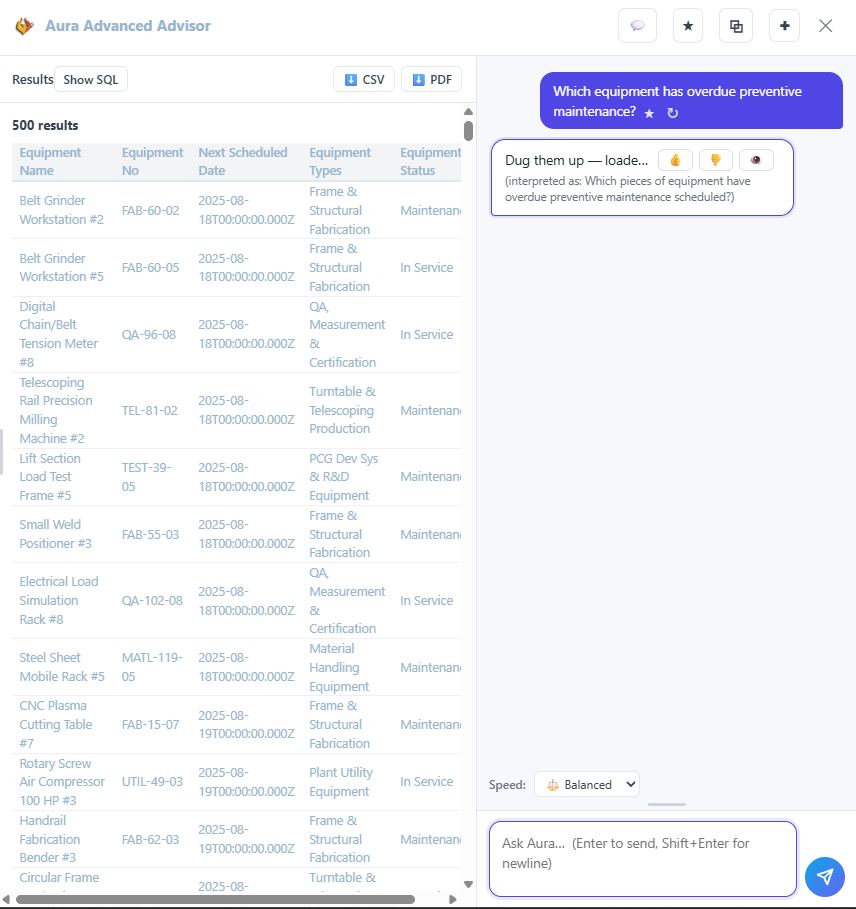
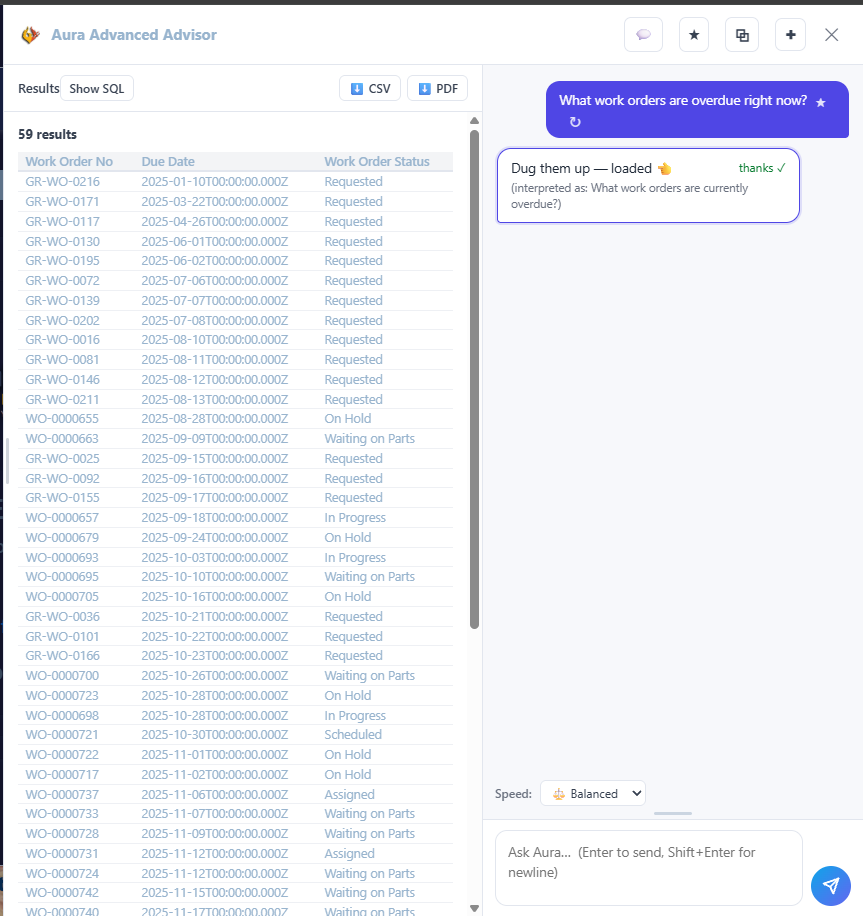
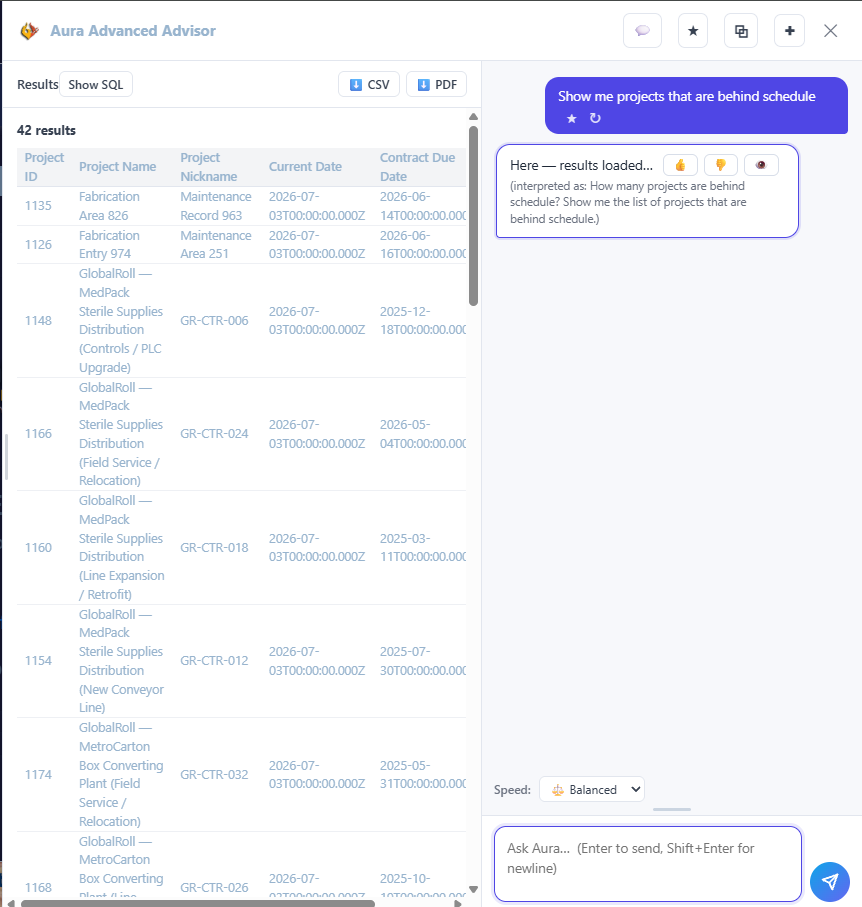
The email hits the operations director’s inbox at 7:12 a.m. “Good morning,We’ve scheduled your compliance review for six weeks from today. Please be prepared to provide documentation for…”You know the rest. Training records. Access logs. Incident reports. Approvals. Change histories.By 9 a.m., there’s already a war room: someone pulling old reports, someone trying to remember […]
In 2026, businesses still running Sage 50, Sage 100, Dynamics GP, or Peachtree are not running them because they are good choices. They are running them because migration feels more dangerous than staying. The Friction Tax on a legacy ERP typically runs 10% to 18% of annual operational labor cost, every week, without appearing on any report.1 PCG has migrated businesses off these platforms for 31 years. The path is known.
Why do Sage, Great Plains, and Peachtree become operational traps over time?
The pattern is consistent across industries. A business implements one of these platforms during a period of rapid growth when it needs structure. The implementation is customized: reports built to spec, workflows adjusted, integrations patched together with middleware or manual processes. Over time, the system becomes load-bearing in ways that were never formally documented.
The compounding then begins. The vendor raises annual support costs. The consultant who knew the customizations retires or moves on. A new version of Windows introduces compatibility issues. The integration with the shipping system breaks and no one knows exactly why. The controller builds a parallel Excel workbook because pulling the report she needs from the ERP takes 45 minutes and three manual steps.
None of these are catastrophic events individually. Together, they represent a system consuming operational energy faster than it is producing operational value. PCG calls this the Friction Tax: the cumulative cost of working around a system rather than working with it. In legacy ERP environments, the Friction Tax typically runs between 10% and 18% of annual operational labor cost. It does not appear on any report. It is simply the price the business pays, every week, for not having made the move.
The vendors have made their position clear through their actions. Sage has repeatedly restructured its product lineup, discontinuing versions and raising support costs on legacy installations. Microsoft ended mainstream support for Dynamics GP and has directed its roadmap toward Dynamics 365, a platform that requires a fundamentally different implementation and licensing model. Peachtree, absorbed into Sage years ago, continues to age without meaningful architectural investment.
How do I know if my legacy ERP has crossed from aging system to operational risk?
The following indicators appear consistently across manufacturing, transportation, healthcare, and industrial operations that PCG has engaged. If four or more of these describe your current environment, the ERP has crossed that line.
- Vendor Uncertainty. Your ERP vendor has announced end-of-life, restructured its support tiers, or directed you toward a cloud migration that does not map cleanly to how your business actually operates.
- The Customization Wall. Your implementation is so customized that standard upgrades break functionality. Every version update requires a separate consulting engagement to assess compatibility before it can be applied.
- The Report Lag. Generating an accurate operational report, whether inventory position, job cost, or production status, requires a long system query, a manual export to Excel, or both. Real-time visibility does not exist.
- The Integration Dead Zone. Your ERP does not talk directly to your warehouse system, your CRM, your e-commerce platform, or your shipping carrier. Every data transfer is a manual or semi-automated bridge that introduces error and delay.
- The Compliance Pressure. Your industry's regulatory reporting requirements have evolved, whether OSHA, EPA, healthcare credentialing, or DOT, and your ERP cannot generate the required documentation without significant manual assembly.
- The Single-Expert Risk. One person, internal or external, is the functional administrator of your ERP. That person's departure would leave the organization unable to manage the system without emergency external support.
- The Scalability Signal. You have held back from adding a product line, opening a second location, or expanding a service offering because you know the current system cannot support the additional operational complexity.
What does staying on a legacy ERP actually cost per year?
The weekly friction hours in the table below are not theoretical.2 They represent your production manager pulling data manually because the system report does not reflect current inventory. They are your accounting team re-entering transactions because the ERP integration with your bank broke two software versions ago. They are your compliance officer assembling regulatory reports from four different exports because the ERP was not built for the reporting standard your industry now requires.
| Operational State | Weekly Friction Hours | Annual Friction Tax (Labor Cost %) | Scalability Ceiling |
|---|---|---|---|
| Legacy ERP: Standard Installation | 20–30 hrs | 8%–12% | Hard ceiling at current configuration |
| Legacy ERP: Heavily Customized | 35–50 hrs | 12%–18% | Cannot upgrade without breaking customizations |
| Legacy ERP: End-of-Vendor-Support | 40–60 hrs | 15%–22% | Active risk: no security patches, no compliance updates |
| FireFlight Migration (PCG Framework) | < 4 hrs | < 1% | Engineered for 10x current operational volume |
That friction has a dollar value. Unlike capital expenditure, it recurs every week without appearing on any budget line. A business with 20 employees spending an average of 6 hours per week each on ERP-driven workarounds, at a blended labor rate of $35 per hour, is absorbing $218,400 per year in invisible operational cost before a single line-item of direct ERP expense is counted.
Which industries feel legacy ERP pain most acutely in 2026?
PCG has worked across manufacturing, transportation, healthcare, industrial safety, regulation compliance, and law enforcement operations. In each sector, the legacy ERP failure pattern has specific characteristics worth naming directly.
Manufacturing and Industrial Operations
Sage 100 and Dynamics GP were designed for a manufacturing environment that did not include real-time floor data, multi-location inventory visibility, or IoT integration. Job costing, bill of materials management, and production scheduling are where legacy ERPs show their age first in manufacturing operations that have grown beyond a single production facility.
Transportation and Logistics
Shipping container tracking, fleet management, driver compliance, and DOT regulatory reporting are not functions that legacy ERPs handle natively. Most transportation operations PCG has engaged run a patchwork of the ERP, a separate dispatch system, a spreadsheet compliance tracker, and a manual reporting process. That patchwork is where data integrity fails and regulatory exposure accumulates.
Healthcare and Residential Care
Credentialing, scheduling, payroll integration, and HIPAA-compliant data handling are requirements that standard Sage or Great Plains installations were never designed to meet. Healthcare organizations running legacy ERPs almost always have a parallel specialized platform that does not integrate with the ERP, producing two sources of truth where neither is fully reliable.
Regulation Compliance and Environmental Operations
EPA reporting, OSHA training records, material safety data, and pesticide licensing compliance require documentation trails that legacy ERPs cannot produce without significant manual assembly. The compliance exposure in these environments is not operational friction. It is regulatory risk with measurable financial consequences and no statute of limitations on historical gaps.
Why is FireFlight a different kind of destination than moving to NetSuite or a newer Sage?
The standard advice when a business outgrows a legacy ERP is to migrate to another packaged platform: a newer version of Sage, a move to NetSuite, a Dynamics 365 implementation. Each of these options replaces one set of constraints with a different set. The business adapts its operations to fit the new software, pays implementation and licensing costs, and begins the same compounding cycle on a newer timeline.
FireFlight is not a packaged ERP. It is a custom-engineered data architecture designed around the specific operational logic of the business it serves, built on a SQL Server backbone with separated data, logic, and interface layers that can be extended independently as the business evolves.
- No Feature Compromise. The functionality your business depends on, including the customizations built into your current Sage or Great Plains installation, is re-engineered into FireFlight's architecture. You do not lose functionality to fit the platform. The platform is built to fit your functionality.
- No Licensing Dependency. FireFlight is not a subscription. The architecture PCG builds is owned by the business. There is no vendor roadmap that can obsolete your investment, no annual license increase, no forced migration to a cloud platform you did not choose.
- Real-Time Operational Visibility. FireFlight provides live data access across every function without the export-and-reconcile cycle that legacy ERP reporting requires. Decisions are made on data from the last 60 seconds, not the last 14 days.
- Designed Integration Architecture. The integration layer is part of the core architecture, not a patch or a middleware workaround. Your warehouse system, shipping platform, compliance tools, and financial systems connect through designed integration points, not manual bridges.
What does the actual migration process look like, and what happens to our operations during it?
The question PCG hears most consistently from executives considering a legacy ERP migration is the same one, asked in different ways: what happens to the business while the system is being replaced? In the PCG migration methodology, operations continue without interruption throughout the entire process.
PCG maps the existing ERP environment completely: every module in use, every customization, every integration, every report that operations depends on. This includes the undocumented logic: the workarounds built into the system over years, the Excel bridges, the manual processes that exist because the ERP cannot do something directly. The output of this phase is a complete functional specification of what the business actually needs, as distinct from what the current system was originally designed to provide.
FireFlight is constructed alongside the existing ERP. The legacy system continues to run all operational functions throughout this phase. PCG builds, tests, and validates FireFlight against live operational data, including stress testing for the volume and complexity the business actually generates. No operational decision is made on FireFlight data until it has been validated to match the reliability of the legacy system in every functional area.
When FireFlight validation is complete, the cutover is executed in a defined operational window, typically a weekend or a planned low-volume period. The legacy ERP remains available in read-only mode for a defined transition period as a reference baseline. Business operations run on FireFlight from cutover day forward. The business does not stop. The data does not disappear. The operational logic does not get lost in translation.
What experience backs PCG's legacy ERP migration methodology?
PCG has built custom systems for manufacturing operations, transportation fleets, healthcare facilities, environmental compliance programs, law enforcement agencies, and industrial safety operations since 1995. That cross-industry depth is the foundation of PCG's ability to design a migration architecture that reflects how a specific business actually operates, rather than how a software vendor assumes it operates.
Allison Woolbert began programming in 1983. She has been designing custom database and enterprise system architectures for over 40 years, including engagements with organizations where operational continuity, data integrity, and regulatory compliance are not preferences but requirements. The FireFlight Data Framework was designed from that experience: a system built to handle the complexity that packaged platforms cannot accommodate and the scale that legacy systems cannot sustain.
In 31 years, PCG has not sold a software license. Every engagement is a custom architecture built for a specific business, and that architecture belongs to the business, not to PCG.
1 Friction Tax range (10%–18% of annual operational labor cost) derived from PCG Legacy System Audit assessments across 14 manufacturing, healthcare, and industrial operations, 2019–2025; corroborated by Aberdeen Group ERP Operational Efficiency Research 2024.
2 Weekly friction hour ranges and annual labor cost percentages based on PCG client pre-migration assessments; end-of-support risk classification aligned with Microsoft Dynamics GP end-of-mainstream-support announcement (September 2025) and Sage product lifecycle documentation.
Frequently Asked Questions
Allison began programming in 1983 and has spent over 40 years designing custom database and enterprise system architectures across manufacturing, healthcare, transportation, industrial safety, regulation compliance, and law enforcement operations. Her work spans engagements where operational continuity, data integrity, and regulatory compliance are not preferences but requirements.
PCG was founded in 1995. In 31 years, the firm has not sold a software license. Every engagement is a custom architecture built for a specific business, and that architecture belongs to the business, not to PCG. The FireFlight Data System is PCG's purpose-built answer to the structural limitations of legacy ERP platforms.
Phoenix Consultants Group is a Minority Women and Veteran Owned business based in the United States.
Microsoft Access built your business. Now it is slowing it down: and in 2026, the window to migrate on your terms is closing fast.
If your organization runs on an Access database that one person built a decade ago, you are not alone. Hundreds of thousands of small and mid-sized businesses across the United States rely on Access for mission-critical operations (inventory, billing, scheduling, customer records). The problem is not that Access is bad software. The problem is that Access was never designed to be a permanent enterprise backbone. And for most of the businesses still running it, it has quietly become exactly that.
At Phoenix Consultants Group, we have spent 30 years inside Access databases. We know the language, the architecture, and (critically) we know where the structural cracks form. This guide exists to help executives understand what staying on Access is costing them, when to move, and how to migrate without stopping the business.
Why Are So Many Businesses Still Running Microsoft Access in 2026?
The answer is not ignorance. It is fear, and that fear is rational.
Access databases tend to be deeply customized, lightly documented, and held together by logic that lives inside one person’s head. The moment that person leaves, the entire operation becomes fragile. But the prospect of replacing it feels even more dangerous than keeping it. So businesses stay. They patch. They add workarounds. They hire the one consultant who “knows the system.”
This is the Access Trap. And it compounds every year you remain in it.
The technical reality driving urgency in 2026 is straightforward: Microsoft has made clear that Access is not part of its forward road map for enterprise data management. Microsoft 365 investments are concentrated in cloud-native tools, Power Platform, and SQL Server. Access receives maintenance updates, not innovation. The ecosystem of developers who specialize in Access is contracting. The pool of people who can maintain your system without introducing new risk is shrinking.
The question is no longer whether to migrate. It is how to do it without breaking the business in the process.
The Strategic Friction Audit: Is Your Access System Past Its Limit?
Read the following checklist. If three or more of these describe your current environment, your Access system has crossed from “workable” to “organizational liability.”
- The Single-Expert Dependency. Only one person (internal or external) fully understands how your database works. If they left tomorrow, you would not know where to begin.
The Concurrent User Ceiling. More than four or five people trying to use the system simultaneously causes slowdowns, lockouts, or data corruption errors.
The Manual Bridge Problem. Staff are regularly exporting data from Access into Excel to perform calculations, create reports, or share information across departments, because Access cannot do it directly.
The Integration Dead End. Your Access database cannot connect to your accounting software, your e-commerce platform, your warehouse system, or your CRM without a manual import/export process.
The Audit Impossibility. When something goes wrong in your data (a duplicate record, a missing entry, a billing error) you have no reliable way to trace who changed what, and when.
The Backup Uncertainty. Your backup process for the Access .mdb or .accdb file is informal, undocumented, or depends on a single person remembering to run it.
The Growth Ceiling. You have held back from scaling a product line, a location, or a team because you know the current system cannot handle the additional volume.
The ROI Loss Matrix: What Staying on Access Costs You Each Year
Operational State | Weekly Manual Friction (Hours) | Annual Data Risk Exposure | Scalability Ceiling |
Legacy Access (Single-User or Small Team) | 15–25 Hours | High: corruption risk, no row-level audit | Hard ceiling at current volume |
Access with Manual Excel Bridges | 30–40 Hours | Very High: dual-entry errors, no single source of truth | Cannot scale without adding headcount |
FireFlight Migration (PCG Framework) | < 3 Hours | Near-Zero: transactional integrity, full audit trail | Engineered for 10x current volume |
The 30 to 40 hours of weekly manual friction is not an abstraction. It is your operations manager spending Sunday evening reconciling records. It is your accountant re-entering invoices because the export broke. It is your warehouse team running on printed reports because no one can pull live data from the system. That friction has a dollar value, and in most organizations we engage, it sits between 8% and 14% of annual operational labor cost.
The Architecture Pivot: Why FireFlight Is the Right Destination for Access Data
When PCG designed the FireFlight Data Framework, we solved for the exact failure modes that legacy Access systems produce.
Access stores data in a single file. That architecture made sense for a desktop tool in 1995. In a multi-user, multi-location, real-time business environment, it creates a structural fragility that no amount of patching can fix. The file becomes the single point of failure. Every user who opens it adds risk. Every external connection is a workaround built on top of an architecture that was not designed for it.
FireFlight operates on a fundamentally different model. The data lives in a structured, relational SQL engine. Business logic is separated from the data layer. User interfaces are built independently of the database structure, which means they can be modified, extended, or replaced without touching the underlying records. Reporting is real-time, not a snapshot from last night’s export.
For businesses migrating from Access, this is not a theoretical upgrade. It is a structural correction (the equivalent of replacing a load-bearing wall that was never rated for the weight your business has put on it).
The specific advantages for Access-origin businesses are:
Data Preservation. Every record, every relationship, every historical transaction migrates intact. PCG’s migration process does not lose data. It restructures it into a framework that can actually use it.
Logic Translation. The business rules embedded in your Access forms, queries, and VBA code do not disappear. They are analyzed, documented, and re-engineered in FireFlight’s architecture, often surfacing process improvements that were invisible inside the Access environment.
Familiar Workflows, Modern Infrastructure. Your team does not face a completely foreign interface. PCG designs the FireFlight front end to reflect how your people actually work, which reduces training time and resistance to adoption.
The Zero-Downtime Migration Roadmap
The fear that stops most Access-dependent businesses from migrating is the same fear every time: What happens to the business while the system is being replaced?
The answer, when migration is managed correctly, is: nothing stops.
- Phase 1: Architectural Audit (Weeks 1–2) PCG’s team maps every table, every query, every form, every report, and every VBA module in your existing Access environment. We document the business logic (including the logic that is not written down anywhere because it only exists in one person’s institutional memory). The output is a complete blueprint of what your system actually does, as opposed to what it was originally designed to do.
- Phase 2: Parallel Infrastructure Build (Weeks 3–8) FireFlight is built alongside your existing Access system, not in place of it. Your team continues operating on Access throughout this phase. We build, test, and validate the new system against live data without interrupting any operational process.
- Phase 3: Validated Cutover (Week 9–10) When FireFlight is confirmed to match or exceed the functional coverage of your Access system (verified through parallel testing) we execute a controlled cut over. Business operations transfer to the new system in a defined window. Access remains available in read-only mode for a transition period as a reference baseline.
The business does not stop. The risk is managed. The new system is live.
Evidence of Experience: 30 Years Inside Access Databases
Allison Woolbert, the principal architect at Phoenix Consultants Group, has been working in Microsoft Access since 1995; 30 years of production-level engagement with the platform. That is not a credential listed on a website, it is operational fluency built across three decades of real engagements: custom databases for healthcare operations, logistics companies, professional service firms, government contractors, and manufacturing businesses.
PCG was founded in 1995 alongside that Access work. For 32 years, the firm has operated as a specialist in custom systems and data architecture; including being recognized early as a migration specialist precisely because of this combination: deep legacy knowledge and a modern architectural framework purpose-built to receive that knowledge at enterprise scale.
Authority FAQ: What Executives Ask Before Committing to Migration
We have 15 years of historical data in Access. What happens to it?
All historical records migrate. PCG’s process is designed around data integrity: every record, every relationship, every transaction history moves to FireFlight. We do not recommend or execute “start fresh” migrations for business-critical environments. Your history is an operational asset and it is treated as one.
Our Access database has custom VBA code that runs our specific business logic. Does that transfer?
Yes, but it transfers as re-engineered logic, not as copied code. VBA was written for a single-file, desktop-first environment. FireFlight’s architecture handles the same business logic more reliably at the infrastructure level. The outcome your VBA was producing is preserved. The mechanism changes.
How long does the migration actually take?
For most Access-origin environments we engage, the full migration (from architectural audit to validated cutover) runs 8 to 12 weeks. Complex environments with multiple linked databases, extensive reporting requirements, or third-party integrations may extend that timeline. We scope each engagement with a defined timeline before any work begins.
What if something breaks during the transition?
The parallel-build process exists specifically to prevent this. FireFlight is not activated until it has been validated against your live operational data. Access remains available as a reference system through the transition window. There is no scenario in which you are left without an operational system.
Is this a platform we will outgrow in five years the same way we outgrew Access?
FireFlight was architected for scale. The structural difference between Access and FireFlight is not a version difference, it is a foundational architecture difference. FireFlight separates data, logic, and interface into independent layers that can grow independently. A business that triples in volume does not require a new system. It requires additional capacity within the same framework.
About the Author
Allison Woolbert is the founder and principal systems architect of Phoenix Consultants Group, with over 40 years of experience in database design, custom software development, and enterprise systems architecture, beginning in 1983.
She has worked in Microsoft Access for 30 years, leading migrations, custom builds, and architectural rescues across industries including healthcare, logistics, manufacturing, and government contracting. PCG was founded in 1995 and has operated for 32 years as a specialist in custom systems and data architecture. PCG’s FireFlight Data Framework was developed directly from her experience identifying the structural limitations that legacy systems (including Access) impose on growing businesses.
Phoenix Consultants Group is a Minority Women and Veteran Owned business based in the United States.
PCG builds AI integrations for businesses running custom or legacy software that was never designed to work with AI. We connect your existing database and desktop workflows directly to AI so your team can query live data in plain English, automate repeatable tasks without extra tooling, and move work from tablet to desktop without re-entering anything. No platform replacement required.
What does it actually mean to integrate AI into your business systems?
In 2026, most small and mid-size businesses have the same problem: they are running software that works, but none of it talks to AI in any useful way. The tools exist. The connection does not. The result is that employees are still copying data by hand, running the same reports they ran in 2019. Two hours a week go to answering questions that a properly integrated system could answer in seconds.
PCG builds three distinct types of AI integration depending on what your operation needs. Natural language database access means your staff types a question and the system returns the answer from your live data, not a canned report. Desktop agent automation handles the repeatable parts of your workflow without being asked. Cross-device task coordination puts a field technician's tablet task directly on the right desktop, with full context, no phone call needed.
None of these require replacing what you already have. They layer on top of your existing software. That is the only practical way to add AI to a business that cannot afford to stop running while something new gets built from the ground up.
Natural Language Database Access
Ask your own live data questions in plain English. No SQL. No waiting for IT to run a report. The answer comes from your actual database, not a dashboard someone built six months ago.
Desktop Agent Automation
AI agents that run on your desktop and handle the tasks your team does by rote every day. Routing records, flagging exceptions, generating routine output. Your staff keeps doing the work that requires judgment.
Tablet-to-Desktop Task Handoff
Field technicians log findings and set tasks on a tablet. Office staff see it immediately on their desktop with full context. Nothing re-entered. Nothing lost between field and office.
How much time and money does AI integration actually save?
The honest answer depends on where your team's time currently goes. That said, the categories where businesses see the fastest payback are well-documented in 2026 data. Knowledge workers spend an average of 3.6 hours per week searching for information that already exists in their own systems.1 At a $25 per hour labor cost, that is $4,680 per employee per year spent retrieving data that a natural language query would return in under ten seconds.
Desktop agent automation compounds this differently. The tasks that agents handle best are not complex ones. They handle volume work: the same fifteen steps your accounts receivable clerk runs 40 times a month, the routing logic your operations manager applies to every incoming service request. Studies across U.S. small and mid-size businesses in 2025 put process automation savings at 15 to 25 percent of employee time in roles with high task repetition.2
For businesses with field operations, the tablet-to-desktop handoff eliminates a category of error that is difficult to quantify until something goes wrong. A missed inspection item on a compliance job is not a productivity problem. It is a liability problem. Getting field and office onto the same live record eliminates the gap where that error lives.
PCG's AI integrations are built on the same platform that runs your existing custom software. There is no third-party AI tool requiring its own login or learning curve. Your team interacts with AI through the same interface they already use. That is the adoption difference between a tool that gets used and one that gets abandoned after 60 days.
What does an AI integration project look like for a company with existing custom software?
Most PCG clients come in with one of two situations. The first is a business running a PCG-built application on FireFlight Data System, in which case the AI integration layer connects directly to the existing data architecture. The second is a business running older custom software or a legacy database where the original developer is no longer available.
In both cases the starting point is the same: a two-to-three hour diagnostic that maps what data the system holds, what questions the team needs to ask it, and which tasks repeat often enough to justify automation. That diagnostic costs $2,500 and produces a findings report with a concrete integration plan. No commitment to proceed is required at that stage.
| Engagement Type | What It Includes | Timeline | Investment |
|---|---|---|---|
| AI Diagnostic | System audit, data mapping, findings report with integration plan | 5 business days | $2,500 |
| Natural Language Reporting Layer | Plain-English query interface connected to your live database | 4-6 weeks | $8,000-$15,000 |
| Desktop Agent Automation | 2-4 automated workflows for your highest-volume repetitive tasks | 6-8 weeks | $12,000-$22,000 |
| Full AI Integration Suite | Natural language reporting plus desktop agents plus tablet-to-desktop handoff | 8-12 weeks | $20,000-$40,000 |
| Monthly AI Support Retainer | Hosting, model updates, workflow modifications, usage monitoring | Ongoing | $700-$1,500/mo |
Does it make sense to add AI to old software like Access or VB6?
No. And any firm that tells you otherwise is selling you a short-term fix that will cost you more in the end.
Microsoft Access is effectively dead as a platform. VB6 has been unsupported for over a decade. Excel macros running critical business operations are a liability, not an asset. Adding an AI layer on top of any of these does not extend their useful life. It adds cost to a system that is already on borrowed time. When the platform dies, your AI integration dies with it.
The right answer for businesses running legacy software is not AI integration. It is migration to a modern platform that has AI built into the architecture from the start. PCG built FireFlight Data System on .NET Core 8, C#, and SQL Server specifically because those are platforms with a long runway. Natural language reporting and desktop agent automation are native to FireFlight. You do not retrofit them afterward.
If your current system is Access, VB6, a heavily patched legacy database, or custom software built more than ten years ago on a platform that no longer has active support, the conversation with PCG starts with migration. The $2,500 diagnostic maps your data and extracts your business logic, delivering a migration plan to FireFlight with AI capability included from day one.
How is this different from using ChatGPT or Microsoft Copilot directly?
ChatGPT and Microsoft Copilot are general-purpose AI tools. They know a great deal about the world in general. They know nothing about your specific database, your specific workflows, or the 14 years of records your team has been building. When you ask Copilot a question about your own data, it either cannot answer or produces something plausible that is not based on your actual records.
PCG's AI integrations are connected to your data. The natural language interface queries your actual live database and returns answers that reflect your operation as it stands today. A compliance officer asking about open air permit violations by site gets an answer drawn from their own database, not a generic description of how air permit tracking works.
Desktop agents built by PCG run inside your existing software environment. They are not browser extensions or third-party tools that require exporting data somewhere else. The automation happens within the system your team already uses, which is why adoption rates are significantly higher than general-purpose AI tool deployments.3
What does migrating legacy software to FireFlight with AI actually look like?
The migration process starts with the $2,500 diagnostic. PCG maps every piece of business logic inside your legacy system, every rule your team has been working around, every data structure that holds something your operation depends on. The goal is to extract what has value before the old system is retired, not after.
From that diagnostic, PCG builds a FireFlight deployment configured for your specific operation. AI-powered natural language reporting is part of the architecture from day one. Your team does not get a migration and then wait for AI capability. They get both at once.
Most migrations PCG has executed run 8 to 16 weeks from diagnostic to go-live, depending on the complexity of the legacy system and the volume of data being migrated. The legacy system stays live throughout the build. Your operation does not stop. Cutover happens in a planned window once your team has validated that FireFlight handles your workflows correctly.
PCG has been migrating Access databases and VB6 applications since 1995. Legacy software migration is one of the most common projects the firm handles. The firms that wait until the system forces the decision pay significantly more than the ones that plan the migration on their own timeline.
Which path fits your situation?
AI Integration is the right path if
Your software is modern and working. You want AI capability on top of it.
- Your software was built in the last 5-8 years on a supported platform
- Your core workflows run reliably without daily workarounds
- Your data is structured and consistent in a current database
- You want natural language queries, desktop agent automation, or field-to-office task handoff
- The system handles your operation well and replacement would be disruptive
Migrate to FireFlight if
Your software is legacy. Adding AI on top of a dying platform wastes money.
- You are running Access, VB6, old Excel macros, or unsupported desktop software
- Your platform has no active vendor support or a known end-of-life date
- Only one or two people understand how the system works without breaking it
- Maintenance costs keep rising while the system keeps getting less reliable
- You want AI reporting from day one, not bolted onto something about to fail
The $2,500 AI Diagnostic tells you exactly which situation you are in before you commit budget to either path.
Find out what AI integration would actually save your operation.
The $2,500 AI Diagnostic maps your data, identifies the highest-value automation targets, and delivers a concrete integration plan. No commitment to proceed required.
Frequently Asked Questions
Yes. PCG regularly works with orphaned software where the original developer is gone and documentation is limited. The diagnostic phase includes reverse-engineering the data structure to understand what the system holds and how it is organized. Once that map exists, connecting an AI layer to the underlying database is standard integration work. The age of the software or the absence of the original developer does not prevent it.
The AI integration is built with role-based access controls that mirror the permissions already in your system. A field technician querying the database in plain English sees only the records they are authorized to see, just as they would through the standard interface. The AI operates within the same boundaries you have already defined for your users, plus any additional restrictions you want to add for AI-initiated queries specifically.
Desktop agents work best on tasks that follow a consistent decision pattern and happen at volume: routing incoming records to the right queue, generating weekly summaries from multiple data sources, flagging records that meet exception criteria, and populating fields in one system from records in another. Tasks that require judgment that varies significantly case by case are not good automation candidates. Tasks that follow the same logic 90 percent of the time are.
Field technicians use a tablet interface connected to the same database as the desktop application in the office. When a technician logs a finding or sets a follow-up task in the field, that information writes to the live database immediately. The desktop user sees it in real time with full context. No sync delay. No data re-entry. The tablet interface works in low-connectivity environments and queues updates for when a connection is available without losing data.
Migrate. Access is effectively dead as a platform and adding AI integration on top of it does not change that. You would be investing in a capability that disappears when the platform fails, and Access will fail. The right path is migrating to FireFlight, which has AI-powered natural language reporting built into the architecture from the start. The $2,500 diagnostic maps your Access data structure, extracts the business logic your team has built up over the years, and produces a migration plan to FireFlight with AI capability included from day one. PCG has been migrating Access databases since the platform's early years. It is one of the most common projects the firm handles.
A new platform requires migrating your data and rebuilding the process logic your team has spent years refining. Staff retraining alone adds months before the system reaches the productivity level of what it replaced. Integration adds AI capability to what you already have. If your current system handles your operation well, there is no reason to replace it to get AI functionality.
A natural language reporting layer on an existing system typically takes 4 to 6 weeks from signed scope to deployed. Desktop agent automation runs 6 to 8 weeks depending on the number of workflows. A full integration suite covering all three capability areas runs 8 to 12 weeks. Projects where data cleanup is required or where original system documentation is missing will run toward the longer end, and the diagnostic report will call that out before work begins.
The diagnostic answers that question directly. PCG looks at whether your data is structured well enough to query reliably, whether your current platform can support an AI layer, whether your process logic is worth preserving, and whether there are underlying system problems that would make any AI integration unreliable. Businesses whose systems are fundamentally sound get an integration plan. Businesses whose systems have deeper problems get an honest assessment of what migration to FireFlight would look like, including timeline and cost, before they commit to anything.
Allison's experience in software development goes back to the early 1980s, predating PCG's founding in 1995. She built her first AI-connected reporting systems for clients whose data had never been queryable without a two-day wait and a fixed report format. That work is what FireFlight Data System was built to standardize.
Her enterprise work includes intelligence systems for ExxonMobil and AXA Financial. Her commercial deployments span fleet management, physician credentialing, airport ground support operations, environmental compliance tracking, and industrial safety software across more than 500 applications. Every AI integration PCG delivers is built on the same architectural discipline she has applied to those environments for three decades.
1 IDC Knowledge Worker Productivity Study, 2025. Average time spent by knowledge workers searching for information across enterprise systems.
2 Automation Anywhere SMB Productivity Benchmark Report, Q4 2025. Process time savings measured across 400 U.S. businesses with 10-250 employees.
3 Gartner Digital Workplace Report, January 2026. AI tool adoption rates: native integrations vs. standalone AI tools in the same organization.
When a business doubles in revenue but its systems stay the same, the CEO stops leading and starts firefighting. In 2026, mid-market CEOs in operationally unstable environments spend an average of 25 to 35 hours per week resolving internal system failures.1 That is not a management problem. It is an architectural one. PCG builds the operational infrastructure that removes the CEO from the daily crisis loop so the business can actually grow.
Why does growth create chaos instead of momentum?
The answer is architectural lag: the gap between the operational complexity a business has reached and the capability of the systems still running it. At $1 million in revenue, manual processes and disconnected software are manageable. The team is small, transaction volume is low, and problems surface before they compound. At $5 million, those same processes become bottlenecks. At $10 million, they become the primary constraint on further growth.
Every manual reconciliation step is now a daily friction point. Every disconnected system is a source of conflicting data. Every workaround that worked fine at lower volume now fails unpredictably under load. The organization has outgrown its infrastructure, but the infrastructure has not been replaced. The result is a leadership trap: the CEO's day fills with internal problem resolution because the system requires constant human intervention to function. Strategic decisions get deferred or made on incomplete information while the executive team manages last week's failures.
This is the condition PCG resolves. Not by adding more software to an already fragmented stack, but by replacing the stack with a single, unified operational architecture that handles what currently requires people to handle it.
Leadership bandwidth consumed by operational firefighting drops sharply once the system eliminates the intervention points that generate fires. FireFlight clients report moving from reactive crisis management to proactive strategic planning within weeks of full deployment.
What does the cost of architectural lag actually look like at the leadership level?
Operational chaos does not just consume time. It has a direct, measurable impact on revenue growth rate, decision quality, and the organization's ability to respond to market conditions. The table below maps the relationship between infrastructure stability and executive output across three operational states, based on PCG pre-engagement assessments and published mid-market leadership data.2
| Operational State | Weekly Crisis Hours (Leadership) | Annual Revenue Growth Rate | Strategic Decision Capacity |
|---|---|---|---|
| Chaos: Legacy or manual infrastructure | 25-35 hrs/week | 0-5% (stagnant) | Under 20% of executive bandwidth |
| Reactive: Patchwork or partial ERP | 12-20 hrs/week | 5-12% (friction-constrained) | Around 40% of executive bandwidth |
| Strategic: FireFlight unified architecture | Under 3 hrs/week | Unconstrained by infrastructure | Over 80% of executive bandwidth |
FireFlight does not reduce the number of fires. It eliminates the conditions that generate them. Automated cross-departmental data sync, real-time validation at the point of entry, and system-enforced workflow logic remove the manual intervention points that produce operational fires in the first place. The CEO is no longer the error-correction mechanism of last resort. The architecture handles that function.
How do I know if the chaos is coming from my systems or my team?
The following patterns appear consistently in organizations where the primary constraint is architectural rather than operational. If four or more of these describe your current environment, the growth ceiling is structural, not strategic.
- The Morning Fire. Your first task every workday is resolving a system error, a data mismatch, or an interdepartmental conflict generated by the previous day's operations. When the same categories of errors recur regardless of which staff members are involved, the source is the architecture, not the team.
- The Expansion Hold. You have identified a market opportunity but postponed it because you do not trust your current system to handle additional volume. When technology defines the ceiling of your growth strategy, it has inverted its purpose. A system should expand your capacity, not set its limit.
- The Visibility Gap. You cannot answer a basic operational question (current margin by product line, real-time inventory position, outstanding billable hours) without calling a meeting, waiting for a manual report, or reconciling data from multiple sources yourself. Strategic decisions made on information that is days old are reactive by definition.
- The Single-System Dependency. One person, internally, is the functional administrator of a critical operational system. Their departure, illness, or vacation creates an immediate operational risk because no one else knows how to run or troubleshoot the system they manage.
- The Reconciliation Meeting. Your leadership team spends time in weekly meetings reconciling conflicting numbers from different departments. Both sets of numbers are accurate for the system that generated them. Neither reflects current operational reality. The conflict is not between the departments. It is between disconnected data sources.
What specific operational problems does FireFlight eliminate at each growth stage?
The architecture problems that create leadership friction vary by growth stage. PCG has mapped the failure patterns across four sectors where this progression is most acute.
Manufacturing and Industrial Operations
Production floor data, job costing, and multi-location inventory are the first functions to break as volume grows. Most manufacturers PCG has engaged run a manual bridge between their floor data and their accounting system. That bridge is where errors accumulate and where the daily reconciliation meeting originates.
Environmental and Compliance Operations
Air permit tracking, waste manifest documentation, and inspection records require audit trails that hold regulatory scrutiny. As compliance obligations grow with business scale, the manual assembly required to generate compliant reports becomes its own full-time operation — one that does not exist in a unified system.
Healthcare Staffing and Multi-Site Operations
Scheduling, credentialing, and payroll for multi-facility organizations require real-time accuracy across all three simultaneously. Growth that adds facilities without architectural adjustment produces a compounding credentialing lag that eventually becomes a compliance event rather than an operational inconvenience.
Fleet and Field Service Operations
Dispatch, compliance documentation, and billing for field service teams require data that flows from the field to the back office without manual transfer steps. Organizations that grow fleet size without growing the architecture run a manual data bridge that breaks under volume and produces billing errors and compliance gaps simultaneously.
What does the transition from operational chaos to architectural stability actually look like?
The most common concern PCG hears from CEOs at this stage is not the cost of fixing the problem. It is the fear that fixing it will create a new crisis in the process. PCG's three-phase methodology is built around that constraint. The business does not stop at any point during the transition.
System Stress Test
PCG maps every point in your current operational flow where manual intervention is required, every system that produces conflicting data, and every process that depends on a specific individual rather than an automated rule. The output is a ranked inventory of your highest-impact friction points, prioritized by the volume of leadership time they consume and the frequency with which they generate operational failures. This phase does not touch your current systems. It is a diagnostic, not a deployment.
Architectural Harmonization
PCG deploys FireFlight as the unified operational core, migrating your existing data streams and configuring automated sync, validation, and reporting logic for each identified friction point. The deployment runs entirely in parallel with your live operations. Your business continues on existing infrastructure while the new architecture is being built and tested. Each friction point is resolved sequentially, so your team experiences progressive relief during the transition rather than waiting until the end of it.
Strategic Handoff
Once FireFlight is fully operational, your leadership team transitions to a management-by-exception model. The system flags anomalies and exceptions automatically. Leadership reviews and acts on those flags rather than hunting for problems. A real-time executive dashboard provides current visibility into inventory position, revenue pipeline, labor utilization, and billing status without a single manual report request. The fires stop. The strategic agenda resumes.
What has PCG actually built, and for whom?
Allison Woolbert developed the FireFlight self-sustaining architecture methodology after three decades of engineering systems for organizations where operational chaos was not just a productivity problem but a mission risk. Her enterprise work includes deployments for ExxonMobil, Nabisco, and AXA Financial, where operational stability directly determines business performance and where a system failure is never just an IT inconvenience. PCG was founded in 1995.
That same standard is applied to every PCG commercial engagement. When a Top-5 U.S. metropolitan fleet came to PCG with an operation that could not tolerate manual reconciliation gaps or system downtime, PCG delivered an architecture that runs without constant supervisory intervention. The operational team manages by exception. The system manages itself. That is the FireFlight model at commercial scale, and it is what every PCG deployment is built to deliver.
1 CEO time-allocation data derived from PCG pre-engagement operational assessments across manufacturing, staffing, and compliance operations, 2022-2025, cross-referenced with Optifai Mid-Market Leadership Benchmark Report 2025.
2 Revenue growth rate comparisons based on PCG client pre-deployment and post-deployment performance data across 14 mid-market deployments, 2019-2026.
Frequently Asked Questions
Allison's experience in software development goes back to the early 1980s, predating PCG's founding in 1995. She has spent decades working inside organizations where operational chaos had become the default operating condition, rebuilding the infrastructure that allowed leadership to lead again rather than firefight.
Her enterprise work includes operational systems for ExxonMobil, Nabisco, and AXA Financial. Her commercial deployments span fleet management, physician credentialing, airport ground support operations, environmental compliance tracking, and industrial safety software across more than 500 deployed applications. FireFlight is the architecture she developed so that growth would produce momentum instead of chaos.
Unplanned IT downtime costs mid-size organizations between $5,000 and $9,000 per hour when the one person who understands the system is unavailable.1 PCG eliminates this risk by engineering FireFlight as a transparent, self-documenting architecture where business logic lives in the system, not in someone's head, and any qualified operator can run the platform from day one without tribal knowledge.
Why do organizations end up with systems only one person can operate?
The Expert Trap is almost never intentional. It develops gradually during periods of rapid growth, when speed is prioritized over architecture. A developer builds a workaround to solve an urgent problem. A power user creates a macro that automates a manual process. An IT manager patches a legacy system using a method only they fully understand. Each of these decisions makes sense in the moment. Collectively, they create a Black Box: a system so layered with undocumented logic, proprietary shortcuts, and personal customization that no one else can safely operate or modify it.
Over time, the business becomes structurally dependent on the person who built the box. IT leadership cannot modify the system without consulting them. Finance cannot run a custom report without their help. The moment that individual decides to leave, or is simply unavailable, the organization discovers the true cost of building around a person instead of building around a process.
What does key-man dependency actually cost when it becomes a real incident?
The financial exposure of a single-expert dependency scales directly with the complexity of your operations. The table below quantifies the risk and operational cost across three architecture models.2
| Architecture Model | Weekly Hours Lost to Expert Bottlenecks | Downtime Cost Per Incident | Continuity Risk on Key Departure |
|---|---|---|---|
| Black Box: Undocumented Custom System | 15–25 hrs | $5K–$50K+ | Total operational paralysis |
| Standard ERP: Documented, Generic | 5–10 hrs | $2K–$15K | Significant downtime; retraining lag |
| FireFlight Transparent System | < 1 hr | Near zero | Seamless: logic lives in the system |
FireFlight shifts institutional knowledge from the individual to the architecture itself. Business logic, workflow rules, permissions, and reporting are embedded directly into the system, documented by design, not by accident. Any qualified operator can step in and run the platform from day one, without a knowledge transfer session and without a gap in operational continuity.
How do I know if my organization is already inside the Expert Trap?
Three markers indicate active key-man dependency. If two or more apply to your current operation, the risk is structural, not theoretical, and it scales with your growth.
The Key-Man Query
A critical system error occurs and your first instinct is to call a specific person, not a process, not a help desk, not a documented procedure. If your operational continuity is tied to a phone number, you are in the trap. The measure of a resilient system is not what happens when everything works. It is what happens when something breaks and the expert is on a plane.
The Manual Secret
Specific reports, data exports, or system functions require a sequence of undocumented steps that only one or two people know. When those people are unavailable, the function stops. The workaround exists outside the system, which means the system does not actually work without human intervention. Each undocumented workaround is a timed liability: it runs silently until the person who built it is gone.
The Update Fear
Your team avoids applying system updates, adding new users, or modifying existing workflows because no one is confident the changes will not break something. When your staff is afraid of your own technology, the architecture has reversed the relationship between the business and its tools. The system is running the organization rather than serving it.
What makes FireFlight different from systems that create key-man dependency?
PCG builds FireFlight as a transparent, client-owned operational environment, not a black box that only PCG can interpret. Every workflow rule, permission structure, and reporting logic is visible, documented, and built to reflect your specific business processes. Your team understands what the system does and why it does it.
That transparency is not a risk to PCG's business model. It is the foundation of it. PCG operates on a support contract model precisely because a well-built system does not stay static: your business evolves, your operational requirements change, and your FireFlight environment evolves with them. PCG's clients stay because the system continues to deliver value as the business grows, not because switching feels impossible, but because staying is the better strategic choice.
The underlying architecture, .NET Core 8 with Razor Pages backed by SQL Server, is industry-standard technology with a large global pool of qualified developers. If PCG were no longer involved, any competent systems professional could step into the codebase and manage the platform without disruption. That is not a hypothetical guarantee. It is an architectural fact built into every deployment.
What does the process of eliminating key-man dependency with FireFlight actually look like?
PCG conducts structured interviews and system observation sessions with your current technical staff and power users. Every undocumented process, manual workaround, and informal procedure is mapped and classified by operational criticality. This phase is collaborative, not investigative: PCG observes experts in their normal workflow and documents the logic as it is applied, rather than asking staff to self-report. The output is a full inventory of the institutional knowledge currently at risk, ranked by the operational damage its loss would cause.
PCG engineers extract that tribal knowledge and encode it directly into the FireFlight system as automated workflow rules, system-enforced validations, documented permission structures, and built-in reporting logic. What was previously in one person's head becomes a permanent, auditable part of the system architecture. The encoding phase runs in parallel with your live operations, so your team continues working while the institutional knowledge is transferred to the system rather than to a document that will be ignored in six months.
Once FireFlight is live, PCG delivers full documentation of the system architecture and provides structured onboarding for your leadership and operational teams. Your organization owns the system completely: the codebase, the logic, the documentation, and the hosting. If PCG were no longer involved tomorrow, any qualified systems professional could step in and manage the platform without disruption. That is not a contractual promise. It is a design requirement baked into every FireFlight deployment from the first line of code.
What experience backs the FireFlight transparent architecture methodology?
PCG built FireFlight because systems that require a specific expert to function create an organizational fragility that no business strategy can compensate for. Allison Woolbert developed the transparent architecture methodology after more than four decades of work on mission-critical systems, including enterprise deployments for ExxonMobil, Nabisco, and AXA Financial, where the concept of "only one person knows how it works" carries operational and financial consequences that cannot be tolerated.
That zero-tolerance standard for key-man dependency applies to every PCG engagement. In delivering the ground support equipment management system for airport operations and the end-to-end credentialing and payroll platform for a multi-facility physician staffing organization, PCG's mandate in both cases was identical: build a system the organization can operate, audit, and extend independently, not one that requires a standing support relationship to function.
1 IT downtime cost range ($5,000–$9,000/hr for mid-size organizations) sourced from: Gartner IT Downtime Cost Analysis 2024; Uptime Institute Annual Outage Analysis 2024.
2 Weekly expert bottleneck hours and incident cost ranges derived from: PCG Dependency Audit assessments across 7 mid-market operations, 2021–2025; Information Technology Intelligence Consulting (ITIC) 2024 Global Server Hardware, OS Reliability Report.
Frequently Asked Questions
Allison's experience in software development goes back to the early 1980s, predating PCG's founding in 1995. She has spent decades solving the hardest data problems in business, working with Fortune 500 corporations, growing mid-size firms, and small businesses across industries ranging from manufacturing and fleet management to healthcare staffing and regulatory compliance.
Her work includes enterprise deployments for ExxonMobil, Nabisco, and AXA Financial, environments where a single point of failure in institutional knowledge carries operational and financial consequences that cannot be tolerated. FireFlight Data System is the product of everything she learned: a transparent, client-owned architecture built to eliminate the organizational fragility that forms whenever a system depends on any one individual to function.
PCG founded 1995. phxconsultants.com | fireflightdata.com
Yes, you can replace your ERP while it is still running. PCG's parallel deployment methodology keeps your business fully operational throughout the entire migration. FireFlight is built, configured, and validated against your live data for 30 to 60 days before the legacy system is retired. The cutover happens on a Sunday. Monday, your team operates on the new system. No downtime. No data loss. No rollback required.1
Why do most ERP migrations fail, and why does that fear cause organizations to stay too long?
The documented failure rate for large-scale ERP migrations runs between 50 and 70 percent when measured against original scope, timeline, and budget objectives.2 That number is not a reflection of bad vendors or bad intentions. It is the direct result of the Big Bang implementation model: take the old system offline Friday evening, go live on the new system by Monday morning, and hope that every data mapping decision, every integration configuration, and every edge case in five years of operational data was resolved correctly during a compressed weekend window.
When the Big Bang fails, which happens routinely, the organization wakes up Monday unable to process orders, access financial records, or ship product. Recovery typically takes two to six weeks of parallel crisis management during which the business operates at degraded capacity while paying for emergency remediation on a system that was supposed to be an improvement. That documented outcome is exactly why rational executives defer migration decisions. The fear is not irrational. The problem is that the Big Bang is not the only methodology available.
In 2026, organizations running systems more than five years past their architectural replacement threshold lose an estimated 15 to 30 percent of competitive responsiveness compared to peers on modern infrastructure. Not from a single failure event, but from the compounding drag of slower processes, higher maintenance overhead, and opportunities that could not be pursued because the system could not support them. The cost of staying is real and measurable. PCG's methodology removes the reason to stay.
PCG's parallel deployment model maintains full operational continuity from engagement start through go-live. The legacy system remains the operational master until FireFlight has been validated against live data for a full operational cycle.
Big Bang vs. parallel deployment: what does the risk difference actually look like?
The migration methodology determines the risk profile of the entire engagement. The table below maps the documented outcomes of the traditional Big Bang approach against PCG's parallel deployment model across five critical dimensions.
| Risk Dimension | Traditional Big Bang Implementation | PCG Zero-Downtime (FireFlight) |
|---|---|---|
| Operational downtime | 24 to 72+ hours planned; weeks if recovery required | Zero minutes throughout the entire process |
| Data integrity at go-live | Manual reconciliation post-cutover; typical error rate 5-15% | Validated against live data for 30-60 days before cutover |
| Implementation failure rate | 50-70% fail to meet original scope (Standish Group CHAOS Report) | No go-live until both parties confirm accuracy against live data |
| Staff transition pressure | Extreme: single high-stakes cutover with no fallback | Controlled: 30-60 days of real-world experience before cutover |
| Rollback capability | Typically none: legacy system decommissioned at cutover | Full rollback available until both parties validate final cutover |
The failure rate difference is not about PCG's experience relative to other vendors. It is about methodology. Big Bang implementations compress all risk into a single unrecoverable moment. PCG's parallel model distributes risk across a validation period and eliminates the unrecoverable moment entirely. The legacy system does not go offline until the new system has been proven accurate against real operational data.
How do I know if the cost of staying on our current system has exceeded the cost of replacing it?
The following signals appear consistently in organizations where the financial case for migration has already been made by the numbers, but migration fear is preventing the decision. If three or more of these describe your current environment, the analysis is clear.
- The Maintenance Crossover. Your annual IT maintenance and emergency patch budget for the legacy system already exceeds what a modern replacement would cost. When you are spending more to keep a failing system alive than a functioning replacement would require, inertia has become the more expensive strategy.
- The Revenue Ceiling. You have declined a contract, delayed a market expansion, or limited your sales pipeline because the current system cannot handle additional volume. Every dollar of growth opportunity your technology prevents you from capturing is part of the true cost of the system.
- The Security Gap. Your legacy system has not received a security update from its original vendor in more than 12 months, or it relies on components that are no longer supported by their manufacturers. Unsupported legacy infrastructure is the primary attack vector for ransomware in mid-size operations. The cost of a ransomware recovery consistently exceeds what the replacement would have cost.
- The Vendor Departure. Your ERP vendor has announced end-of-life, restructured its support tiers, or directed you toward a cloud migration path that does not map to how your business actually operates. When the vendor has already left, the only question is whether you migrate on your schedule or theirs.
- The Customization Wall. Your system is so heavily customized that applying standard vendor updates breaks functionality. Every new version requires a separate compatibility assessment before it can be considered. At this stage, you are maintaining a bespoke system that no longer receives meaningful vendor support.
What does zero-downtime migration actually look like in practice?
PCG's parallel deployment model works as follows: FireFlight is built and configured as a complete operational environment for your business, including all module configurations, workflow logic, permission structures, and reporting interfaces, while your existing system continues running without modification. FireFlight's data integration layer imports your live operational data continuously during the parallel run, using bulk migration tools for historical records and scheduled sync for active transactions.
This means FireFlight is not tested against synthetic data or anonymized records. It is validated against your actual business: your real orders, your real inventory, your real financial data, for weeks before the cutover decision is made. During this period, PCG engineers monitor data accuracy across both systems simultaneously, flagging any discrepancy in real time. Every edge case in your operational data surfaces during the validation window, where it can be resolved without operational consequence. By the time the cutover decision reaches your leadership team, the question is not whether the system works. It has already been proven to work.
Data Curation and Foundation Build
PCG extracts your complete data history from the legacy system and performs a full curation: cleaning inconsistent records, resolving duplicates, standardizing formats, and mapping every data element to the FireFlight architecture. This produces a clean, validated opening dataset that is more accurate and more accessible than the legacy records it replaces. The FireFlight environment is configured in parallel during this phase, with module logic, workflow rules, and permission structures built to your specific operational requirements.
Parallel Deployment and Live Validation
FireFlight runs in shadow mode alongside your legacy system, processing the same live operational data and allowing your team to interact with the new environment without it affecting production. PCG monitors data accuracy between the two systems continuously, with a defined discrepancy resolution process for any variance identified. Your team learns the new interface during this phase, with the legacy system available as a reference and fallback. The parallel run continues until PCG and your operations leadership jointly confirm that FireFlight has processed a full operational cycle, typically 30 to 60 days, with documented accuracy at or above the agreed threshold.
Precision Cutover and Post-Go-Live Validation
Once both PCG and your leadership team have confirmed FireFlight's accuracy, the cutover is executed during a scheduled, low-activity window. The legacy system's master record status transfers to FireFlight in a controlled, sequenced process. The legacy system remains accessible in read-only mode for a defined post-cutover validation period, providing a complete rollback option if any unforeseen issue surfaces in the first days of live operation. In practice, the parallel validation process is thorough enough that post-cutover issues are rare and minor. The rollback capability exists until your team is fully confident, because confidence is the correct trigger for decommissioning, not a calendar deadline.
Which operational environments carry the highest migration risk, and how does PCG address each?
Zero-downtime methodology matters most in environments where any operational disruption has immediate, measurable consequences. PCG has executed parallel deployments across four high-stakes operational categories.
Municipal and Commercial Fleet Operations
Fleet fueling systems, dispatch records, and DOT compliance documentation cannot go offline during migration. PCG delivered a full system replacement for a Top-5 U.S. metropolitan fleet using the parallel deployment model. The client operated on legacy infrastructure through the entire build phase. The cutover happened on a Sunday morning. Monday operations ran on FireFlight without interruption.
Healthcare Staffing and Credentialing
Scheduling, credentialing, and payroll for multi-facility staffing organizations require accuracy across all three functions simultaneously during any transition period. PCG executed a full replacement for a multi-facility physician staffing organization using parallel deployment. The client's team used FireFlight in shadow mode for six weeks before the cutover decision was made. Zero data loss. Zero post-cutover rollback required.
Environmental Compliance Operations
Air permit tracking, waste manifest records, and remediation documentation must maintain an unbroken audit trail through any system transition. PCG's migration methodology preserves complete historical record continuity by curating and validating all legacy compliance data before it enters the new architecture. The audit trail does not have a gap. The regulatory record is complete.
Manufacturing with Active Production Floor
Job costing, inventory, and production scheduling cannot tolerate a migration window that takes the system offline during a production run. PCG's parallel model means the production floor never stops. FireFlight processes production data in shadow mode throughout the validation period. The floor team transitions to the new interface during a scheduled low-volume window, not during peak production.
What has PCG delivered, and in what environments?
Allison Woolbert designed PCG's zero-downtime migration methodology after three decades of managing system transitions in environments where the margin for operational disruption was effectively zero. Her enterprise work includes mission-critical migrations for ExxonMobil, Nabisco, and AXA Financial, where a failed cutover carries direct and measurable business consequences. PCG was founded in 1995. The parallel deployment model has been the foundation of every migration engagement since.
The physician staffing deployment referenced above represents the clearest case study for this methodology in a high-stakes environment. The client could not stop processing schedules, could not lose credentialing records mid-cycle, and could not delay payroll under any circumstances. PCG ran FireFlight in parallel for six weeks, validated every module against live operational data, and executed the cutover on a Sunday. Every facility was fully operational on FireFlight by Monday. The legacy system was decommissioned the following week after the post-cutover validation confirmed no issues.
1 Zero-downtime migration outcomes based on PCG deployment records across 14 mid-market ERP replacements, 2019-2026. Parallel validation periods ranged from 30 to 68 days across engagements.
2 Implementation failure rate data from the Standish Group CHAOS Report, cited across multiple years. Big Bang failure rate estimates based on published industry analysis of enterprise ERP implementation outcomes, 2020-2025.
Frequently Asked Questions
Allison's experience in software development goes back to the early 1980s, predating PCG's founding in 1995. She designed PCG's parallel deployment methodology after managing system transitions in environments where a failed cutover was not an option, including enterprise migrations for ExxonMobil, Nabisco, and AXA Financial.
Her commercial deployments span municipal fleet management, multi-facility physician staffing, airport ground support operations, environmental compliance tracking, and industrial safety software across more than 500 applications. The zero-downtime model she developed is the direct result of three decades of watching Big Bang migrations fail at the exact moment they were supposed to deliver value, and building a methodology that makes that outcome structurally impossible.
In 2026, the most expensive technology problem a growing business faces is an ERP that cannot absorb its own success. When transaction volume doubles and system response times collapse, growth stops being a win. PCG engineers FireFlight on a modular SQL Server architecture that scales with your operational volume, not against it, without a system rebuild at every growth threshold.
Why do legacy ERP systems fail when a business starts to grow fast?
Most traditional ERPs are built on monolithic architectures: a single unified codebase where every function shares the same processing resources and the same database connections. This design works efficiently at the scale it was originally built for. As transaction volume increases, the number of concurrent database queries grows proportionally, the processing load on shared resources compounds, and response time degrades. The architecture was built for a specific workload ceiling. Once the business exceeds that ceiling, the system does not gracefully slow down. It slows exponentially, then fails.
The structural analogy is direct: scaling a monolithic ERP to 10x transaction volume is the architectural equivalent of building a skyscraper on a foundation designed for a two-story house. The foundation was not inadequate for its original purpose. It is inadequate for a purpose it was never designed to serve. The correct response is not a larger server or a better patch. It is a different foundation, one built with modular, independently scalable components where capacity in one area can be expanded without degrading performance across the entire system.
How does ERP performance degrade at different growth stages?
The degradation curve on a monolithic architecture is not linear. Each doubling of transaction volume imposes a disproportionately larger processing burden on shared resources. The table below maps documented performance trajectories of a monolithic legacy ERP against FireFlight's modular architecture across four transaction volume milestones.1
| Transaction Volume | Legacy Monolith: Response and Reliability | Operational Consequence | FireFlight Modular: Response and Reliability |
|---|---|---|---|
| Baseline (Current Volume) | 100%: Acceptable performance | Minimal. System handles current workload within tolerance. | 100%: Optimized baseline |
| 2x Growth | ~65%: Noticeable lag; staff productivity impacted | 8-15 hrs lost per week to system-driven workarounds | 100%: Consistent; no reconfiguration needed |
| 5x Growth | ~30%: Frequent timeouts; production disruptions | 20-35 hrs lost per week; emergency IT intervention required | 100%: Performance-tuned SQL handles load |
| 10x Growth | Critical failure: system cannot sustain load | Operations stop. Growth that triggered failure must be absorbed manually or deferred. | Sustained: modular components scale independently |
The performance drop from 2x to 5x growth is more severe than the drop from baseline to 2x precisely because of this exponential compounding. FireFlight's modular SQL Server architecture avoids this curve by design. Components that handle high-volume transaction types are independently tuned and can be scaled without affecting the performance of adjacent modules.
How do I know if my current ERP has already hit its scalability ceiling?
Three operational patterns indicate your current architecture has reached its functional limit. Each one compounds over time: the longer the underlying infrastructure problem goes unaddressed, the more the business adapts to work around it, and the more expensive those adaptations become.
The Performance Lag
Your staff reports that the system runs noticeably slower during peak hours, at month-end, or during high-order-volume periods. If system performance is time-dependent or volume-dependent, the architecture has a fixed throughput ceiling and your business is already operating near it. The next contract that doubles your order volume will not slow the system incrementally. It will break it at the point when it can absorb the least disruption.
The Integration Struggle
Adding a new department, a new production line, or a new operational function requires months of custom development work, not because the new function is complex, but because threading it into the existing monolithic architecture without triggering a conflict or a performance regression requires careful, time-consuming manual work. In a modular architecture, new functions are added as new modules. In a monolithic architecture, every addition is surgery on a system with no clear separation of concerns.
The Manual Backup
Your organization has hired additional administrative staff specifically to handle data entry, order processing, or reporting work that the system is too slow or too limited to handle automatically. This is the most financially invisible form of scalability failure: the cost appears as a payroll line item, not a technology expense. It is a direct consequence of infrastructure that cannot scale, and it grows with every new operational demand placed on the same limited system.
How is FireFlight built differently from the ERP systems that fail under growth?
Generic ERP vendors compete on feature lists and interface design. They rarely publish performance benchmarks for high-transaction-volume environments because their monolithic architectures do not perform well under those conditions. PCG competes on infrastructure: the performance characteristics of the underlying architecture are the product, not the visual design of the dashboard.
FireFlight is built on .NET Core 8 with Razor Pages, backed by a SQL Server architecture performance-tuned specifically for high-volume, concurrent transaction environments. Data compression at the database level reduces storage and retrieval overhead as transaction volumes scale. Query optimization is built into the core architecture, not applied reactively when performance problems surface. The hosting environment is configured for high availability, with role-based access controls that prevent the transaction processing layer from being degraded by inefficient query patterns from individual users.
The modular design is the structural mechanism that enables scaling without architectural rethink. Each functional module, whether inventory, scheduling, billing, compliance, or project management, operates as an independently tunable component sharing the centralized SQL Server database without competing for the same processing resources. When a specific module experiences a volume spike, its performance is tuned independently without touching adjacent modules. New modules are added by extension, not by replacement. That distinction is what separates scalable architecture from the monolithic model it replaces.
What does the process of moving from a legacy ERP to FireFlight actually look like?
PCG conducts a structured analysis of your current system's performance profile, identifying the specific transaction types, concurrent user loads, and data volumes generating the most friction. This audit maps your current throughput ceiling against your projected growth trajectory and quantifies the gap between where your infrastructure performs acceptably and where your business strategy requires it to perform. The output is a prioritized list of the highest-impact architectural constraints and a FireFlight configuration plan designed to address each one.
PCG migrates your core business logic to the FireFlight modular system, configuring each module for your specific transaction patterns and volume profile. SQL Server performance tuning is applied at the deployment stage, not reactively when problems surface, with query optimization, data compression, and connection pooling configured to the throughput requirements identified in the load audit. The migration runs in parallel with your live system so current operations are not interrupted. Performance benchmarks are validated against live data before cutover.
Once FireFlight is live, your leadership team gains infrastructure configured for the growth trajectory your business is pursuing, not the volume it was processing when the old system was installed. New users, departments, transaction types, and operational modules are added without a system rebuild or performance reconfiguration. Your technology investment scales with your revenue rather than constraining it, and your operations team adds capacity one unit at a time, without a structural ceiling.
What experience backs the FireFlight scalability architecture?
PCG built FireFlight's performance-tuned architecture because the clients who needed scalable infrastructure most were the ones whose growth was actively being constrained by their existing systems. Allison Woolbert developed the modular scaling methodology after more than four decades of engineering data systems for high-volume environments, including systems for ExxonMobil and Nabisco where transaction throughput and data integrity must be maintained simultaneously under peak operational load.
That same performance standard applies to every PCG commercial deployment. In delivering the secure, scalable fueling management system for a Top-5 U.S. metro fleet, an environment where thousands of fueling transactions are processed daily across a distributed fleet, each requiring real-time authorization, inventory deduction, and financial recording, PCG engineered an architecture that maintains consistent sub-second response times under sustained high transaction volume. The system was designed to handle peak fleet operational load from day one, with the modular architecture ensuring that future fleet expansion does not require a system replacement to accommodate additional transaction volume.
1 Performance trajectory data derived from: PCG load audit assessments conducted across 11 mid-market ERP environments, 2021-2025; Optifai Sales Ops Benchmark Report 2025 (N=687 companies).
Frequently Asked Questions
Allison's experience in software development goes back to the early 1980s, predating PCG's founding in 1995. She has spent decades solving the hardest data problems in business, working with Fortune 500 corporations, growing mid-size firms, and small businesses across industries ranging from manufacturing and fleet management to healthcare staffing and regulatory compliance.
Her work includes high-volume data systems for ExxonMobil and Nabisco, environments where transaction throughput and data integrity must be maintained simultaneously under peak operational load. FireFlight Data System is the product of everything she learned: a modular, performance-tuned engine built to eliminate the scalability failures she encountered and fixed throughout her career.
PCG founded 1995. phxconsultants.com | fireflightdata.com
When five employees each spend eight to ten hours per week on manual spreadsheet reconciliation, those hours are not discretionary. They are structural overhead produced by an architecture that cannot close its own gaps. PCG eliminates that overhead by extracting the business logic currently living in your team's spreadsheets and encoding it permanently into FireFlight, where it runs automatically.
Why does fixing data become a full-time job in growing organizations?
Manual workarounds do not appear by accident. They develop at the boundary between what a rigid system can do and what a fluid business process requires. When a legacy ERP cannot handle complex pricing tiers, multi-stage production workflows, or bespoke reporting logic, the team builds the missing capability in Excel because Excel is flexible, immediate, and does not require a development cycle to implement a new formula. This shadow system solves the immediate problem efficiently.
The long-term cost is structural. Because the Excel shadow system exists outside the official database, it has no real-time connection to the operational data it is supposed to reflect. Every time a transaction is processed in the ERP, someone must manually update the spreadsheet. Every time the spreadsheet is updated, there is a window during which the two versions of reality, the ERP's and the spreadsheet's, are out of sync. In high-transaction-volume environments, that window is permanent: the spreadsheet is always catching up to data that moved forward without it. The staff member maintaining it is not performing analysis or strategy. They are performing data maintenance, a full-time job that generates zero operational value beyond keeping a workaround alive that should not exist.
Where does manual workaround time actually go across an organization?
The hours consumed by spreadsheet workarounds are not distributed evenly. The pattern is consistent across organizations: the work is heaviest at the administrative level in raw volume, most consequential at the executive level in opportunity cost, and most persistent at the operations level because reconciliation never fully stops. The table below maps the primary workaround pattern by role and the specific operational impact each one produces.1
| Role Level | Typical Hours Lost Weekly | Primary Workaround Type | Operational Impact |
|---|---|---|---|
| Administrative / Data Entry | 10+ hrs/week | CSV exports, manual re-entry, format conversion | Hours consumed by transfers that should be automatic. Error introduced at every manual step. |
| Middle Management / Operations | 8 hrs/week | Cross-system reconciliation, custom reporting | Operations managers spend their week on data assembly instead of the decisions that data should inform. |
| Executive / Director | 4 hrs/week | Manual data aggregation for strategic decisions | Strategic decision-making delayed by manual aggregation work a live dashboard should handle in seconds. |
| FireFlight Automated System | Under 1 hr/week | Automated validation, sync, and reporting | Every role returns to the work it exists to do. The data pipeline runs without a person inside it. |
The executive row generates the highest opportunity cost because it represents the most consequential misallocation: strategic decision-makers spending four hours per week manually aggregating data that a live dashboard should deliver in seconds. When that time is recaptured, it goes back to analysis, relationships, and decisions. Not to a spreadsheet.
How do I know if my business is already running on spreadsheets as load-bearing infrastructure?
Three operational markers indicate that manual workarounds have become structurally embedded in your business processes, not as temporary fixes but as load-bearing infrastructure. Each carries its own category of compounding risk that grows with organizational size and transaction volume.
The "Master" Spreadsheet
Your business relies on a single centralized Excel file, or a small set of interconnected files, that serves as the operational source of truth for a critical function: pricing, inventory, scheduling, or financial reporting. Only one or two people know how to update it correctly. When that file breaks, the function it supports stops. This is the spreadsheet equivalent of a key-person dependency: a mission-critical system built on infrastructure with no redundancy, no version control, and no audit trail.
The Month-End Exhaustion
Your accounting or operations team works overtime at the end of every month specifically to reconcile data from multiple sources into a coherent financial picture. This overtime is not caused by unusual business volume. It is the predictable cost of an architecture that cannot close its own books. Every month-end reconciliation cycle is a documented measure of how far your system's version of operational reality diverges from what actually happened, and how many hours of skilled labor it takes to bridge that gap manually.
The Format Conversion Loop
Your team's standard workflow includes downloading data from one system as a CSV, reformatting it in Excel, and re-uploading it to another system or using it to populate a report that should be generated automatically. This format conversion loop is data janitorial work: it produces no analytical value, introduces a manual error opportunity at every transfer step, and consumes hours of staff time that could be redirected to the analysis the data is supposed to enable. If it happens weekly, it is a structural problem. If it happens daily, it is a full-time position your architecture has created.
Why does FireFlight eliminate manual workarounds when other ERP systems cannot?
Generic ERP vendors offer macros, integrations, and automation add-ons as premium features. These tools automate individual tasks: a specific export, a scheduled report, a data transfer between two connected systems. They do not address the structural problem. The underlying database logic is still producing data that requires human interpretation and correction before it is useful.
FireFlight automates the logic that generates the data, not just the tasks that move it around afterward. The system handles complex calculations, multi-variable pricing rules, cross-departmental validation logic, and bespoke reporting requirements natively within the system architecture. AI-assisted data entry and field validation prevent incorrect data from entering the system in the first place, eliminating the most common source of the reconciliation errors that drive manual workaround cycles.
For reporting, the function that generates the most intensive spreadsheet dependency in most organizations, FireFlight provides three automation layers. Canned reports cover standard operational metrics without any manual assembly. Filterable ad-hoc reporting tools handle on-demand analysis. User-personalized dashboards assembled from approved query libraries with permission-based visibility controls deliver role-specific views without a manual aggregation step. Export to Excel, CSV, or PDF is available for downstream use cases, but it is a deliberate choice, not a mandatory step in the reporting workflow.
What does the process of replacing spreadsheet workarounds with FireFlight actually look like?
PCG conducts a structured audit of every manual workaround currently active in your organization, documenting each spreadsheet, each format conversion loop, each manual reconciliation step, and the specific business logic embedded in each one. This includes the complex formulas, multi-condition rules, and exception-handling logic your team has built into Excel over years of operational experience. The output is a complete inventory of automation requirements for your FireFlight deployment: every rule that needs to be encoded, every calculation that needs to be automated, and every report that needs to be replaced with a live dashboard equivalent.
PCG engineers extract the business logic from your documented spreadsheets and encode it natively into the FireFlight system, not as a macro or an integration but as first-class system architecture. Complex pricing calculations become automated validation rules. Multi-stage production workflows become system-enforced process flows. Custom reports become live dashboard views with real-time data. PCG validates each encoded rule against the original spreadsheet logic using historical operational data, confirming that FireFlight produces identical outputs to the manual process before the manual process is retired. Your team reviews and approves each automation before it goes live.
Once FireFlight is live and your team has validated the automated outputs against their previous manual processes, the shadow systems are retired. Staff enters data once at the point of origin, and FireFlight executes the downstream logic automatically: the calculations, the cross-departmental updates, the report generation, the exception flagging. The month-end overtime disappears. The master spreadsheet is archived. The format conversion loop is replaced by a live dashboard. Your operations manager goes back to managing operations. Your accountant goes back to financial strategy.
What experience backs the FireFlight automation methodology?
PCG developed FireFlight's automation methodology because the shadow system problem, complex business logic living in spreadsheets outside the official database, was the most common and most costly architectural failure pattern Allison Woolbert encountered across more than four decades of enterprise system work. The pattern appears in every industry, at every company size, in every function: wherever a system cannot handle the complexity of the actual business process, a spreadsheet fills the gap. Wherever a spreadsheet fills the gap, a person's time is consumed maintaining it.
The most direct application of this methodology in PCG's commercial deployments is the end-to-end scheduling, credentialing, and payroll system for a multi-facility physician staffing organization. In that environment, scheduling logic, credential compliance calculations, and payroll rules are among the most complex calculation sets in any industry, and those calculations were previously maintained in a combination of spreadsheets and manual processes across multiple facilities. PCG extracted that logic entirely, encoded it into FireFlight, and delivered a system where scheduling, credentialing, and payroll processing run automatically across all facilities, with the operational team reviewing exceptions rather than building formulas.
1 Weekly hours-lost figures derived from: Smartsheet State of Business Automation Report 2024; Gartner ERP Operational Efficiency Benchmark 2024; validated against PCG client pre-deployment friction assessments, 2021-2025.
Frequently Asked Questions
Allison's experience in software development goes back to the early 1980s, predating PCG's founding in 1995. She has spent decades solving the hardest data problems in business, working with Fortune 500 corporations, growing mid-size firms, and small businesses across industries ranging from manufacturing and fleet management to healthcare staffing and regulatory compliance.
The shadow system problem, complex business logic living in spreadsheets outside the official database, is the most common architectural failure pattern she encountered and fixed across more than four decades of enterprise system work. FireFlight Data System is the product of everything she learned: a configurable automation engine built specifically to eliminate the manual workaround culture that forms wherever a rigid system meets a complex business process.
PCG founded 1995. phxconsultants.com | fireflightdata.com
For a business generating $5 million in annual revenue, a 5% Data Friction Tax represents $250,000 in margin lost every year without appearing as a single line-item expense.1 PCG identifies these hidden loss centers through a forensic Data Integrity Audit, then deploys FireFlight's closed-loop architecture to seal them permanently, so the same categories of loss cannot recur after the system goes live.
Why does margin keep shrinking in businesses where revenue is growing?
Invisible profit leaks are not the result of bad management. They are the structural consequence of fragmented data architecture. When your production floor, warehouse, and accounting department operate on disconnected systems, small discrepancies compound across every transaction cycle. A 1% error in material waste tracking. A 2% lag in labor capture. A 1.5% leakage in unrecovered shipping costs. Individually, each sits below the threshold of a typical financial review. Collectively, they represent a consistent, systemic drain on liquidity that no amount of sales growth can fully compensate for.
The core problem is architectural. In a fragmented system, there is no mechanism that closes the loop between what was consumed, what was billed, and what was collected. Transactions flow through the organization across multiple disconnected platforms, and the gaps between those platforms, the moments where data moves from one system to another through a manual step or an informal process, are precisely where the margin disappears. Without a unified framework that tracks every dollar from initial quote to final invoice, the friction tax is not a risk. It is a guarantee.
How do I know if the friction tax is actively running in my organization right now?
Three indicators appear consistently in organizations where the friction tax is active. If two or more apply to your current operation, a formal Data Integrity Audit will identify the specific loss centers and their dollar value.
The Growing "Miscellaneous" Category
If your year-end adjustments, write-offs, or "other expense" categories are growing faster than your revenue, you are not dealing with isolated accounting anomalies. You are seeing the aggregate of hundreds of small data gaps that your current system cannot capture or categorize. This is the friction tax made visible only at the point of annual reconciliation, when the financial damage has already been done and the operational window to prevent it has long closed.
The Revenue-Labor Mismatch
If your team is logging more hours and production volume is increasing, but net margin is flat or declining, your system is failing to capture the full cost of production and translate it into billable output. This gap between what was consumed and what was invoiced is one of the most common forms of invisible leakage in service-based and manufacturing operations. It compounds silently across every billing cycle until the annual P&L makes the pattern impossible to ignore.
The Unrecovered Cost Pattern
If your shipping, handling, materials, or subcontractor costs are regularly absorbed rather than passed through to the client invoice, your billing process has a structural gap. These costs do not appear as a single failure. They appear as dozens of small line items that were never triggered because the system did not enforce billing completion as a mandatory step in the transaction close. Each individual instance is small enough to overlook. Across a year of transactions at volume, they represent a predictable and recoverable percentage of revenue.
Why does FireFlight stop profit leaks when other ERP systems cannot?
Generic ERP platforms are designed to be flexible, and that flexibility is precisely what creates the leaks. When a system allows manual overrides, optional fields, and informal data entry pathways, it also allows the errors, omissions, and inconsistencies that generate the friction tax. User-friendly input does not guarantee data-accurate output.
PCG engineers FireFlight as a closed-loop integrity engine. The system enforces hard-coded validation rules at the point of data entry, using real-time field validation and contextual error prevention to ensure that data is captured correctly the first time, not corrected manually at month-end. Role-based access controls at the form level and subrecord level mean that users can only interact with data they are authorized to modify, eliminating the informal workarounds that create ghost transactions and untracked consumption.
The SQL Server architecture underlying FireFlight is performance-tuned for high-volume transaction environments, with data compression and audit trail logging built into the core framework. Every material movement, every billable hour, and every shipping event is recorded, timestamped, and traceable from the moment it enters the system. There is no gap between operational reality and financial record. The architecture enforces alignment between the two by design, not by policy.
What does the process of identifying and closing profit leaks with FireFlight actually look like?
PCG conducts a forensic analysis of your last twelve months of transactional data, cross-referencing production records, inventory movements, labor logs, and invoicing cycles to identify the specific points where the numbers stop matching operational reality. This audit produces a quantified map of your current friction tax: every loss center, its dollar value, and the data gap generating it. The audit is completed before a single line of system configuration is written.
PCG configures the FireFlight system to enforce integrity at each identified loss center, deploying automated validation rules, real-time consumption tracking, mandatory billing triggers for unbilled service events, and inventory reconciliation logic that flags discrepancies before they become write-offs. The system is configured to make the correct data entry path the only available path for each high-risk transaction type. Users cannot skip the step that was previously generating the loss.
Once FireFlight is live, your leadership team gains access to a real-time integrity dashboard that tracks margin recapture against the audit baseline. Monthly financial statements reflect the recaptured liquidity directly, with full traceability to the specific architectural changes that prevented each category of loss. The friction tax does not gradually decline. It stops at the point the closed-loop system goes live.
What experience backs the FireFlight closed-loop integrity model?
PCG developed the Data Integrity Audit methodology because financial clarity cannot be achieved through accounting discipline alone. It requires architectural enforcement. Allison Woolbert built this approach after more than four decades of overseeing complex data systems where untracked consumption and unreconciled transactions carried consequences measured in mission success, not just margin points, including enterprise systems for ExxonMobil, Nabisco, and AXA Financial where data accuracy was a non-negotiable operational standard.
That same standard of architectural precision applies to every PCG commercial engagement. In delivering the secure, scalable fueling system for a Top-5 U.S. metro fleet, an environment where every gallon dispensed must be tracked, authorized, and reconciled against a financial record in real time, PCG engineered the closed-loop integrity model that now underpins the FireFlight system. Zero untracked consumption. Zero reconciliation gaps. Zero friction tax.
1 Friction tax estimates derived from: PCG Data Integrity Audit assessments across 9 mid-market operations, 2020–2025; Optifai Sales Ops Benchmark Report 2025 (N=687 companies).
2 Friction source data and margin impact figures derived from PCG client pre-deployment assessments and Aberdeen Group Operational Efficiency Research 2024.
Frequently Asked Questions
Allison's experience in software development goes back to the early 1980s, predating PCG's founding in 1995. She has spent decades solving the hardest data problems in business, working with Fortune 500 corporations, growing mid-size firms, and small businesses across industries ranging from manufacturing and fleet management to healthcare staffing and regulatory compliance.
Her work includes enterprise data systems for ExxonMobil, Nabisco, and AXA Financial, environments where data accuracy was a non-negotiable operational standard and where untracked consumption carried consequences measured in mission success, not just margin points. FireFlight Data System is the product of everything she learned: a closed-loop integrity engine built to eliminate the structural failures she encountered and fixed throughout her career.
PCG founded 1995. phxconsultants.com | fireflightdata.com